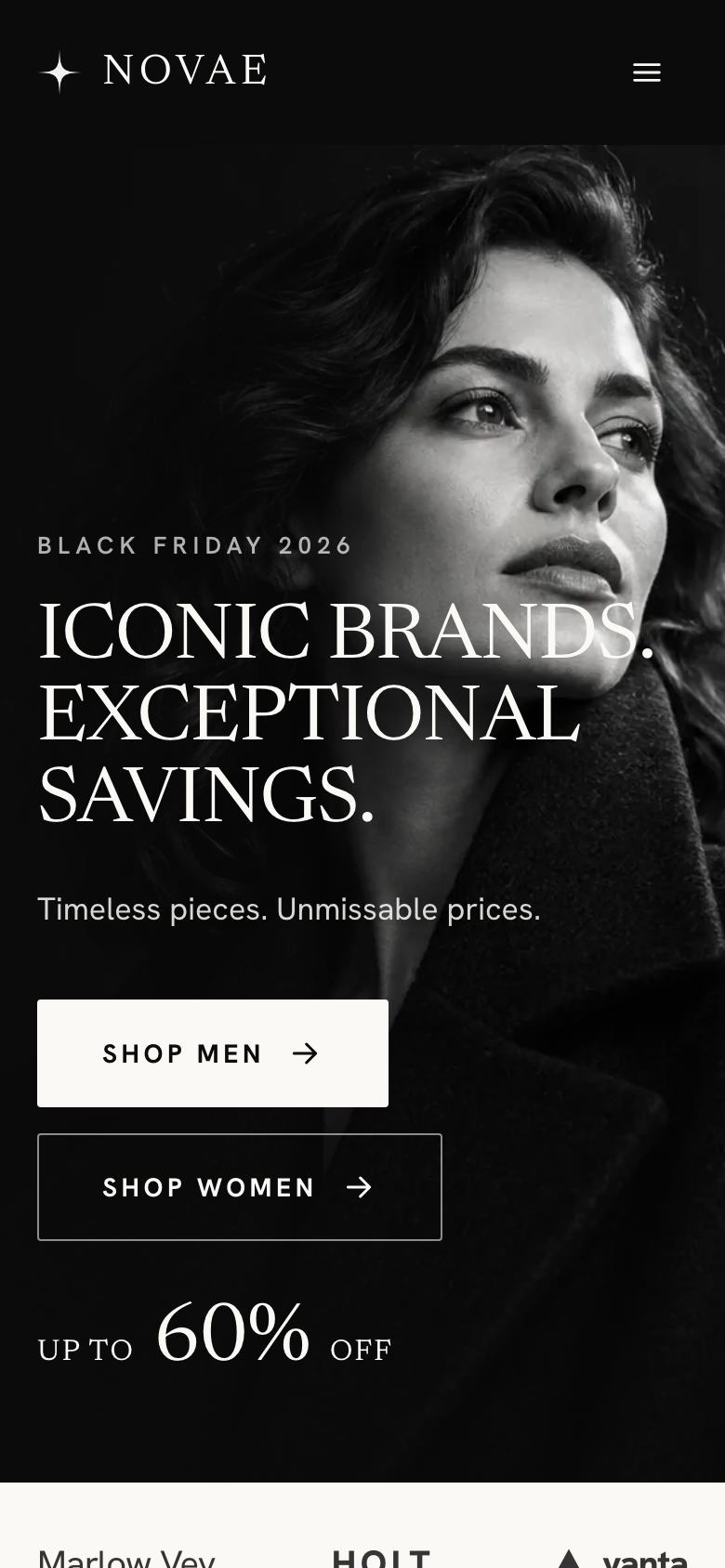
Twenty-four finished landing pages for selling things: one product, a dated sale, a bundle, a subscription, a pre-order, a limited drop, wholesale accounts or an app install. Each opens in the editor with its layout, photos and sample copy at no credit cost, and every one has a buy button you point at your own checkout.


Single Product LaunchOnline shop · Newsreader
Dated Flash SaleOnline shop · Anton
Bundle And SaveOnline shop · Epilogue
Coffee RoasteryOnline shop · Fraunces
Small-Batch CraftOnline shop · Bitter
Recurring Box SubscriptionOnline shop · Fraunces
Mobile App InstallOnline shop · Space Grotesk
Pre-order LaunchOnline shop · Space Grotesk
Waitlist DropOnline shop · Literata
Wholesale TradeOnline shop · Spectral
Campaign PromotionOnline shop · Oswald
Booked DemoOnline shop · Familjen Grotesk
Gadget LaunchOnline shop · Plus Jakarta Sans
Book LaunchOnline shop · Hanken Grotesk
Video Chat AppOnline shop · Bricolage Grotesque
Black Friday Drop BoardOnline shop · Archivo
Skincare Summer SaleOnline shop · Prata
Floor Model ClearanceOnline shop · Literata
Grocer Weekend OffersOnline shop · Bricolage Grotesque
Private Salon SaleOnline shop · Cormorant Garamond
Holiday Gift SaleOnline shop · Bricolage Grotesque
Outdoor Season EndOnline shop · Archivo
SaaS Annual DealOnline shop · Bricolage Grotesque
Black Friday Home SaleOnline shop · Plus Jakarta Sans
A shop is a place to browse. A landing page is a place to decide. When you run ads, send an email or launch something new, the visitor arrives with one intention and a handful of doubts. A good ecommerce landing page answers those doubts in the order they occur and puts the buy button where the decision happens.
The doubts change with the offer. For a single product it is “is it worth the price?”. For a sale it is “is the discount real?”. For a pre-order it is “will it actually ship?”. The templates in this collection are organised around those questions.
The offer in the first screen. Product, price or discount, and one line on why now.
What you get. Specifications, contents of the box or bundle, sizes. Single Product Launch gives the spec table as much space as the photograph for exactly this reason.
Proof that the deal is honest. Was-prices that are real, stated quantities, or a public production timeline. Black Friday Drop Board explains how its was-prices were set; Pre-order Launch publishes its production dates.
Delivery and returns. A short table by destination and a clear returns window removes the last hesitation.
Reviews. Verified buyers, ideally with a number of reviews and a distribution rather than a single score.
The repeated buy action. A band near the end repeats the offer and deadline, because many visitors decide only after reading the details.
One product. Single Product Launch for considered objects, Gadget Launch for tech with hotspots, Book Launch for a book, and Booked Demo for products bought after a showroom visit.
A sale with a deadline. Dated Flash Sale is the general choice. For specific markets there are Black Friday Drop Board, Black Friday Home Sale, Skincare Summer Sale, Holiday Gift Sale, Outdoor Season End, Floor Model Clearance, Grocer Weekend Offers and the invitation-only Private Salon Sale.
Sets and recurring orders. Bundle And Save for choosing between bundles, Recurring Box Subscription for boxes, SaaS Annual Deal for software plans, and Coffee Roastery for lots and subscriptions.
Launches and scarcity. Pre-order Launch for products not yet made, Waitlist Drop for honest limited editions, and Small-Batch Craft for makers reserving batches.
Other ways of selling. Wholesale Trade for trade accounts, Campaign Promotion for brand promotions with a partner, Mobile App Install and Video Chat App for apps.
Fake urgency. Countdown timers that reset and “only 3 left” that never changes destroy trust. Use real deadlines and real quantities, or none.
Burying delivery and returns. They are part of the price. Put them on the page, not only in the footer.
Too many products. A landing page that becomes a catalogue loses its advantage. Link to the shop for everything else.
A checkout that does not match. If the page promises a discount applied automatically, test that the checkout actually applies it.
Selling copy works best when it answers the question the visitor has at that moment. For a single product, describe what it does, how it is made and how it compares with the ordinary version people already own, with measurements rather than adjectives. For a sale, explain why prices are lower and how the discount is calculated. For a subscription, say what arrives, how often, and exactly how to pause or cancel. For a pre-order, publish the production plan with dates.
Keep claims precise. “Waterproof” needs a rating, “sustainable” needs a material or a certification, and “best seller” needs to be true for a stated period. Many countries regulate reference prices, green claims and subscription terms, so check the rules where you sell before publishing a sale or a recurring offer.
Online buyers cannot touch the product, so photographs must do the work of a shop floor. Show the product on a plain background for detail, in use for scale, and close up for materials and finish. For clothing and wearables, say the model’s height and size. For food and drink, photograph the real product as it arrives. Most templates in this collection use only a handful of images, so each one should be chosen for the question it answers.
A landing page that sells should connect cleanly to the checkout. Test every buy button with the variant and quantity it promises, check that discounts apply automatically when the page says they do, and confirm that delivery costs match the table on the page. Connect the ad platforms you use so purchases are attributed to the campaign that brought the visitor, and keep the page’s address consistent in emails and ads so results can be compared over time.
Many selling pages have a deadline, and what the page does afterwards matters. A sale page left running with an expired countdown damages trust in the next sale. Replace ended offers with a note on what happened and a way to hear about the next one, or redirect the page to the product at its normal price. For launches and editions that sold out, keep the page as a record, with past quantities and dates, which becomes proof for the next release.
Before publishing any selling page, place a real test order from a phone, using the same link your ads will use, and follow it through to the confirmation email. It is the quickest way to catch a wrong price, a missing variant or a discount that does not apply.
Choose a template and it opens in the editor with its layout, photos and sample text. Replace the photography with your own products, edit prices and details in place, or tick “Write the text for my business” and the AI rewrites the copy for about 20 credits while keeping the design. Point each buy button at your checkout, connect your ad tracking, and publish to your own domain.
Starting from any template costs no credits. Or describe what you sell and the AI draws a page for your business, usually in about two minutes.