A coffee roastery page should sell the ritual as well as the coffee
Someone searching for a coffee roastery is usually looking for more than a bag with a price beside it. They may want to know what the roaster stands for, which coffees to start with, what is new, and why the range is worth returning to. A generic shop page can make every product feel interchangeable. This design gives the range a point of view before it asks for a purchase.
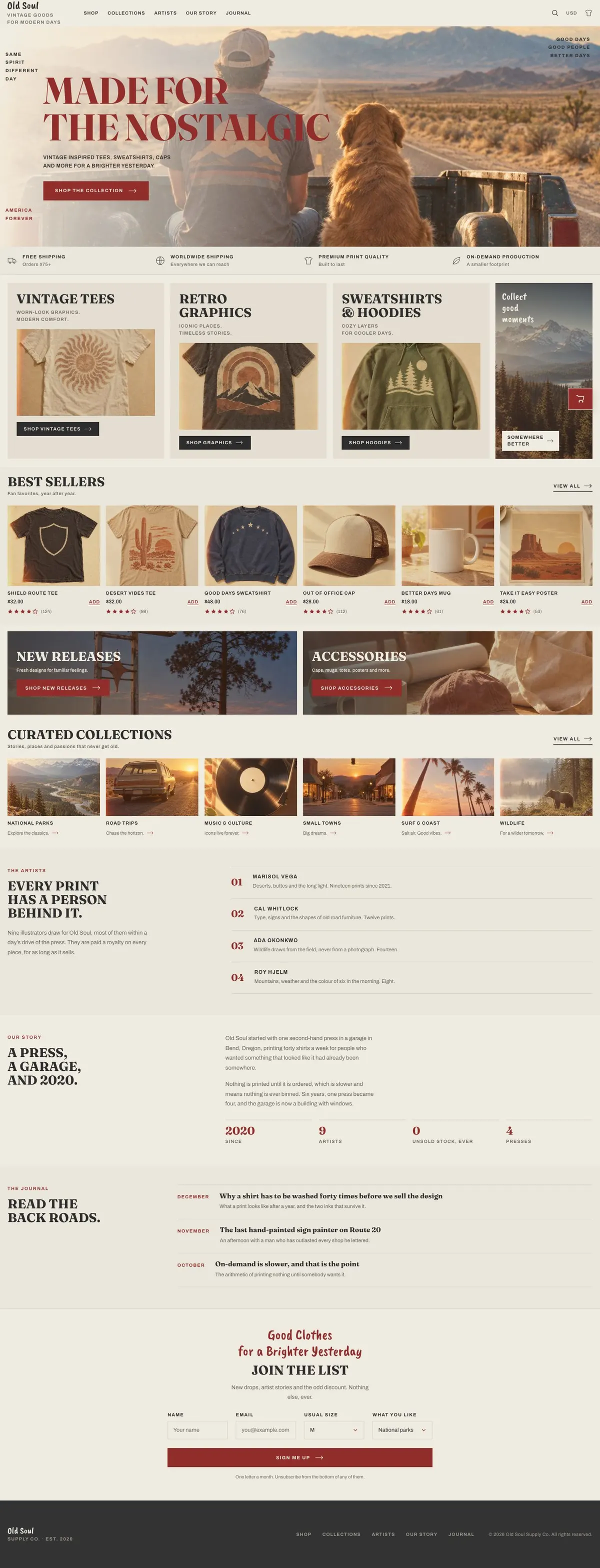
The template was built around a warm, nostalgic product brand, but its structure is useful for a roastery with good photography and a distinct house style. The opening photograph can carry the atmosphere of the roasting room, a morning service or the landscape behind a sourcing story. The shop areas then make room for coffee ranges, seasonal releases and useful additions.
It does not include a dedicated explanation of brew methods, subscriptions or wholesale ordering. If wholesale is a central part of the business, Wholesale Trade is the closer starting point for that job.
From first impression to the product range
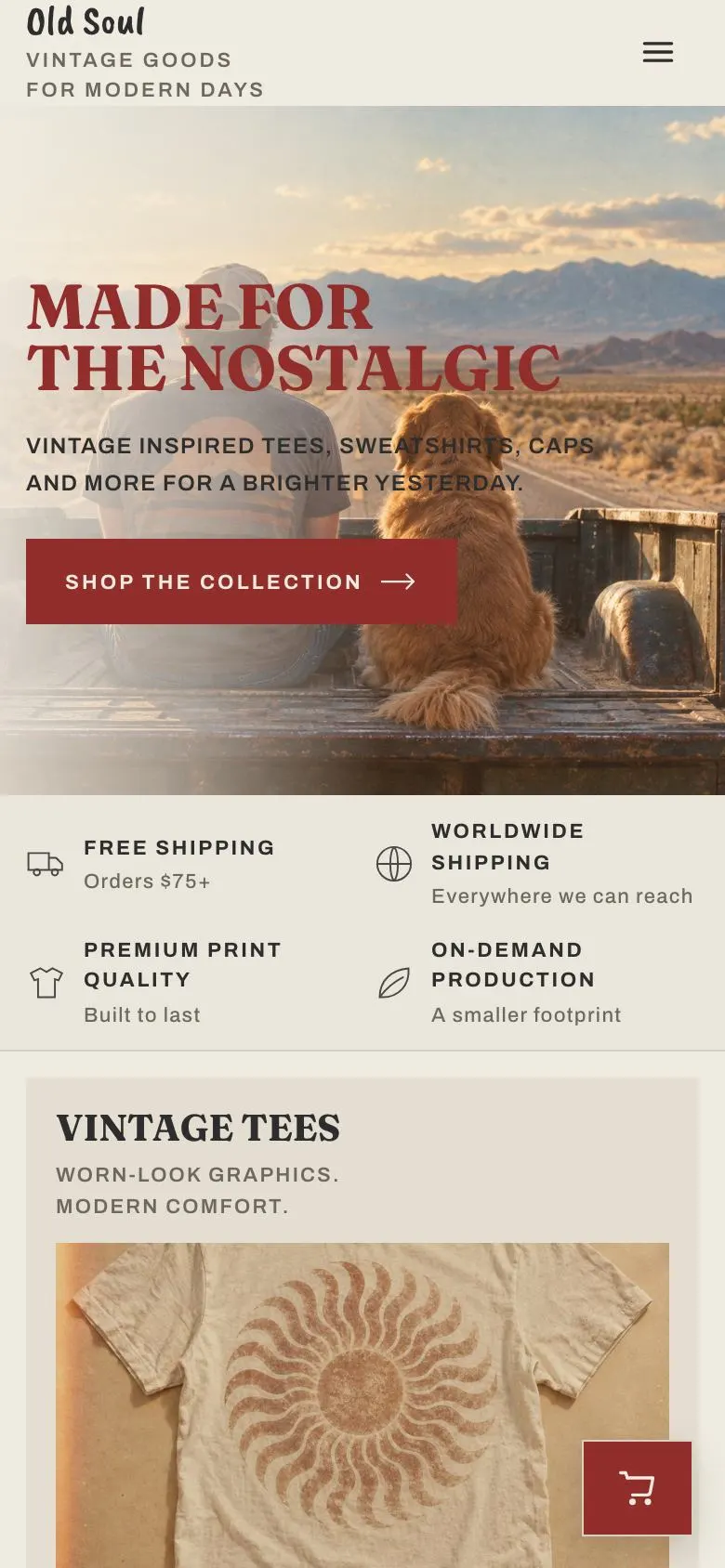
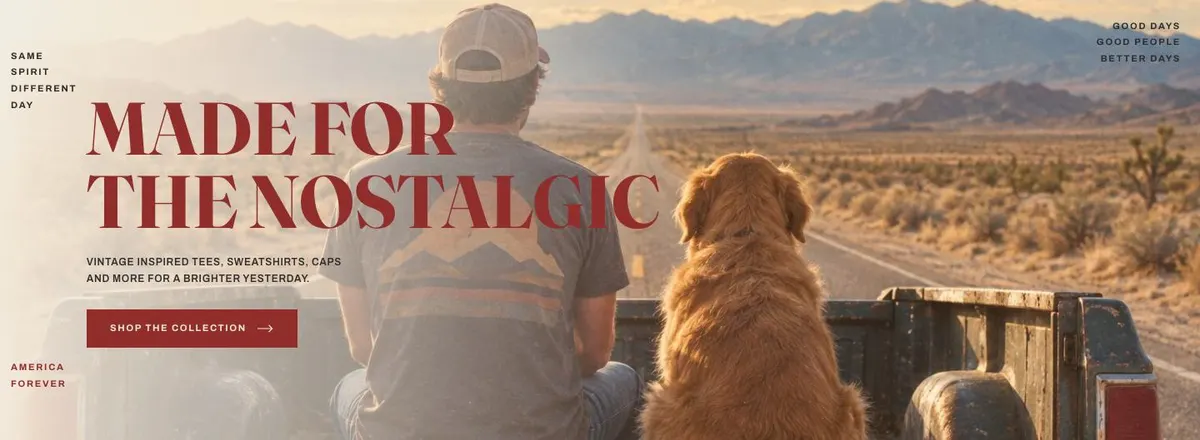
The page begins with the Hero, headed “Made for the nostalgic”. It has one photograph and a “Shop the collection” button. For a coffee roaster, this is where the main proposition belongs: perhaps the approach to roasting, the type of coffee the business is known for, or the kind of daily drinker it makes. Keep the line short enough to sit over the image. The button should lead to the range that fulfils the promise.
Promises follows as a short strip of four statements. This is a practical place for the principles that make choosing easier. A roaster could use it for claims it can support, such as roast-to-order practice, delivery area, sourcing approach or a clear note about the coffees it sells. These statements should be specific and consistent with the rest of the page.
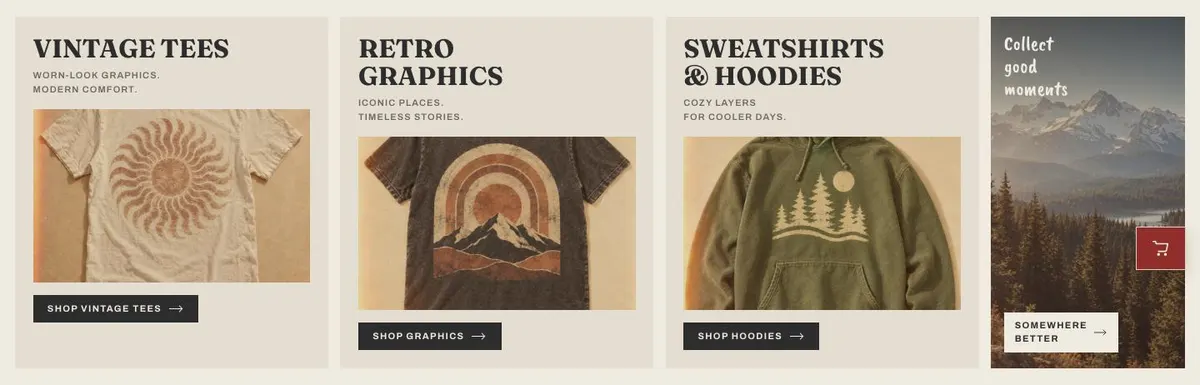
The Shop band is headed “Vintage tees” in the demo and carries the line “Worn-look graphics. Modern comfort.” It shows products with a buy button. For a roastery, this should become the first coffee category visitors need to see. It could be espresso coffees, filter coffees, a house blend or a starter selection. Replace both pieces of sample copy so that the heading names the category and the supporting line explains its character without trying to describe every product.
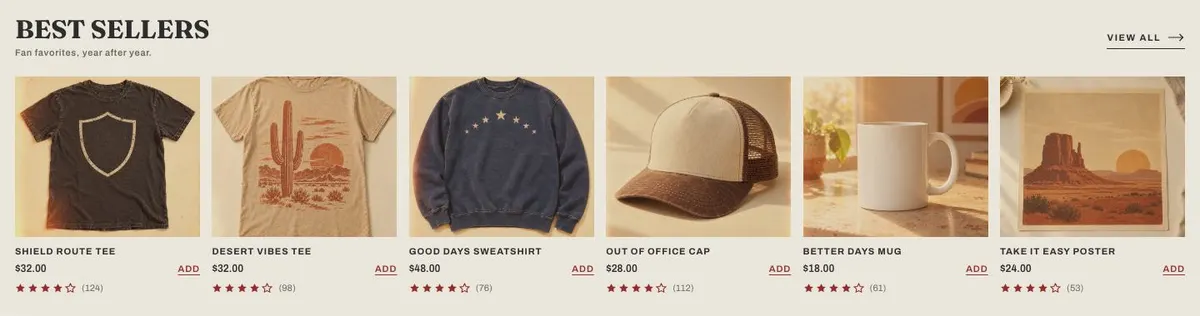
Best is headed “Best sellers” and introduces the products people return to. It is the natural place for proven coffees: the regular blend, an approachable single origin, a decaf, or other dependable choices. Product photographs and ratings are part of this band, so the selected items need accurate images and customer feedback where it is available. Do not make every coffee a best seller. Choose the products that genuinely help a first-time buyer decide.
The band called New releases Fresh designs for familiar uses two photographs and offers “Shop new releases” and “Shop accessories”. A coffee business can use this space for new harvests, limited lots, seasonal coffees or branded brewing goods. Both destinations need to exist before publication. If accessories are not sold, the second route should be adapted to a category the business does sell rather than left as a promise.
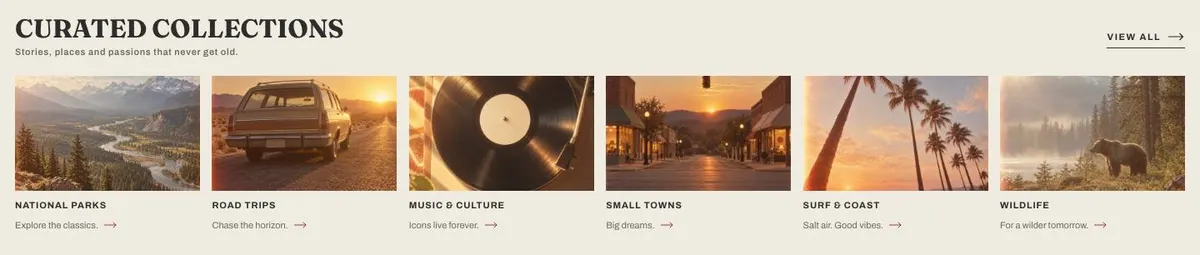
Collections brings together themed groups under “Curated collections”, with the line “Stories, places and passions that never get old.” This works well for coffee grouped by brew preference, flavour direction, season, origin focus or gifting purpose. The categories should be useful paths through the range, not labels that require a customer to understand the business already.
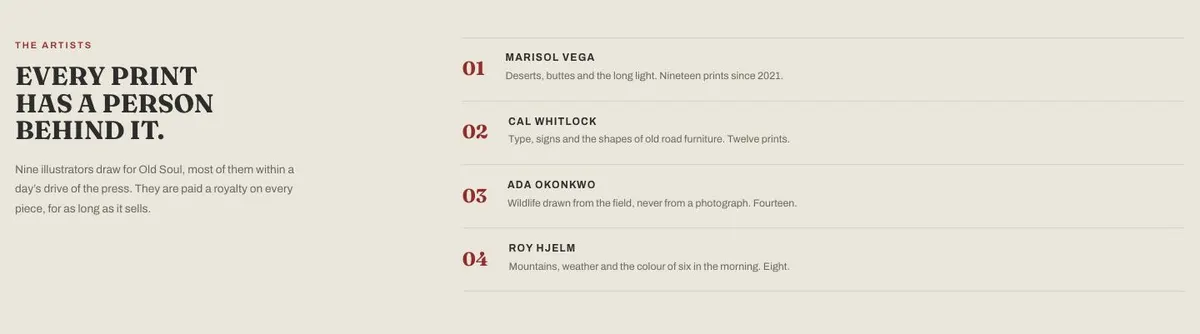
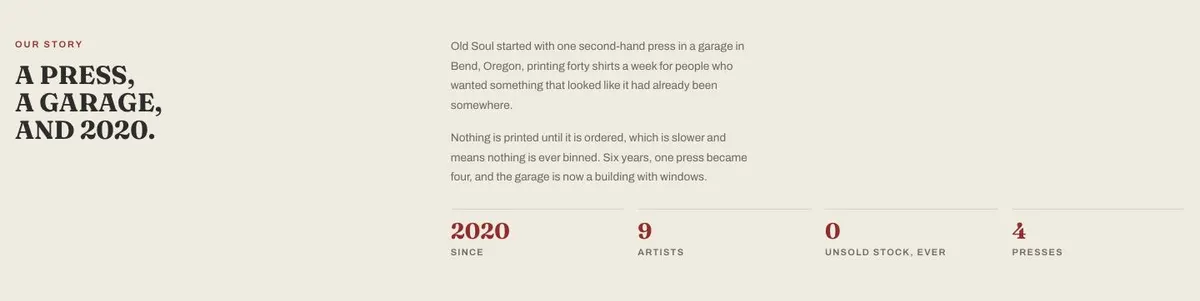
Artists and Story give the page its human centre. The demo talks about illustrators, royalties and a press, then tells an origin story. A roaster can use these bands to introduce the people involved in sourcing, roasting, packing or designing the packaging, and to tell the true beginning of the business. These sections should not be filled with borrowed romance. If the business began at a market stall, in a shared workspace or after years in hospitality, say that plainly.
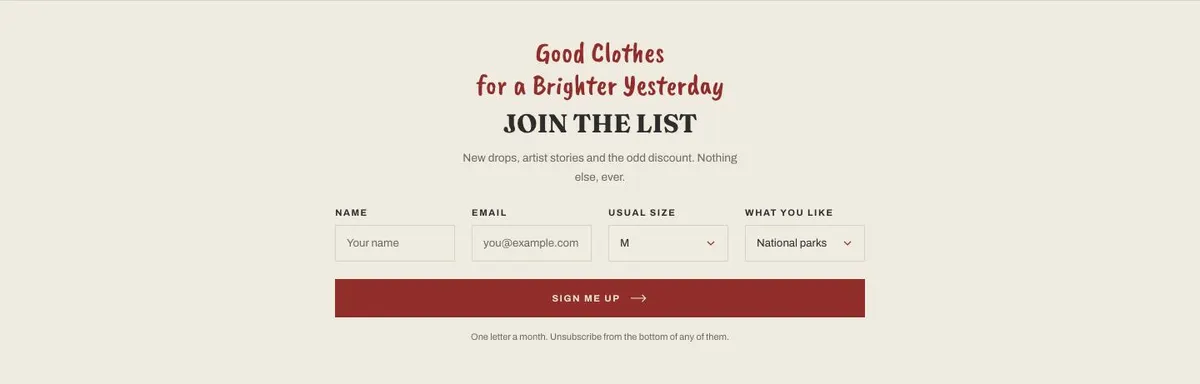
Journal, headed “Read the back roads”, holds editorial pieces. For a roastery, these can point towards notes on coffees, growers, cafés, brew ideas or the business’s local area. The final Letter band invites visitors to “Join the list” through a form. Its existing promise is new drops, artist stories and occasional discounts. Rewrite that promise around what the roastery can actually send, such as new coffees, roast news or offers, and make sure the form has a real destination.
Adapting the design without losing its character
This is a light, photo-led layout using a serif display face and a straightforward body face. The supplied display font is Fraunces and the body font is Archivo. Available pairings include Fraunces with Archivo, Caveat Brush with Archivo, and Bitter with Archivo. Fraunces with Archivo is the closest choice when the roastery needs a composed editorial feel. Caveat Brush can suit a more hand-made voice. Bitter can make the page feel firmer and more traditional.
The available colour schemes are Rust, Forest, Denim and Tobacco. A roaster should choose one based on its packaging, photographs and existing mark, not on the names alone. The page uses one accent against an almost colourless base, so it is better to commit to a single recognisable accent than introduce several competing colours.
The template needs nineteen photographs across the page. They appear in the opening, shop, best-seller, new-release and collection areas. Prepare a mix of bag shots, brewed coffee, beans, people and places where those are truthful to the business. Product images need to make each coffee distinguishable. Wider images can carry the tone of the page, but should still relate to the story being told beside them.
Writing it for your business
Starting from a template costs no credits. Rewriting the copy with AI costs about 20 credits. A good brief names the business, its location, the coffees or categories it sells, the audience it wants to reach and the main goal for the page. It should also name any wording that must remain exact, such as roast names, origin information or delivery terms.
The AI can help turn those facts into a consistent first draft, but it cannot establish facts the business has not supplied. Give it the real story behind the roastery, the products to feature and the newsletter promise it can keep. Then check every claim before publishing, particularly claims about sourcing, freshness, awards or customer popularity.
What to prepare before publishing
Start with the decision the hero should lead to: which collection should a first-time visitor shop first? Write a short headline and one supporting line for that choice. Prepare the four promises only after deciding what can be demonstrated or delivered.
Gather product names, category names, prices and current ratings for the coffees intended for the shop and best-seller areas. Write a short description for each collection that helps a customer choose. Prepare the two new-release destinations and decide whether accessories are genuinely part of the offer.
Finally, write the people story, the business story and the newsletter message. The journal needs real pieces to point to, so do not treat it as filler. Photograph the products and the wider world of the roastery before arranging the page around them.
Variations for nearby trades
A record shop can keep the nostalgic opening and use the first shop band for new arrivals, the best-seller area for enduring favourites, and collections for genres or labels. Its story sections can introduce the people who select records and explain the shop’s history.
A print and poster business can use the product bands for editions, prints and related items. The Artists band becomes especially important: it should identify contributors and explain the arrangement accurately. For a small maker selling a focused physical range, Small-Batch Craft may suit a more process-led presentation.
An outdoor brand can use collections for places, seasons or activities, while the journal can support route stories and field notes. It should keep the opening claim grounded in the products it actually sells.
When another template fits better
For a focused craft product story with less emphasis on a broad catalogue, see Small-Batch Craft. For retailer or café accounts rather than direct consumer purchases, see Wholesale Trade. For a promotion built around a time-specific range, Skincare Summer Sale is the relevant neighbouring format. Browse the wider ecommerce template collection for other shop structures.
Before you publish
- Check that the hero button leads to the intended coffee range.
- Replace every sample product, story and newsletter claim.
- Confirm that each new-release route is available to shop.
- Make sure all nineteen photographs are current and relevant.