Each restaurant landing page example below leads towards one action: an enquiry form for a booking or visit, or an order form for selling products. Choose the form first, then compare how many photographs the templates on that route need.
We compare eight of our nine restaurant and food-business templates by form, photograph count and content sections. All 196 finished templates in our library have four colour schemes. These are not customer case studies. Choose a page you can finish with the material you have, and keep the form’s role clear: a booking enquiry does not confirm a reservation, and an order form does not prove that payment processing is available.
Restaurant landing page examples for chef-led dining
Choose Chef's Table if guests need to understand the chef’s point of view and the evening before enquiring. It suits chef-led restaurants, private dining rooms and supper clubs.
Its 12 sections have an editorial masthead layout and an Enquiry form. You need 10 photographs, distributed across these sections:
- Hero: one
- Roots: two
- Kitchen: three
- Book: two
- Chef: two
Four colour schemes support the editorial styling: Wine, Ember, Forest and Indigo. The default font pairing is Noto Serif Display with Jost. Alternatives are La Belle Aurore with Jost and Lora with Jost.
Replace the sample seven-course menu with your current weekly menu. Keep only market-led or coastal sourcing claims that describe your kitchen. Use the accordion to give current answers about reservations, dietary needs, timing and practical arrangements. We recommend this template when explaining the experience matters more than presenting a product range.
Choose Tasting Menu Bookings when the evening needs explaining
Tasting Menu Bookings suits tasting-menu restaurants, chef’s counters and private dining rooms where guests need to understand the courses, pairings and atmosphere before enquiring. Its Enquiry form starts a booking conversation.
The template has 12 sections, 10 photographs and four colour schemes: Oxblood, Ink, Walnut and Indigo. The default fonts are Bodoni Moda for display text and Jost for body copy; alternatives are La Belle Aurore with Jost and Lora with Jost.
Photographs sit in Hero, Story, People, Menu, the A5 wagyu course band, the burnt butter and dashi course band, Room and Book. People and Book each use two images. Choose this layout if you have course photography as well as room and team shots: each has a defined place.
The sample pairing section sets out five glasses or five alcohol-free alternatives. Replace it and the named dishes with your own offer. Use the “Before you book” accordion to answer guests’ booking questions before they send an enquiry.
Choose Restaurant Table Bookings for a seasonal restaurant
Choose Restaurant Table Bookings if your offer centres on seasonal cooking, shared tables, local producers and a considered wine list. It suits small restaurants taking ordinary table-booking enquiries, with room for private parties alongside them.
Its 12 sections cover food and its sources, then the room, the week, the cellar and the table, before asking guests to contact you. Choose it if you have the 14 photographs the layout needs across Hero, Why, Menu, Land, Room and Book. “Said” holds a guest quote; “Questions” has an accordion for pre-booking answers.
The four colour schemes are Pomodoro, Oliva, Limone and Vino. Bodoni Moda is the default display face, with Jost for body copy; alternative pairings keep Jost alongside Caveat Brush or Petit Formal Script.
We recommend wording the Enquiry form’s action as “Enquire about a table” and making clear that the restaurant confirms availability.
Sell a small food range with Seasonal Kitchen or Luxury Confectionery Shop
If provenance and recipes explain why someone should buy, we recommend Seasonal Kitchen. If the offer centres on collections, gifts and larger occasions, choose Luxury Confectionery Shop.
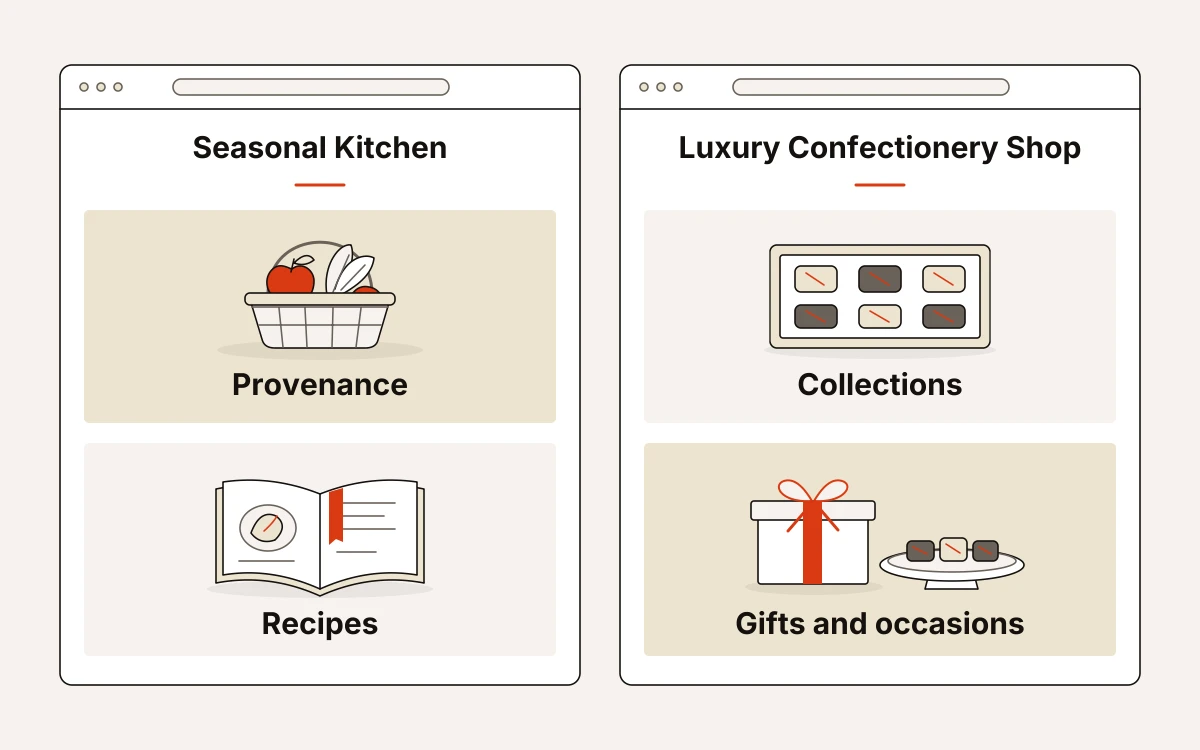
Seasonal Kitchen: produce, pantry products and recipes
Seasonal Kitchen uses provenance, a small product range and recipes to build a page focused on purchases. It has 8 sections, 12 photographs, 4 colour schemes and an Order form. The colour schemes are Orchard, Conserva, Sagra and Basilico.
The photograph allocation shows where the emphasis sits: three images in Hero, four in Farms, one in The Pantry, three in Story and one in Recipes. Choose it if you have material about the producers and ways to use the food. Pack shots alone will not fill those sections.
The default fonts are Permanent Marker with Hanken Grotesk. Alternatives pair Hanken Grotesk with Caveat or Patrick Hand.
Luxury Confectionery Shop: collections, gifts and larger occasions
Luxury Confectionery Shop presents a small-batch collection, explains its story and gathers orders for gifting and larger occasions. It has 10 sections, 14 photographs, 4 colour schemes and an Order form. The colour schemes are Gilt, Rose, Verdigris and Copper.
Collection presents four products for purchase, each needing a photograph and product details. Support any single-origin or ingredient claims with evidence from your own range.
The design is dark and photo-led, with uppercase headings. Hanken Grotesk body copy pairs with Prata, Parisienne or Playfair Display for display type.
Choose Artisan Chocolate Shop or Coffee Bean Shop for product education
If customers need to understand cacao before choosing, use Artisan Chocolate Shop. If their choice depends on sourcing, brewing and recurring offers, use Coffee Bean Shop.
Artisan Chocolate Shop: cacao stories and a chocolate collection
Artisan Chocolate Shop gives bean-to-bar makers and small-batch chocolate brands room to explain their cacao, show the range and lead customers towards an order. It has 12 sections, 16 photographs, four colour schemes and an Order form. The colour schemes are Cacao, Conche, Leaf and Husk.
Our Chocolate Collection is the section for selling products. It needs five product photographs and complete, current details for every item linked to a buy button. Choose it when you have both the product images and the cacao story to fill those spaces.
The default fonts are Cormorant Garamond for display text and Hanken Grotesk for body copy.
Coffee Bean Shop: coffee collections, brewing and recurring offers
Coffee Bean Shop combines a coffee collection with sourcing, brewing, subscriptions and customer words. Its paper collage layout has 12 sections, 18 photographs, four colour schemes and an Order form. The colour schemes are Roast, Cherry, Forest and Harvest.
Our Coffee Collection needs four product photographs, accurate product details and cart links to help customers choose and buy. Use the subscription content only for a recurring offer you actually provide. That content does not establish subscription-management capabilities.
The default pairing is Playfair Display for display text and Hanken Grotesk for body copy.
Use Botanical Drinks Brand for enquiries, not checkout
Botanical Drinks Brand suits ingredient-led drinks whose visitors need the product story, serving rituals and stockist information. Choose it when visitors need that detail rather than a direct order route. We would use it to explain what goes into the drink, how it is made and where to buy it.
The template has 12 sections, 15 photographs and an Enquiry form. Its four colour schemes are Coral, Olive, Sea and Ink. Bodoni Moda display text and Jost body copy are the default; alternative pairings are Anton + Jost and Caveat + Jost.
Photographs appear in Hero, Story, Ingredients, Press, Drinks, Journal and Flavours. Flavours collects drink enquiries and needs two photographs plus form copy, so prepare the enquiry wording alongside the images.
There is no payment or checkout mechanism. Before publishing, give the Hero’s “Shop our drinks” button a real destination, such as your existing shop or a stockist page that tells visitors where they can buy.
What every restaurant page needs before publication
The offer, current menu or products, provenance and next action must be explicit before publication. Replace sample claims with facts you can support, including dietary information, visit timings and preparation or delivery terms.
- For dining: check Tasting Menu Bookings for current course descriptions, course count, evening duration and pairing availability. Its enquiry form must be ready to receive booking requests.
- For private events: Chef’s Table needs six accurate list entries, clear event terms and enough detail to plan a whole-room booking.
- For deliveries: Seasonal Kitchen’s The Pantry needs accurate product details, named growers and evidence for its two-day European delivery claim. Coffee Bean Shop’s The Morning Box needs current contents, price, delivery areas and proof that Friday roasting reaches customers by Monday.
We keep each landflow page to one conversion goal and one lead form, with source and campaign recorded on every lead at submission. Check that the form writes to the inbox before any pixel fires. The enquiry or order must be captured before tracking runs.
Start with the form you need and photographs you have
If you have ten suitable dining photographs, start with Chef’s Table or Tasting Menu Bookings; Restaurant Table Bookings needs fourteen. For products, Seasonal Kitchen has the smallest photographic requirement here at twelve.
Before opening a template, check that you have enough images to meet its stated photographic requirements. Starting from a landflow template costs no credits on any plan: it opens in the editor with its layout, photographs and sample text.