landflow

Outdoor Season EndLanding page template

Wonder-led shopping, product discovery and expedition stories

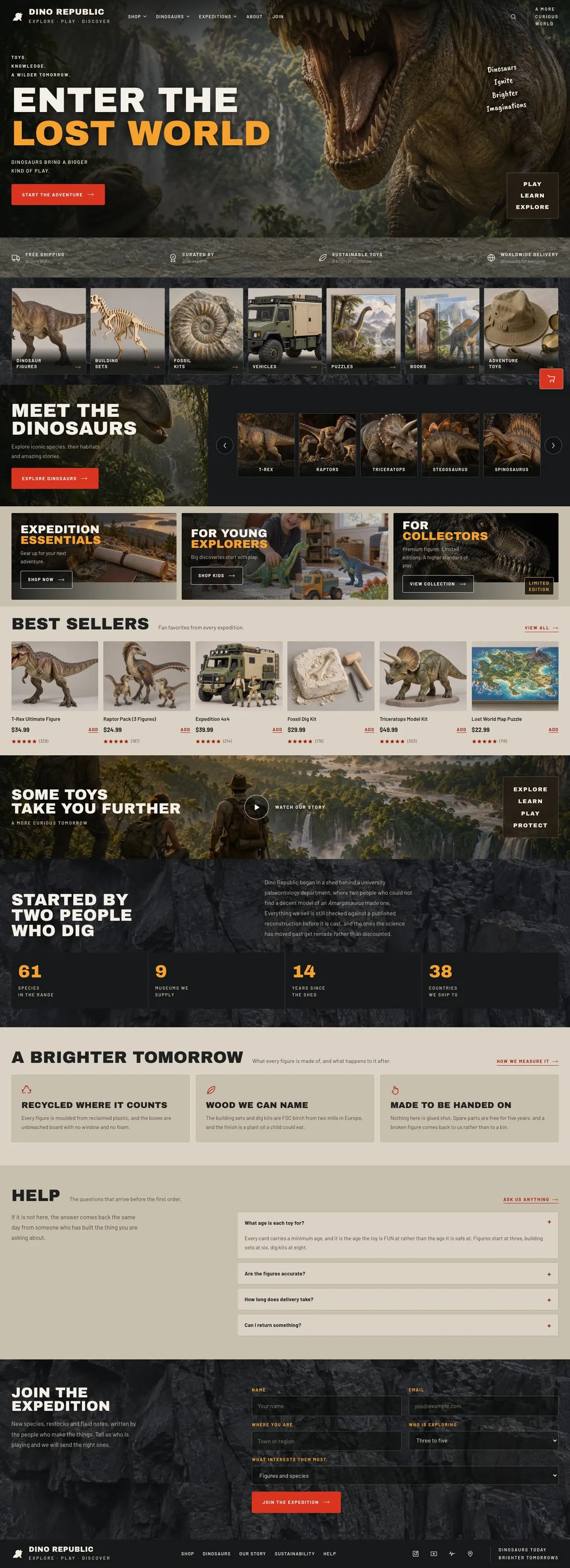
For specialist shops and visitor attractions selling products around a subject, this photo-led template guides visitors from a bold seasonal theme through categories, featured ranges, best sellers, brand story and an expedition sign-up.

11 sections 29 photos 4 colour schemes Order form
Outdoor Season End landing page template, desktopOutdoor Season End landing page template on a phone
Opens ready. No credits.
01 preview

See the whole page before you start.

Switch devices, scroll the full page, or open the live demo. This is the exact layout, photos and sample text a new page starts with.

All templates
Outdoor Season EndOnline shop · 11 sections
Outdoor Season End template, the whole page on desktop
02 what's on the page

Every section, in the order a visitor meets it.

The headings are the demo's own sample text. Your brief, or the AI copy pass, replaces them; the structure stays.

  1. 01 / 11 Hero

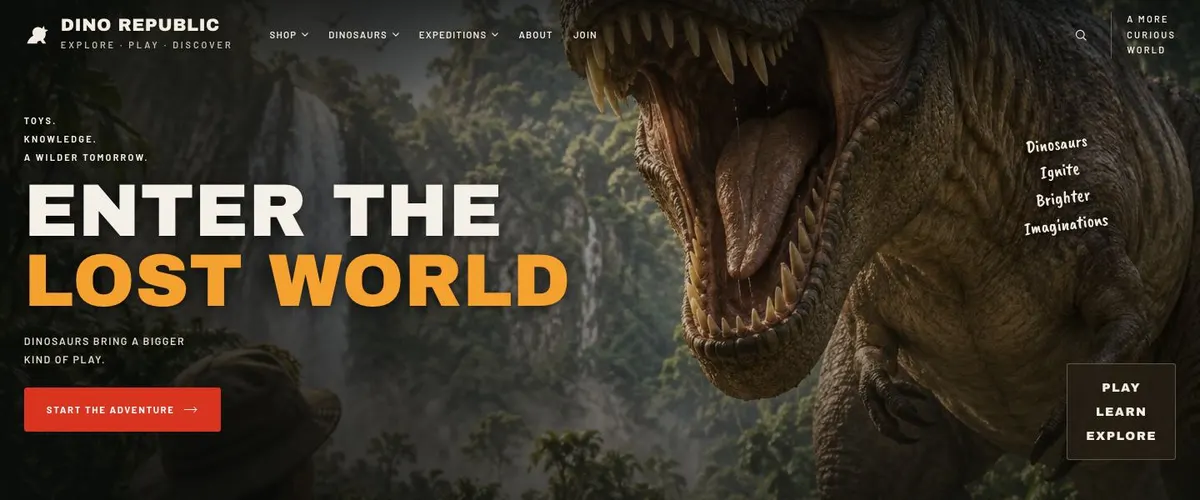
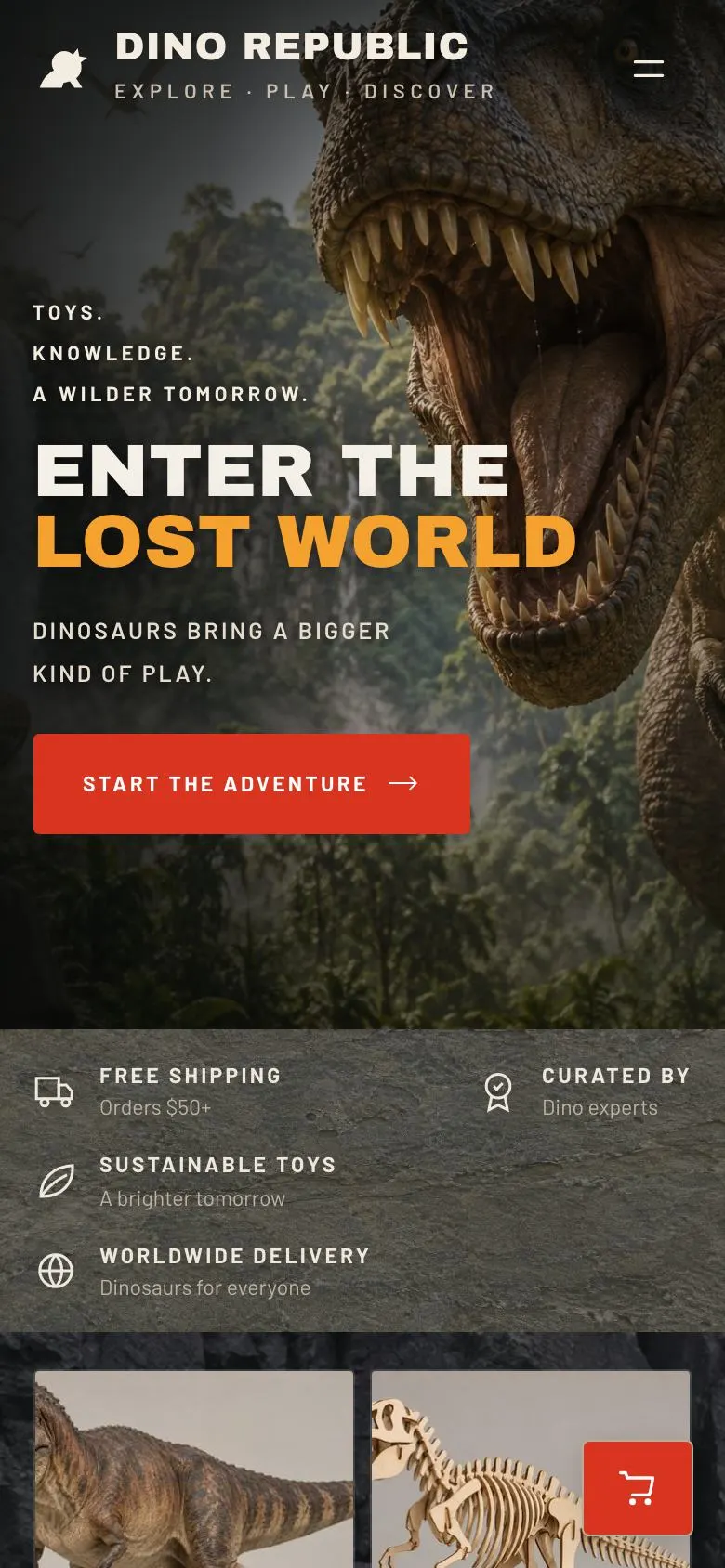
    Enter the Lost World

    Enter the Lost World introduces the purchase journey; supply one honest product photograph, destination text and a working route for the “Start the adventure” button.

    Outdoor Season End template — Hero section
  2. 02 / 11 Promises

    What Dino Republic promises

    What Dino Republic promises states free shipping on orders over $50, so provide the qualifying delivery terms and ensure the business can honour them.

    Outdoor Season End template — Promises section
  3. 03 / 11 Expeditions Cats

    Shop by kind

    Shop by kind sorts the range into eight pictured categories; provide eight accurate category photographs, names and linked collections customers can browse.

    Outdoor Season End template — Expeditions Cats section
  4. 04 / 11 Dinosaurs

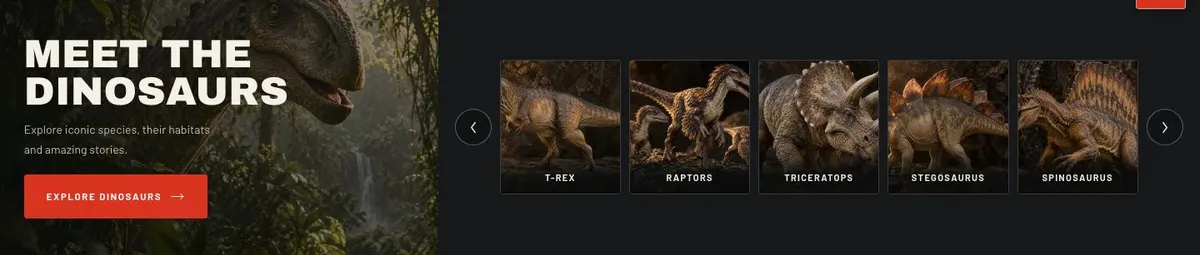
    Meet the dinosaurs

    Meet the dinosaurs lets customers explore seven species before buying; supply seven accurate photographs, species information and destinations for the exploration and purchase controls.

    Outdoor Season End template — Dinosaurs section
  5. 05 / 11 Expeditions

    Expeditions groups three pictured product journeys or collections; provide three photographs, clear expedition names, descriptions and truthful links to the relevant products.

    Outdoor Season End template — Expeditions section
  6. 06 / 11 Shop

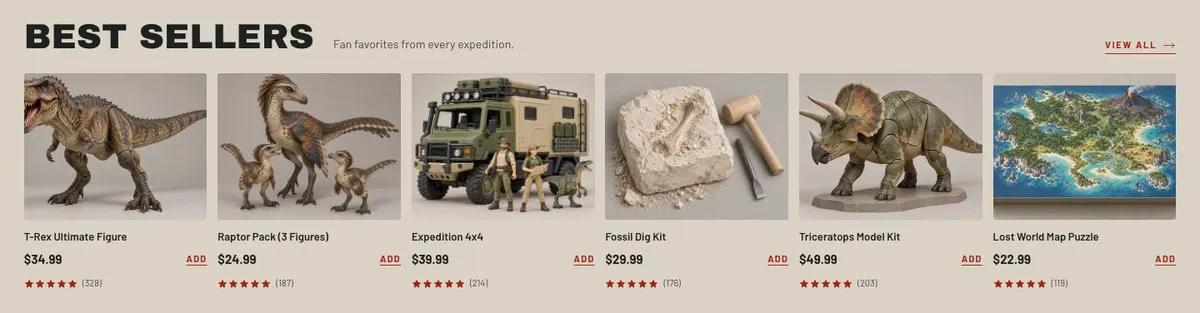
    Best sellers

    Best sellers directs shoppers towards six products; supply six current product photographs, names, prices, availability and working purchase links, with evidence for any bestseller claim.

    Outdoor Season End template — Shop section
  7. 07 / 11 About

    Some toys take you further

    Some toys take you further explains the purpose behind the range; provide one photograph and a truthful account of how the products support a more curious tomorrow.

    Outdoor Season End template — About section
  8. 08 / 11 Story

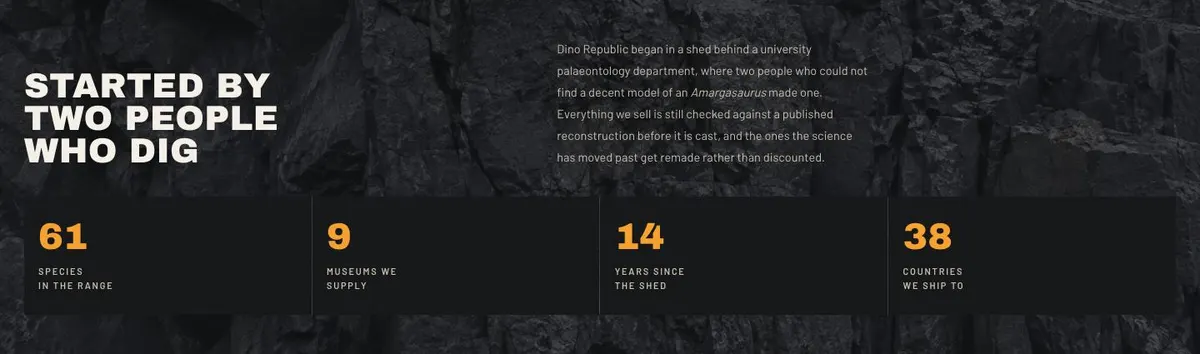
    Started by two people who dig

    Started by two people who dig tells the business origin story; supply one photograph and a verified account of the founders, beginnings and product-checking process.

    Outdoor Season End template — Story section
  9. 09 / 11 Sustainability

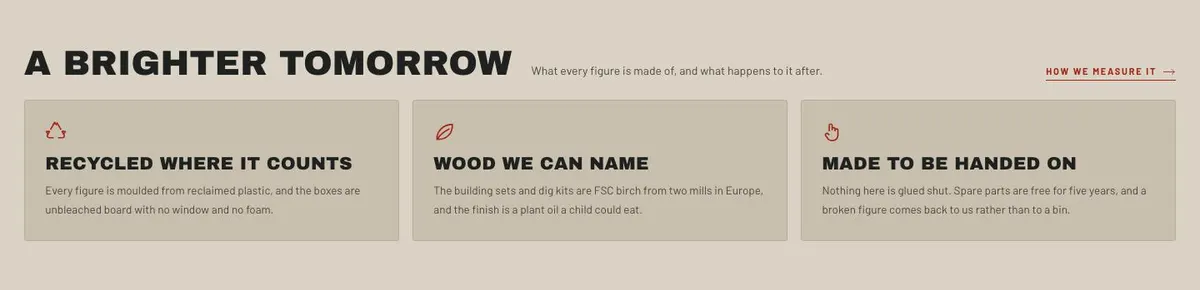
    A brighter tomorrow

    A brighter tomorrow explains materials and end-of-life handling; provide accurate material, recycling or disposal information that the business can substantiate for every figure.

    Outdoor Season End template — Sustainability section
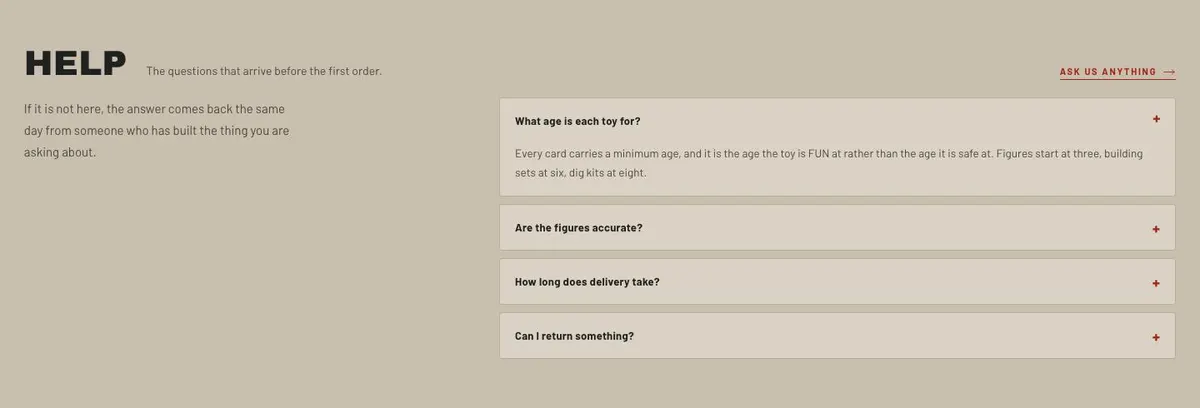
  10. 10 / 11 Help

    Help answers questions before a first order through an accordion; supply clear, current answers covering the actual concerns customers raise about ordering and delivery.

    Outdoor Season End template — Help section
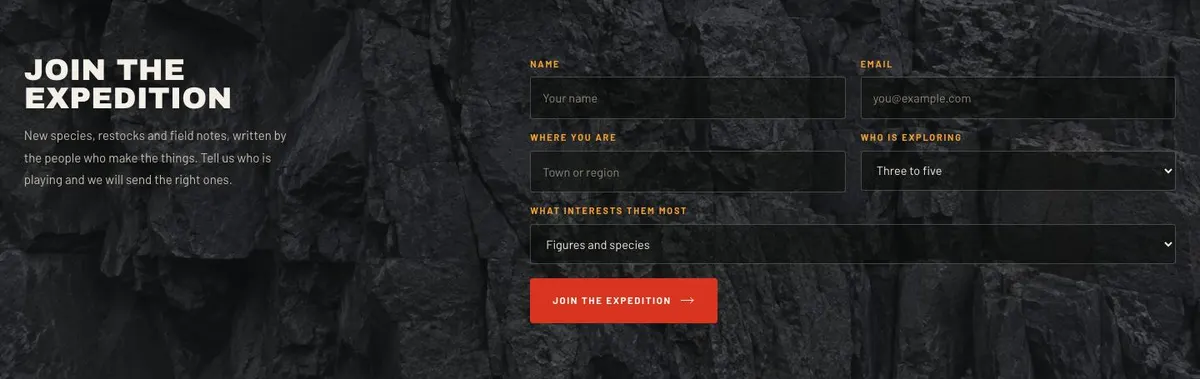
  11. 11 / 11 Join

    Join the expedition

    Join the expedition collects subscriber details for updates; supply one photograph, the form fields, consent wording, email content and a working purchase route.

    Outdoor Season End template — Join section
03 the template

How this page works, and how to make it yours

For an outdoor season ending with a reason to return

Someone searching for an Outdoor Season End page needs more than a notice that a season is changing. The page needs to give visitors a reason to shop now, explore the subject behind the products, and stay in touch for what comes next. This design does that through a bold, photo-led route from an opening invitation to products, stories and an expedition list.

It is not limited to an outdoor retailer. The same structure fits a shop built around natural history, science, models or a visitor attraction. A museum shop can use it to connect collections to objects visitors can take home. A zoo, aquarium or planetarium can make seasonal ranges part of a wider world of species, places and discovery. A generic shop page can make these businesses look interchangeable. This one gives the range a subject and a sequence.

The design is especially useful where each product belongs to an interest people want to keep exploring. It gives space for categories, a group of named subjects, a set of featured expeditions and a selection of best sellers. It does not provide a separate sustainability page or a full help destination. If those need to be the main purpose of the page, they need planning beyond this template.

Adapting the design

The template has four colour schemes: Fire, Moss, Ochre and Lagoon. Choose one that suits the subject and keep product photography consistent with it. Fire can suit a seasonal final call or volcanic, desert and dinosaur material. Moss is a natural fit for woodland, outdoor and field themes. Ochre can work for museum, fossil and workshop ranges. Lagoon suits marine, water and aquarium subjects.

Its display type is Archivo Black and its body type is Barlow. The available pairings also include Caveat Brush with Barlow and Anton with Barlow. The headings are uppercase, so short names and concise seasonal statements work best. Long, qualified headings will lose their force.

This is a photograph-heavy page. It needs 29 photographs across the hero, promises, category browsing, subject exploration, expeditions, best sellers, the about section, the story and the join form. Plan the images as a set before publishing. Product cut-outs alone will not cover the page: it also needs photographs that establish the world, the activity and the reason behind the range.

Writing it for your business

Starting from a template costs no credits. Rewriting the copy with AI costs about 20 credits. A useful brief names the business, the seasonal moment, the products being promoted, the buyer and the action the page should lead towards.

It should also name the categories, the subjects featured in the discovery section, the six best sellers, practical promises, the business story and what the expedition list sends. AI can shape those details into the existing bands, but it cannot confirm stock, delivery terms or material claims. Those need to come from the owner.

What to prepare first

Write the seasonal opening statement first. Then prepare the category names and the short descriptions for the subjects visitors will meet. Select the six products for Best sellers only after checking that their prices, ratings and availability are ready to show.

Gather the full photograph set alongside the copy. Photograph the products, but also photograph the setting or activity that makes the range meaningful. Prepare a concise account of how the business began, accurate material and after-use information, and the real questions customers ask before ordering. Finish with the sign-up offer: restocks, notes, new releases or another promise the business will keep.

Variations for nearby trades

A museum shop can make the category row about collections, eras or exhibition themes. The “Meet the dinosaurs” band can become a guide to objects, artists or discoveries, while Expeditions can point to visitor favourites and collection-based gift routes.

An outdoor retailer can turn the subject section into routes, weather conditions or activities. Best sellers can focus on end-of-season essentials, while the join form can offer restock news and field notes relevant to the next period outdoors.

A model and hobby retailer can use categories for scales, materials or skill levels. The subject bands can introduce featured models and their real-world context, with the story explaining the shop’s knowledge of the hobby.

When another template fits better

For a page centred on models and toys rather than a broader seasonal world, Toy And Model Shop is the closer starting point. For children’s sets sold as grouped offers, consider Children's Product Bundles.

If the main purpose is a time-bound gifting push, Holiday Gift Sale may fit better. For a specialist outdoor product launch, see Performance Running Launch. Browse the wider ecommerce template collection for other shop formats.

Before you publish

  • Check that the seasonal message matches the stock available.
  • Make every category lead to a real product route.
  • Confirm prices, ratings and delivery wording.
  • Use photographs that cover every image position.
04 questions

Before you start

Is this only for dinosaur toys?
No. The page is built around a subject-led shop, so dinosaurs can be replaced with the real focus of the range. It can suit natural history, outdoor, science, museum and hobby products where visitors benefit from discovery before choosing an item.
Can it work for an end-of-season outdoor sale?
It can frame an Outdoor Season End message in the hero and use categories, expeditions and best sellers to guide shoppers towards available products. The owner must supply the real seasonal offer, stock information and delivery terms.
Will the page work if the business has few photographs?
This template needs 29 photographs across its bands, including product and story imagery. A business without that material may need to organise a shoot first or choose a less photo-led template.
Does the template cover all customer support and sustainability information?
It includes a Sustainability band for materials and after-use information, plus a Help accordion for pre-order questions. It does not replace a separate sustainability page or a full help destination if the business needs either one.

Start from this page.

It opens in the editor with the layout, the photographs and the sample text you have just scrolled through. Starting from a theme costs no credits.

What happens when you start
  1. The page opens in the editorwith this exact layout, its photographs and its sample text
  2. Change anything visuallyclick a heading, a picture or a colour; no code, no credits
  3. Publish in minutesto yourname.landflow.site or a domain you already own
  4. Leads arrive stampedsource, campaign and landing URL on every row, in the inbox
See the rest of this industry →