landflow

Kids 11.11 SaleLanding page template

Sale countdown, product deals, price-hold orders

This template suits children’s clothing, toy, baby-product and gift shops running an 11.11 sale, bringing shoppers from a timed offer through categories, featured products, bundles, reassurance and an order form.

12 sections 20 photos 4 colour schemes Order form
Kids 11.11 Sale landing page template, desktopKids 11.11 Sale landing page template on a phone
Opens ready. No credits.
01 preview

See the whole page before you start.

Switch devices, scroll the full page, or open the live demo. This is the exact layout, photos and sample text a new page starts with.

All templates
Kids 11.11 SaleOnline shop · 12 sections
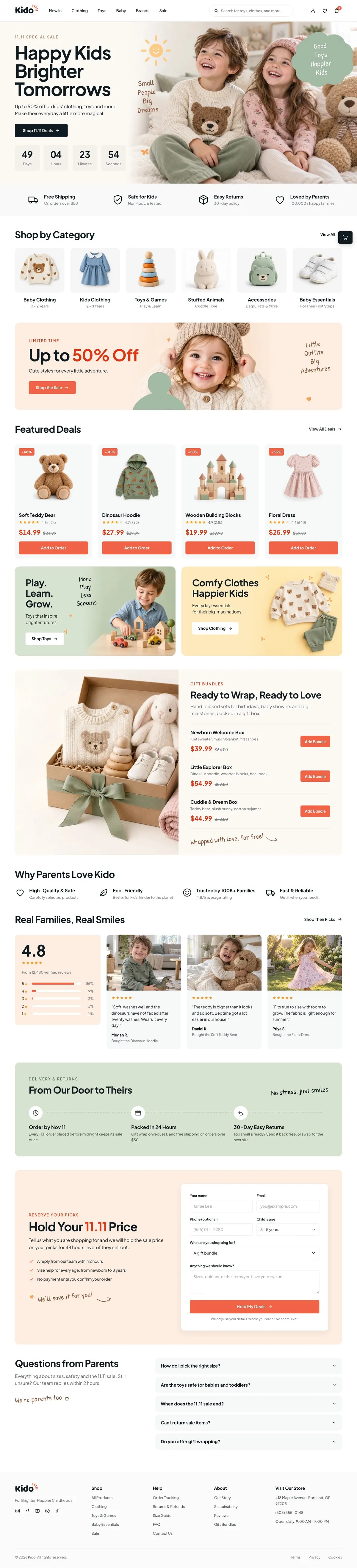
Kids 11.11 Sale template, the whole page on desktop
02 what's on the page

Every section, in the order a visitor meets it.

The headings are the demo's own sample text. Your brief, or the AI copy pass, replaces them; the structure stays.

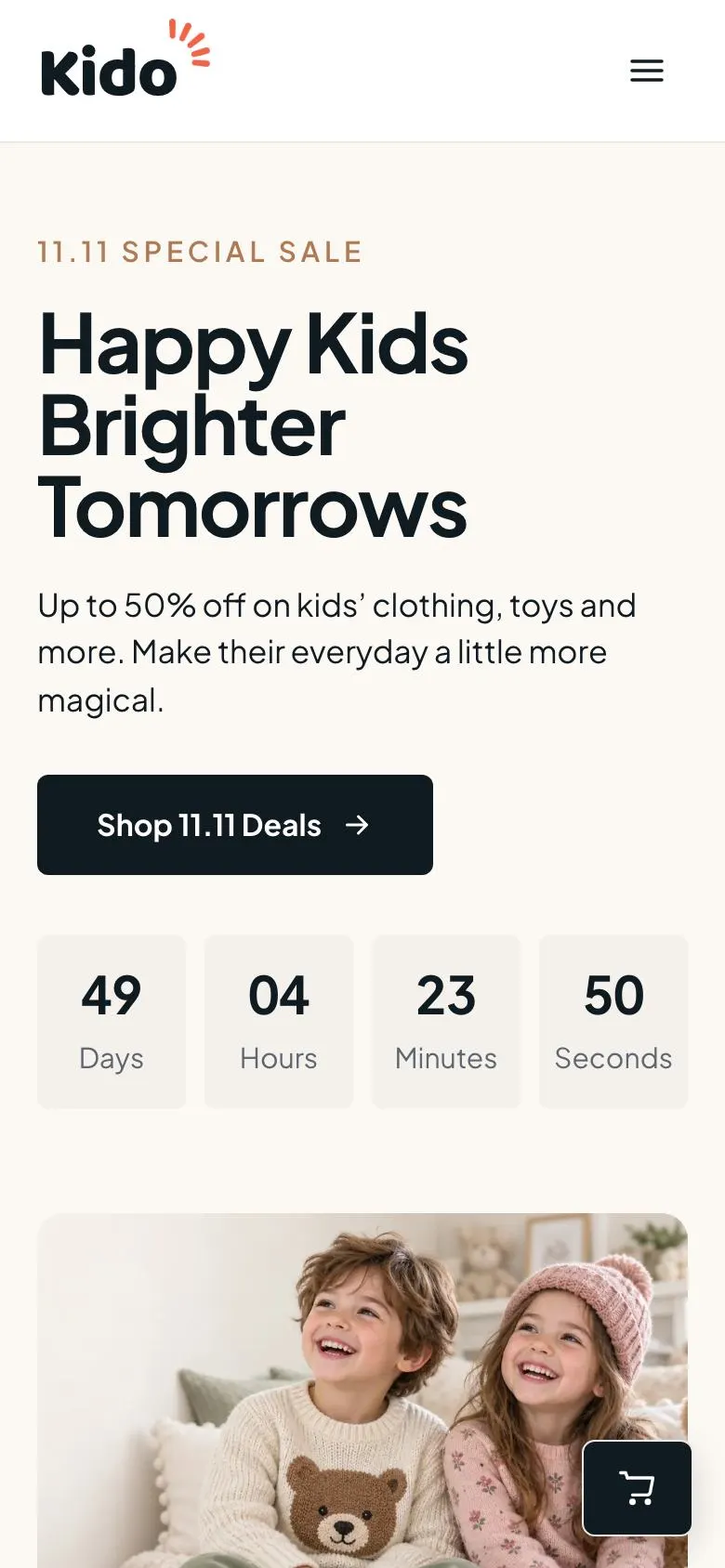
  1. 01 / 12 Hero

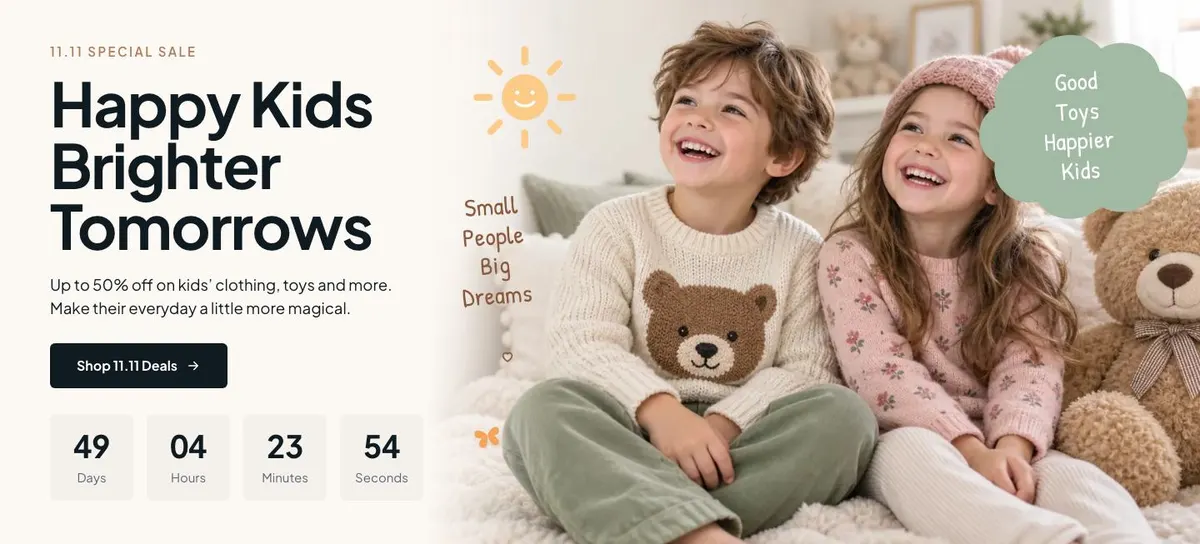
    Happy Kids Brighter Tomorrows

    Happy Kids Brighter Tomorrows introduces the 11.11 offer; supply one photograph, eligible products, discount terms, a genuine countdown deadline and the purchase link.

    Kids 11.11 Sale template — Hero section
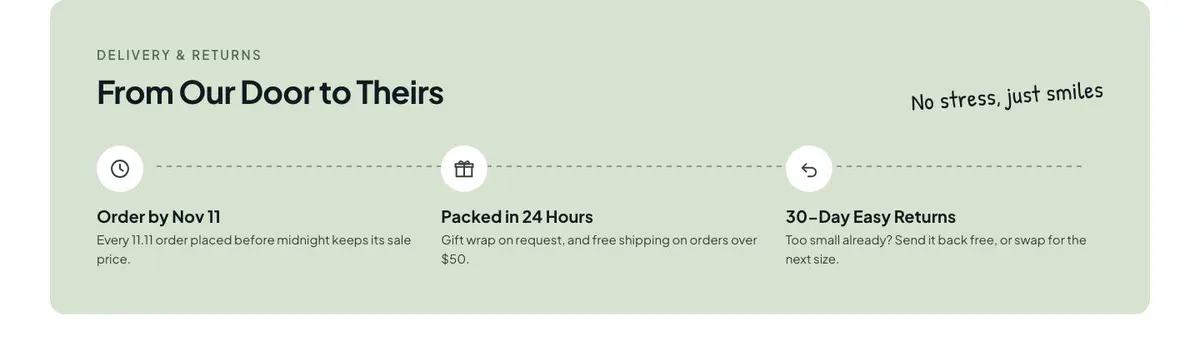
  2. 02 / 12 Promises

    Promises sets expectations for buying from you; supply clear commitments on service, delivery or returns, and honour every statement made.

    Kids 11.11 Sale template — Promises section
  3. 03 / 12 Categories

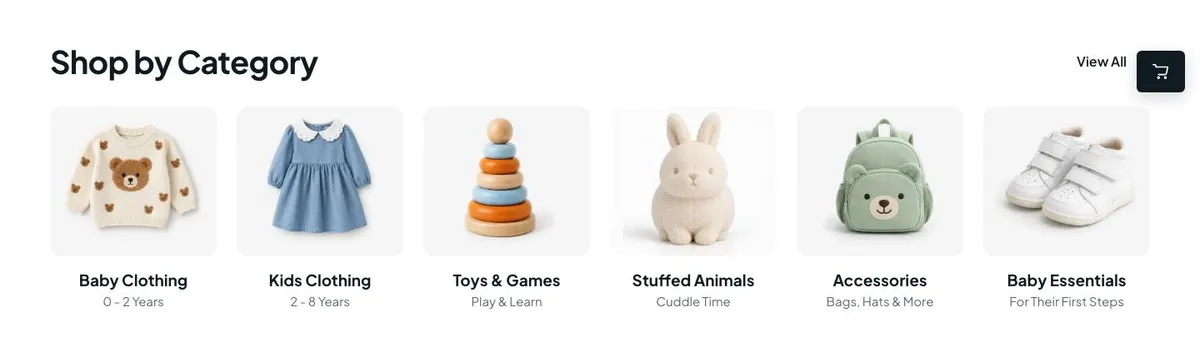
    Shop by Category

    Shop by Category helps customers browse product types; provide six photographs, category names and working links to the relevant collections.

    Kids 11.11 Sale template — Categories section
  4. 04 / 12 Sale

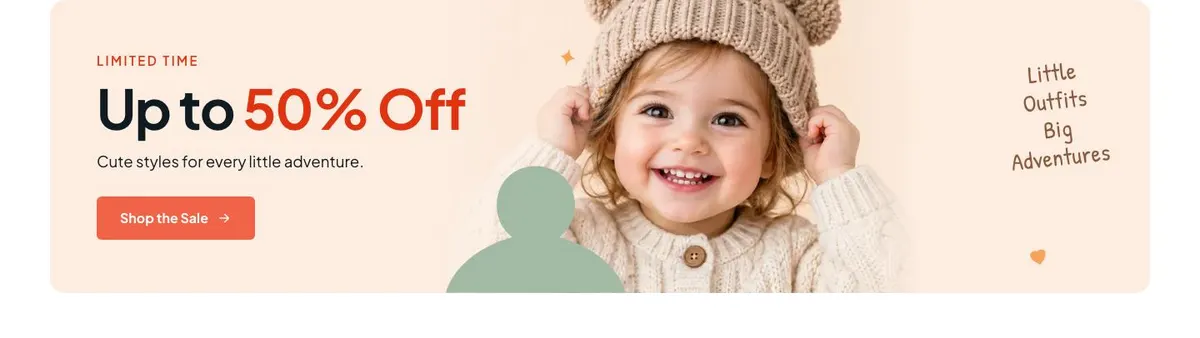
    Up to 50% Off

    Up to 50% Off directs shoppers to discounted items; provide one photograph, eligible products, accurate reductions, sale terms and a working purchase link.

    Kids 11.11 Sale template — Sale section
  5. 05 / 12 Deals

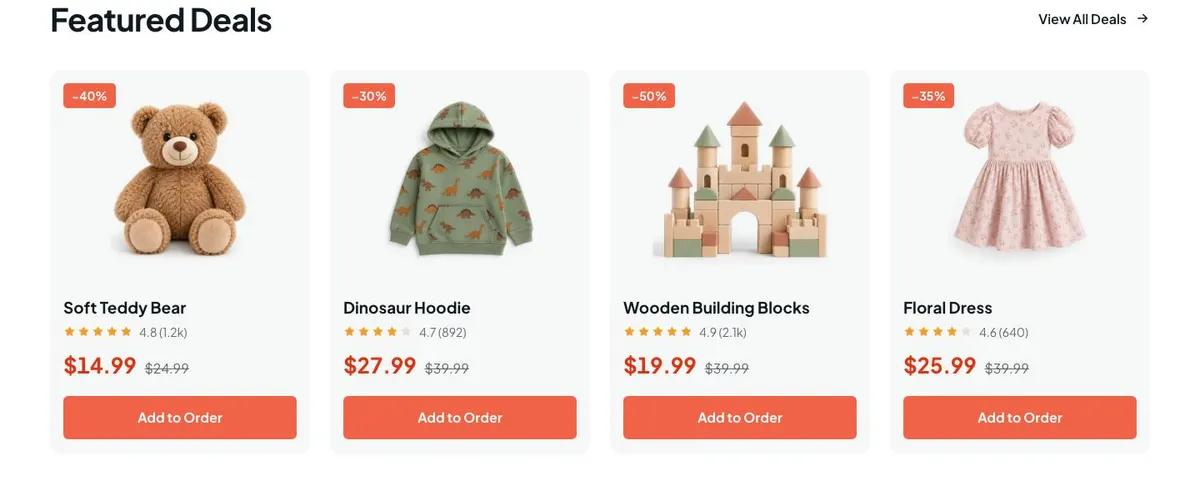
    Featured Deals

    Featured Deals helps shoppers select products; supply four product photographs, accurate prices, availability, purchase links, and evidence supporting the 4.8 rating from 1.2k reviews.

    Kids 11.11 Sale template — Deals section
  6. 06 / 12 Toys

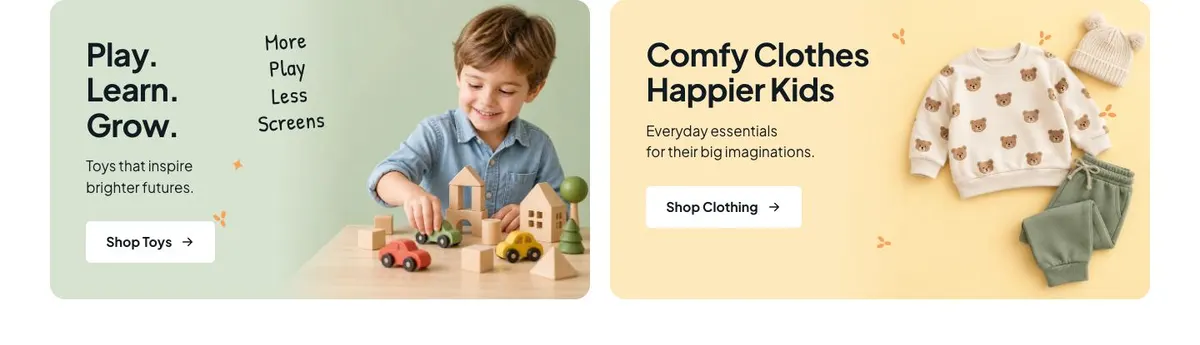
    Play. Learn. Grow

    Play. Learn. Grow directs shoppers to toys or clothing; provide two photographs, both button destinations, and support for any claim that toys inspire brighter futures.

    Kids 11.11 Sale template — Toys section
  7. 07 / 12 Bundles

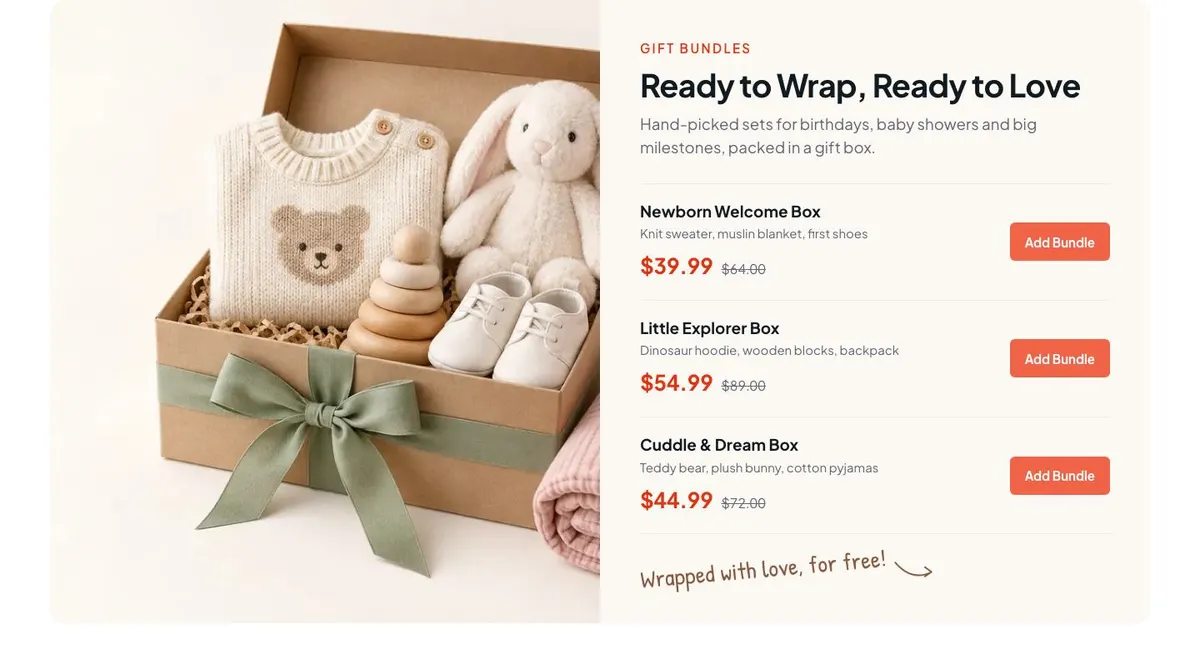
    Ready to Wrap, Ready to Love

    Ready to Wrap, Ready to Love promotes gift sets; supply one photograph, bundle contents, price, availability and purchase link, and confirm each set is packed in a gift box.

    Kids 11.11 Sale template — Bundles section
  8. 08 / 12 Why Parents Love Kido High-Quality &

    Why Parents Love Kido

    Why Parents Love Kido explains reasons to choose you; supply only specific benefits, policies or evidence you can substantiate.

    Kids 11.11 Sale template — Why Parents Love Kido High-Quality & section
  9. 09 / 12 Reviews

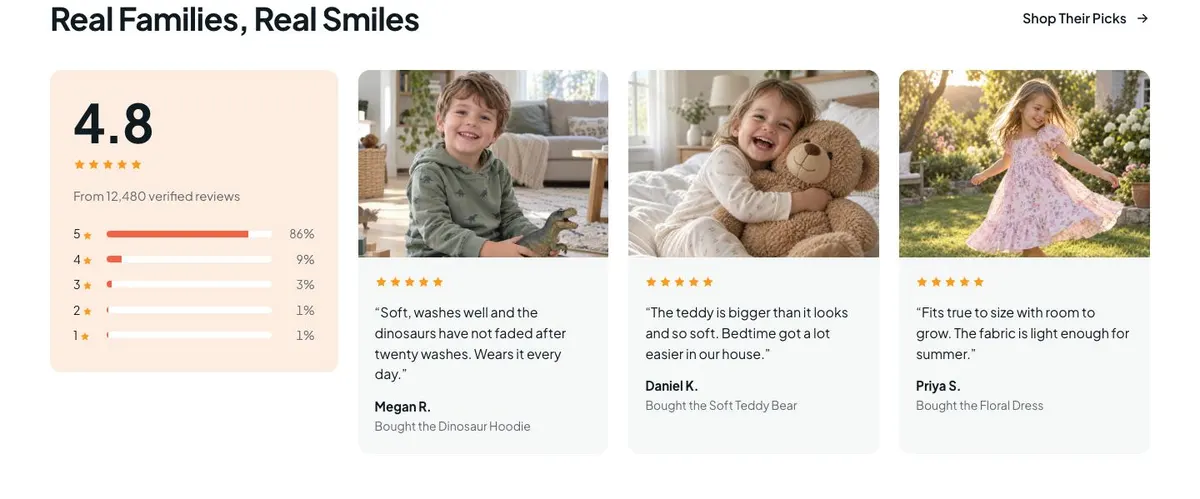
    Real Families, Real Smiles

    Real Families, Real Smiles builds confidence with customer feedback; supply one genuine quote, three authorised family photographs, and permission to publish them.

    Kids 11.11 Sale template — Reviews section
  10. 10 / 12 Delivery & Returns From Our Door

    From Our Door to Theirs

    From Our Door to Theirs explains delivery and returns; supply accurate dispatch, shipping, return, refund and contact terms that you can honour.

    Kids 11.11 Sale template — Delivery & Returns From Our Door section
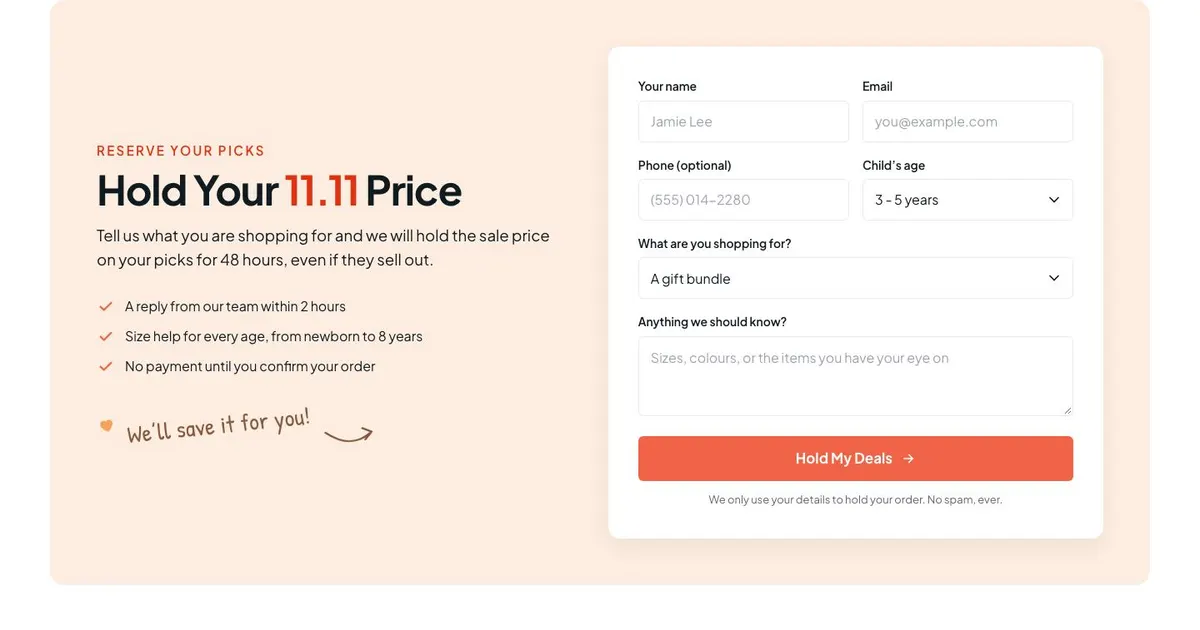
  11. 11 / 12 Order

    Hold Your 11.11 Price

    Hold Your 11.11 Price collects requests to reserve sale prices; supply form fields, the three listed details, a fulfilment process, and terms you can honour for 48-hour price holds.

    Kids 11.11 Sale template — Order section
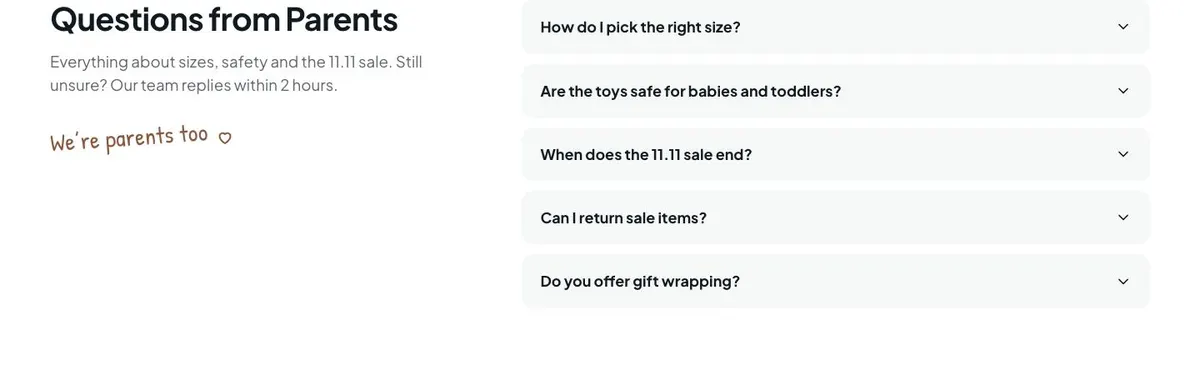
  12. 12 / 12 Questions

    Questions from Parents

    Questions from Parents answers common concerns through 17 accordion items; provide one photograph, accurate answers, and a team able to reply within two hours.

    Kids 11.11 Sale template — Questions section
03 the template

How this page works, and how to make it yours

A sale page for parents buying for children

Someone searching for a Kids 11.11 Sale needs more than a general shop page. They need to see that the offer is timely, understand what is on sale and find products suitable for the child or occasion they have in mind. This design does that through a countdown, sale-led product areas, categories, bundles, parent-focused reassurance and a form for holding a sale price.

It is a close fit for a children’s clothing shop, toy shop, baby-product retailer or gift business. The page is built around an 11.11 promotion, but its structure can also support another defined sale date if the wording, deadline and offers are changed consistently. It is not a page for taking payment within the bands listed here. Its final action is an order form that holds a stated sale price. A business needing a broader marketplace sale format should consider the Black Friday Marketplace template instead.

A generic homepage can make a sale difficult to follow. It may place the promotion beside ordinary brand information and leave shoppers to search through the catalogue. Here, the sale is the organising idea. The first message, the product paths, the featured deals, the gift option and the questions section can all answer the practical concerns parents commonly have before ordering: what is available, who it is for, whether it is appropriate and how the sale arrangement works.

Adapting the design

The template has Coral, Berry, Meadow and Sky colour schemes. Choose one that fits the shop’s existing identity and keep sale messages readable within it. The page uses Plus Jakarta Sans for both display and body text. Alternatives include Baloo 2 with Plus Jakarta Sans, or Patrick Hand with Plus Jakarta Sans, if the business needs a more playful display treatment while retaining a clear body font.

The page calls for 20 photographs across the hero, category browsing, sale, deals, toys, bundles, reviews and questions. Prepare these as a connected set. Category images should identify product groups. Deal images should show the products being offered. Review images should support genuine customer stories. Do not rely on one hero image to carry every part of the page.

Writing it for your business

Starting from this template costs no credits. Rewriting the copy with AI costs about 20 credits. A useful brief names the business, the sale date, the exact discount rules, the product groups included, the featured products, the bundle offer and the delivery and return position. It should also state how the 48-hour price hold works in practice.

The brief should distinguish facts from hopes. If only selected items are reduced, say so. If the shop cannot guarantee stock after an order enquiry, do not describe the hold as a reservation beyond what the business can deliver. The AI can make the page consistent, but it needs accurate source information.

What to prepare first

Start with the offer terms. Write the sale deadline, eligible products, real discount wording and the conditions for holding a price. Then choose the categories and featured deals. Each featured item needs its current information, including any former and sale price shown on the page.

Next, prepare the photographs. There are images needed for the opening offer, category routes, products, toys, bundles, reviews and the questions area. Gather approved customer quotations for the reviews band, plus the delivery, return, size and safety information that parents need. Finally, decide who receives the order form submissions and how quickly the business can respond during the sale.

Variations for nearby trades

A children’s clothing retailer can make the categories about age, clothing type and shoes, then use the sale and deals bands for selected outfits. The questions should focus on sizes, care and returns.

A toy shop can use the Toys band as the main route, organise categories around genuine toy groups and use the questions section for safety and age suitability. Gift retailers can lead harder on Bundles, showing occasions that match the sets and making the bundle contents precise.

A baby-products business can use categories for its real nursery and baby range, while keeping delivery and return wording especially clear for parents planning purchases around an arrival or milestone.

When another template fits better

For a page centred on ready-made children’s sets rather than a sale across a wider range, use Children’s Product Bundles.

For an October promotion with a seasonal theme, use Halloween Night Sale. For a larger Black Friday event, consider Black Friday Mega Sale.

For a school or childcare business rather than a shop selling products, use Preschool. Browse the wider ecommerce template collection for other shop formats.

Before you publish

  • Check that the countdown and written sale deadline agree.
  • Confirm every discount and price is current.
  • Test that each product and bundle named can be ordered.
  • Read the delivery, returns and price-hold wording as a parent would.
04 questions

Before you start

Can this template be used for a children’s clothing sale?
Yes. The category, sale, deals and clothing route can be written around a children’s clothing range. The size and returns questions should then be completed with the shop’s real policies.
Does the page take payment?
The listed page bands include product actions and an order form for holding a sale price. They do not state that payment is taken on the page. The order process should be explained accurately in the form follow-up and page copy.
What if the shop cannot hold stock for 48 hours?
The Order band describes holding the sale price for 48 hours, even if items sell out. Do not publish that wording unless the business can honour it. Change the offer only in a way that matches the actual process.
Is this too playful for a serious baby-products business?
The template is designed for a light, playful children’s retail setting, but the copy and image choices can be more practical and restrained. Meadow, Sky, Coral or Berry can be selected according to the business’s existing direction.

Start from this page.

It opens in the editor with the layout, the photographs and the sample text you have just scrolled through. Starting from a theme costs no credits.

What happens when you start
  1. The page opens in the editorwith this exact layout, its photographs and its sample text
  2. Change anything visuallyclick a heading, a picture or a colour; no code, no credits
  3. Publish in minutesto yourname.landflow.site or a domain you already own
  4. Leads arrive stampedsource, campaign and landing URL on every row, in the inbox
See the rest of this industry →