landflow

Christmas Treats BakeryLanding page template

Festive treats, gift boxes, Christmas ordering

For bakeries, chocolatiers and sweet shops selling seasonal gifts, this page presents a festive collection, explains the maker behind it and leads customers towards an order before the Christmas delivery deadline.

12 sections 15 photos 4 colour schemes Order form
Christmas Treats Bakery landing page template, desktopChristmas Treats Bakery landing page template on a phone
Opens ready. No credits.
01 preview

See the whole page before you start.

Switch devices, scroll the full page, or open the live demo. This is the exact layout, photos and sample text a new page starts with.

All templates
Christmas Treats BakeryFood & drink · 12 sections
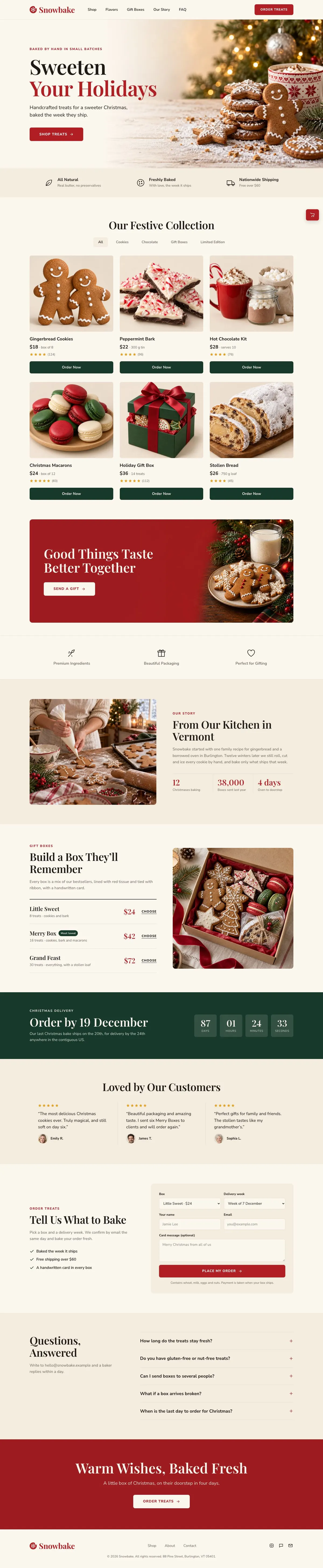
Christmas Treats Bakery template, the whole page on desktop
02 what's on the page

Every section, in the order a visitor meets it.

The headings are the demo's own sample text. Your brief, or the AI copy pass, replaces them; the structure stays.

  1. 01 / 12 Hero

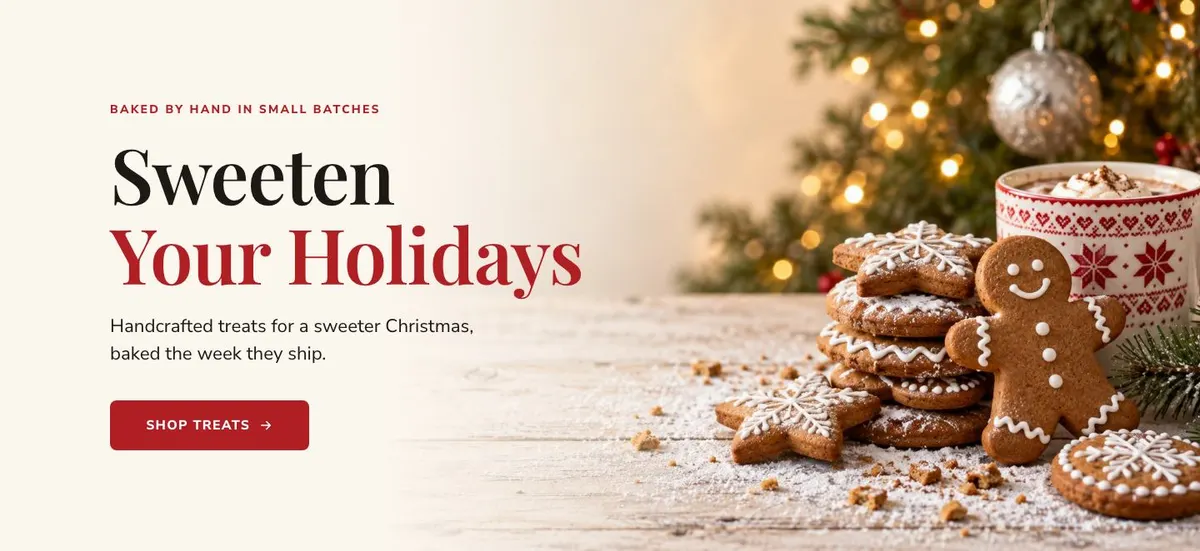
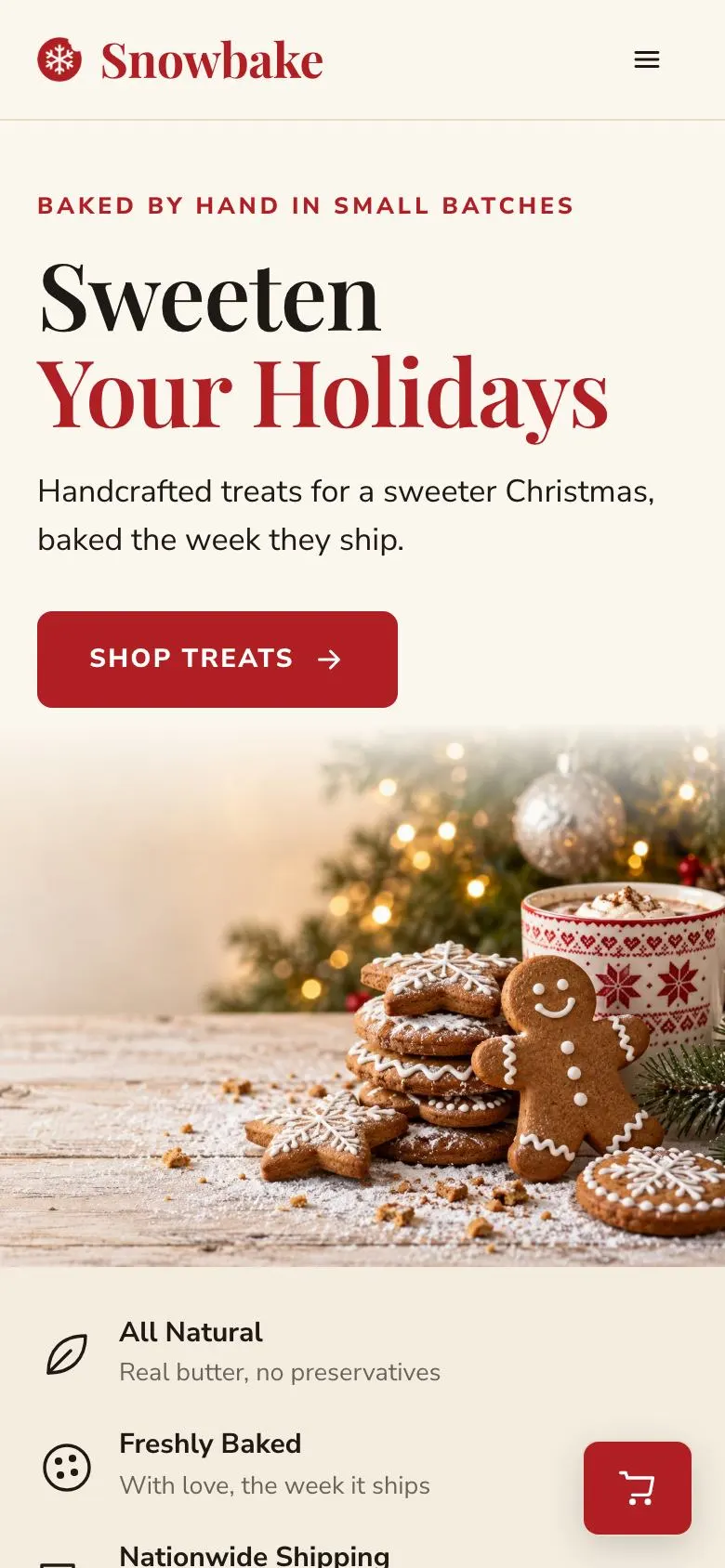
    Sweeten Your Holidays

    Holiday treats introduce the offer and purchase route; provide one product photograph and evidence that orders are handcrafted and baked during shipping week.

    Christmas Treats Bakery template — Hero section
  2. 02 / 12 Logo strip

    Partner logos provide third-party context; supply the approved logos, permission to use each one, and any relationship details needed for accuracy.

    Christmas Treats Bakery template — Logo strip section
  3. 03 / 12 Collection

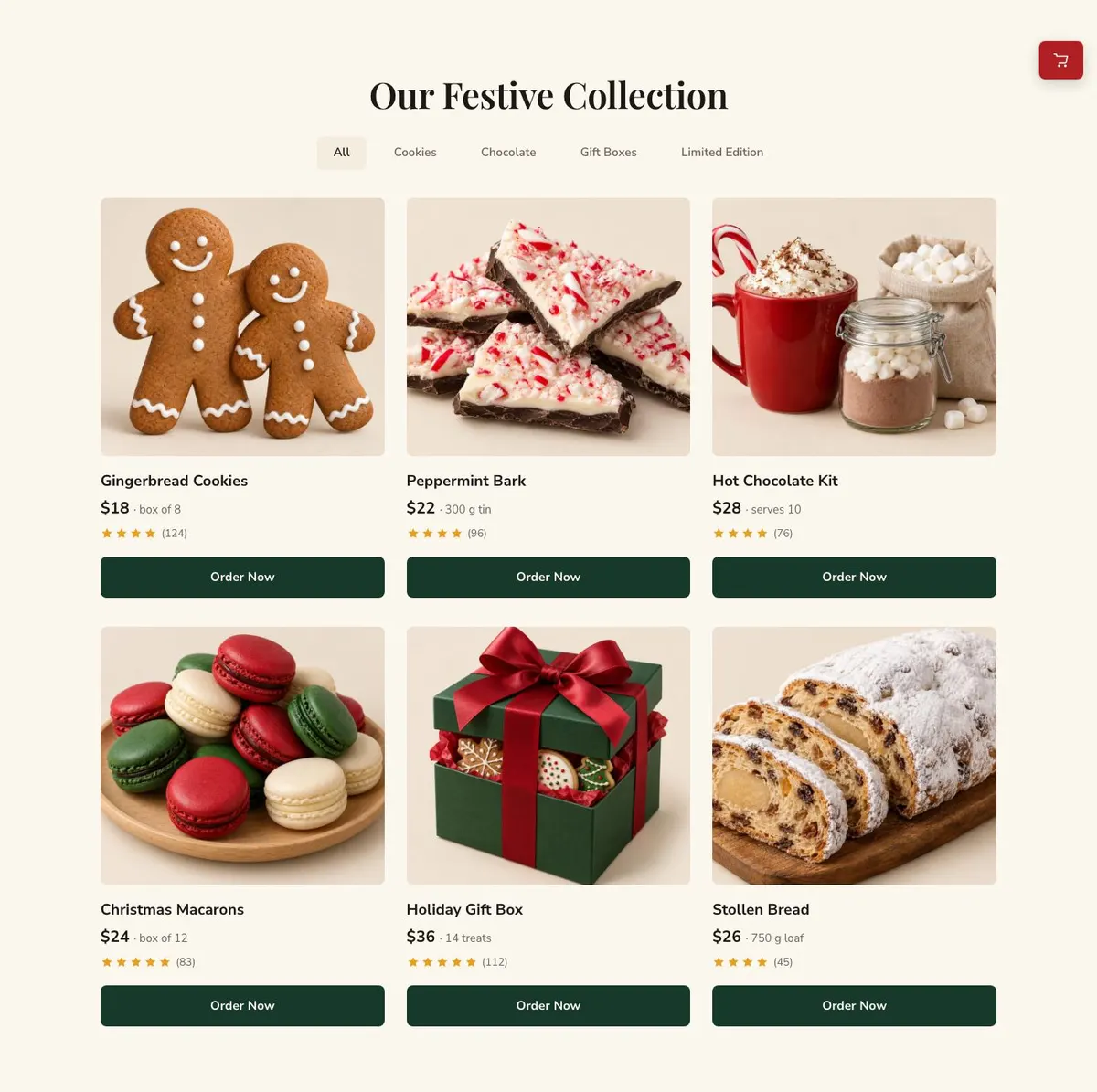
    Our Festive Collection

    The festive collection lets shoppers compare boxes; provide six accurate product photographs, the $18 price for eight items, and ordering details.

    Christmas Treats Bakery template — Collection section
  4. 04 / 12 Good Things Taste Better Together Send

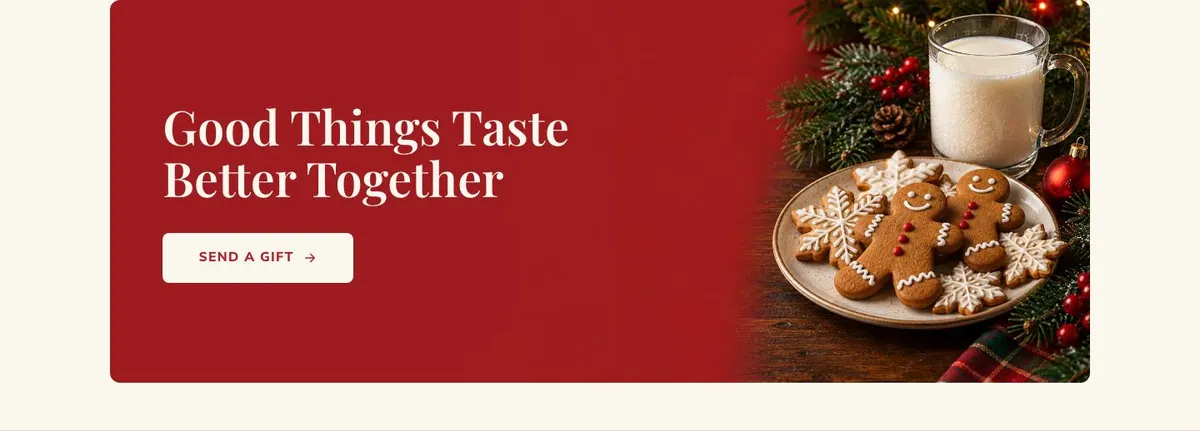
    Good Things Taste Better Together

    Gift sending directs customers towards a present purchase; supply one photograph, the gift contents, price, and fulfilment terms you can meet.

    Christmas Treats Bakery template — Good Things Taste Better Together Send section
  5. 05 / 12 Promises

    Promises state the standards behind the bakery; provide only commitments, ingredients information, or service terms the business can consistently honour.

    Christmas Treats Bakery template — Promises section
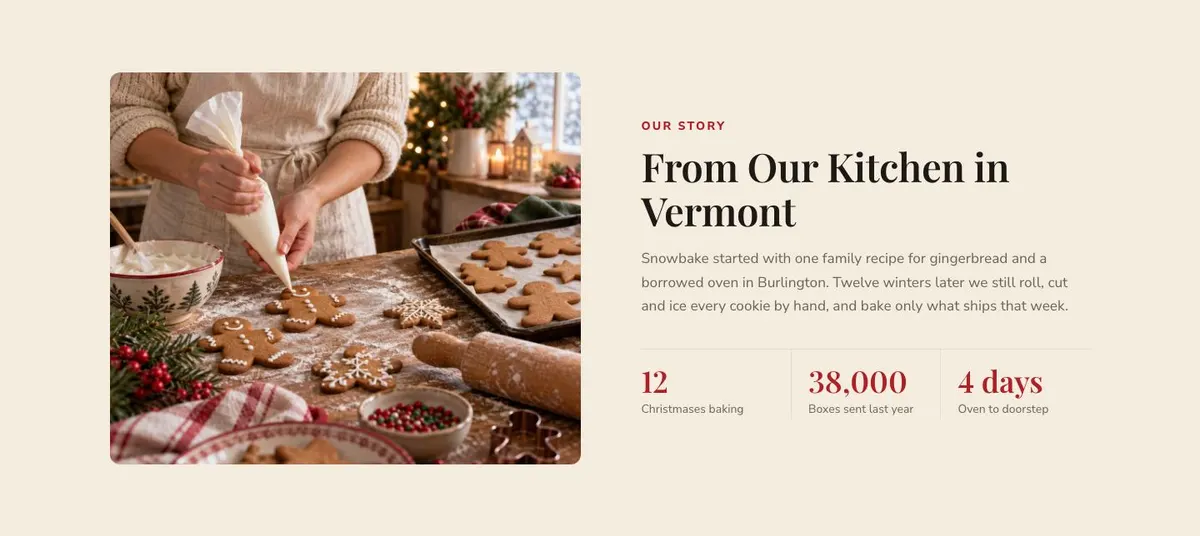
  6. 06 / 12 Story

    From Our Kitchen in Vermont

    The Vermont kitchen story explains the bakery’s origins and methods; supply a truthful account, one photograph, and support for every stated history claim.

    Christmas Treats Bakery template — Story section
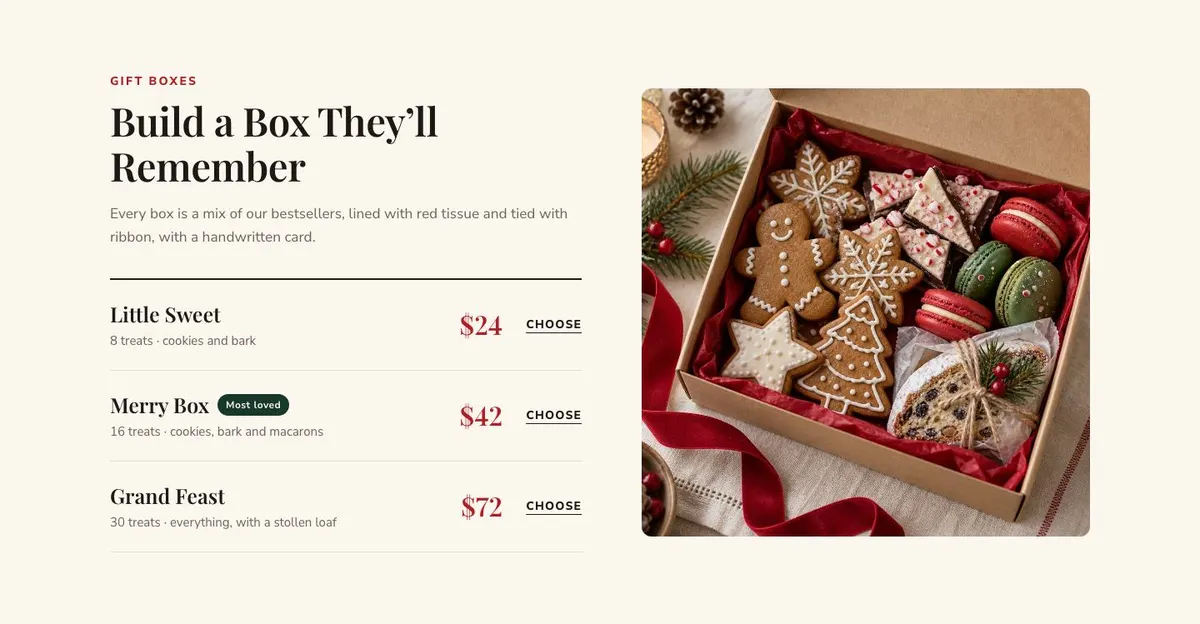
  7. 07 / 12 Boxes

    Build a Box They’ll Remember

    Build-a-box gifting explains presentation and contents; provide one photograph, current bestseller selections, packaging details, card options, prices, and fulfilment terms.

    Christmas Treats Bakery template — Boxes section
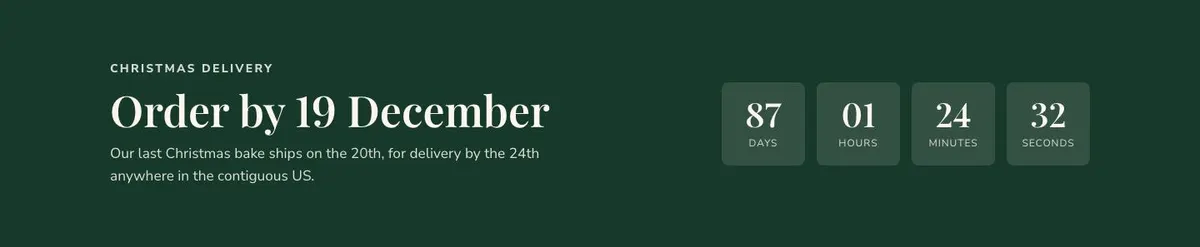
  8. 08 / 12 Christmas delivery Order by 19 December

    Order by 19 December

    Christmas delivery sets the ordering deadline; provide a countdown date and evidence that 20 December dispatch can deliver by the 24th across the contiguous US.

    Christmas Treats Bakery template — Christmas delivery Order by 19 December section
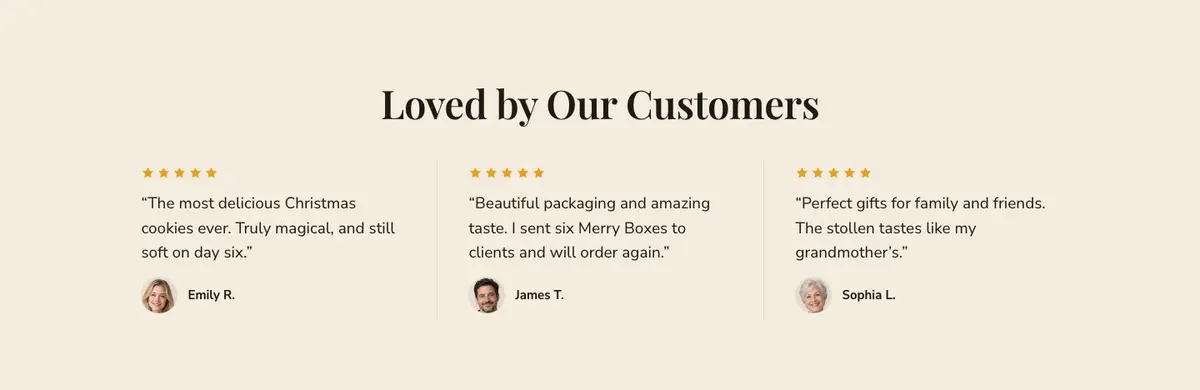
  9. 09 / 12 Reviews

    Loved by Our Customers

    Customer reviews offer social proof; obtain permission for each quote and three customer photographs, and publish only genuine feedback.

    Christmas Treats Bakery template — Reviews section
  10. 10 / 12 Order

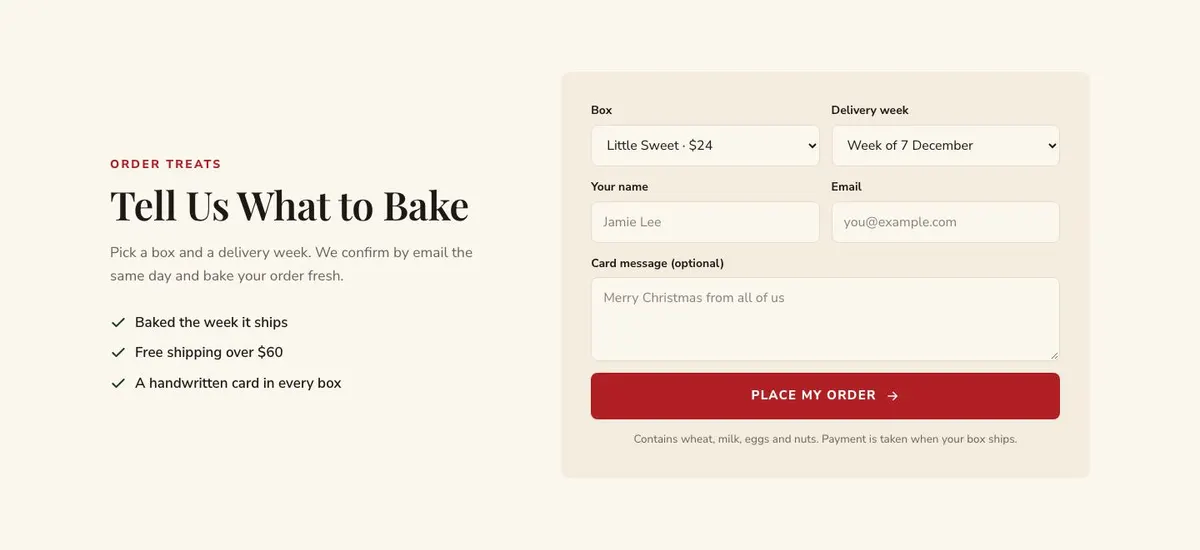
    Tell Us What to Bake

    Order details collect the information needed to bake and deliver; provide three form items, available boxes, delivery weeks, and evidence for same-day confirmation and fresh baking.

    Christmas Treats Bakery template — Order section
  11. 11 / 12 Questions

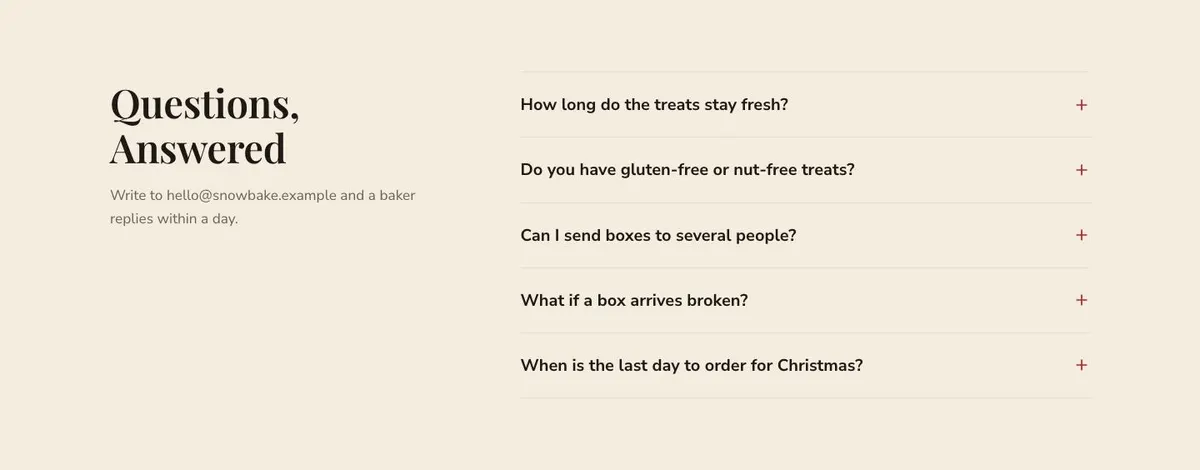
    Questions, Answered

    Questions answer common concerns before purchase; write accurate accordion answers, provide the email address, and meet the stated one-day baker response time.

    Christmas Treats Bakery template — Questions section
  12. 12 / 12 Closing band

    Warm Wishes, Baked Fresh

    Warm wishes closes the purchase journey; provide one photograph, current treat details, and evidence for four-day doorstep delivery and freshness.

    Christmas Treats Bakery template — Closing band section
03 the template

How this page works, and how to make it yours

A Christmas treats page built around ordering

Someone searching for a Christmas Treats Bakery page needs more than a general bakery introduction. They need to see what is available for the season, understand what makes the treats worth sending, and know when an order needs to be placed. This design does those jobs in one page: it starts with fresh seasonal baking, moves into a product collection, makes room for gifts and story, then returns to ordering before the final delivery date.

A generic food page can undersell a limited Christmas range by making every product look equally permanent. Here, the language around holiday treats, Christmas delivery and a final bake gives the range a reason to be ordered now. The page is intended for a purchase, with product order actions as well as an order form for customers who need to choose a box and delivery week.

It is most useful where the business can describe what it bakes, show the range clearly and give reliable delivery information. If the business is primarily selling non-food Christmas presents, the Christmas Gift Shop template is the closer starting point.

Adapting the seasonal design

The template offers Cranberry, Spruce, Cinnamon and Plum pudding colour schemes. Choose one that suits the business’s existing packaging and seasonal range, then keep product descriptions more important than decorative language. The available font pairings are Playfair Display with Nunito Sans, Fraunces with Nunito Sans, and Manrope with Nunito Sans. The displayed example uses Playfair Display for display text and Nunito Sans for body copy.

Prepare 15 photographs for the page. Product photography is especially important in the Collection, while the Hero, gift message, Story, Boxes, Reviews and Closing band also use photographs. Plan the set as a whole: treats for browsing, a clear gift image, a picture that supports the bakery story, and images that can sit beside customer feedback and the final order prompt.

Writing it for the business

Starting from this template costs no credits. Rewriting the copy with AI costs about 20 credits. A useful brief names the business, the Christmas range, real pack sizes and prices, the order deadline, delivery area, freshness approach, allergen position and the action customers should take.

It should also state what must not be claimed. If the business confirms orders by email, say that. If delivery is limited to certain dates or places, name them. The brief should give the AI enough information to replace the demo’s Vermont story, dates and delivery language with accurate business details.

What to prepare before publishing

Write the collection names, prices and box descriptions first. Then prepare the final Christmas order date, dispatch or delivery wording, and the confirmation process used after the form is submitted. These are the details that shape the page’s most important promises.

Gather the 15 photographs before adjusting the copy around them. Prepare a short founder or kitchen story, customer quotes that can be used publicly, and answers on freshness and allergens for the Questions accordion. Confirm that every order action refers to a current product or box.

Ways to adapt the same structure

A chocolatier can make the Collection about truffles, bars and gift assortments, then use Boxes for mixed chocolate selections. The Story can explain the chocolatier’s ingredients or making process, provided those details are true.

A sweet shop can use the same sequence for seasonal sweets and sharing boxes. Its delivery band should use its own confirmed cut-off rather than copying the example date. A bakery selling savoury seasonal gifts can retain the order flow but make the range and box copy specific to those items.

When a neighbouring template is a better fit

Seasonal Kitchen is worth considering for a broader seasonal food offer rather than a treats-led shop.

Coffee Bean Shop is the better direction for a coffee product range.

Tasting Menu Bookings fits a food business whose main goal is reservations rather than product orders.

Chef's Table is a closer match for a chef-led dining offer. Browse the restaurants hub for related food and drink templates.

Before publishing

  • Confirm every product price and pack size.
  • Replace the example delivery dates.
  • Check freshness and allergen answers.
  • Make sure order actions match available treats.
04 questions

Before you start

Can this template sell a limited Christmas range?
Yes. The Collection is for the festive products, while Boxes gives a separate place for gift choices. The delivery deadline band helps make the seasonal cut-off clear.
Does the page take payment through the order form?
The facts describe an order form that collects a box choice and delivery week, followed by email confirmation. They do not state that the form takes payment, so the business should describe its actual ordering process accurately.
What should go in the Questions section?
Use it for the issues customers need answered before ordering, especially freshness and allergens. Include only answers the business can confirm and keep any contact wording current.
Is this too seasonal for a bakery that sells all year?
It is designed around Christmas and holiday treats, including a final order countdown. It is best used for a defined seasonal campaign, then updated or replaced when that campaign ends.

Start from this page.

It opens in the editor with the layout, the photographs and the sample text you have just scrolled through. Starting from a theme costs no credits.

What happens when you start
  1. The page opens in the editorwith this exact layout, its photographs and its sample text
  2. Change anything visuallyclick a heading, a picture or a colour; no code, no credits
  3. Publish in minutesto yourname.landflow.site or a domain you already own
  4. Leads arrive stampedsource, campaign and landing URL on every row, in the inbox
See the rest of this industry →