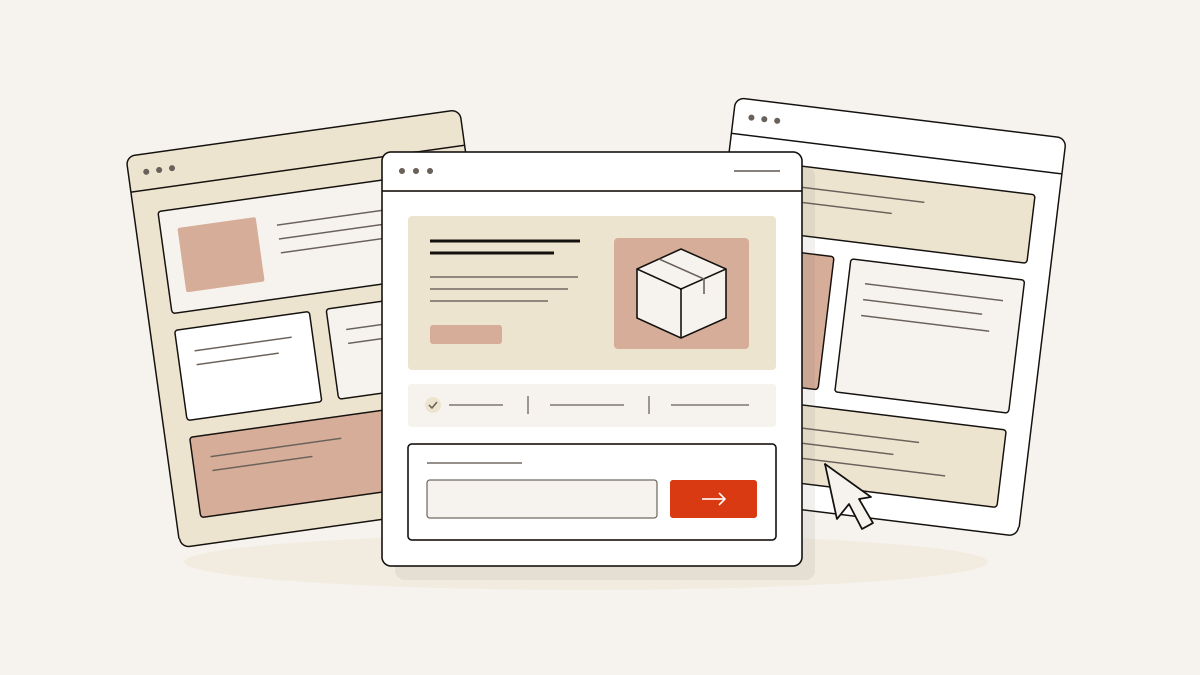
Choose SaaS landing page examples by the customer action first, then by the photographs and evidence you can supply. The template name comes after those decisions.
The page must explain what the product does, support its claims and earn one next action. For a demo booking, audit or access request, use an enquiry form. If you’re selling directly, you need an order form. None of these nine examples provides one.
We recommend choosing by what each template suits and the content it expects. Treat its name with care: it can mislead you into choosing a page your offer cannot support.
Choose SaaS landing page examples by the action they ask for
Choose examples that ask for the same kind of commitment as your offer, then use the documented photograph requirement to find layouts you can fill. We’ve ordered them by demo, assessment, audit, access, workflow and pre-order to make that comparison easier.
The library has all nineteen SaaS landing page templates. Their offers range from pricing and free plans to demos, pre-orders, audits and written enquiries. We focus below on what each enquiry needs to earn a response.
Trade Operations Suite puts the demo request first
We’d choose Trade Operations Suite for sales-led B2B software where the next step is a demo. It suits operations, product and finance teams, including workflow automation and internal tools.
Its eight sections start with an Enquiry form in the Hero, followed by product explanation, integration detail, team-based pricing and questions before the call. The repeated Request a Demo action and final call to action lead to the same enquiry step. Pricing explains the team offer; it does not process payments.
The layout requires two photographs in the How band to support the customer account or the move from demo to impact. Choose images that help explain that story. Decorative office shots are the wrong fit here.
Trade Operations Suite has four colour schemes: Signal blue, Ink, Signal green and Signal orange, with Light and Bold looks. Its default typography pairs Anton with Inter.
Compliance Trust Page and Warm B2B Workflow favour a conversation
We’d choose an advisory layout when the offer needs assessment or discussion before a product decision. Both templates come from professional services; neither supplies generic software proof.
Compliance Trust Page: assessment-led financial advice
Compliance Trust Page is built for wealth advisers, private-client practices and financial planners. It is not for software security compliance. It turns a trust-led first visit into an enquiry through an assessment, clear areas of advice, a client story and practical questions.
It has 8 sections, 3 photographs, 4 colour schemes and an Enquiry form. The documented “Questions Worth Asking First” band uses an accordion and enquiry form.
Choose this assessment route if you can explain what you will assess and support the advice with credible evidence. For the client story, you need a genuine approved quote and two photographs with permission to use them. The story must not imply identical results for every client.
Warm B2B Workflow: advisory enquiries
Warm B2B Workflow suits advisory-led professional services firms that want to establish a point of view, show selected evidence and invite a serious enquiry.
The About section combines a photograph with the enquiry form. Contact includes a photograph and offers “Get a Free Consultation” and “Book a Consultation”.
Choose this route when a consultation is the offer. Those button labels describe the invitation; they do not confirm scheduling functionality.
Raw Monospace and Developer Tool separate audits from API access
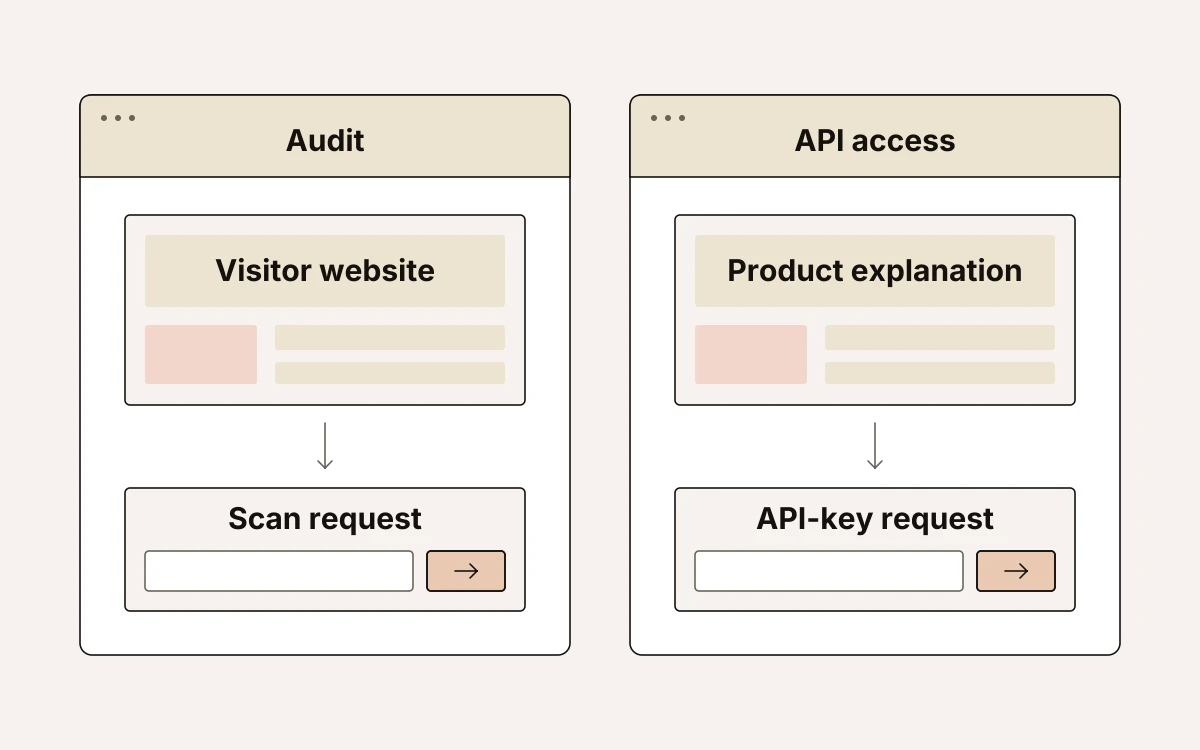
A scan request starts with the visitor’s website; an API-key request needs an explanation of your product first. We would keep those offers distinct so visitors know whether they are asking for a diagnosis or access to an API.
Raw Monospace: start with a website audit
Raw Monospace suits technical practices and developer-led products that turn a website URL into an audit enquiry. It has eleven sections, four photographs, four colour schemes and an Enquiry form.
The photographs belong in specific bands: one in Hero, one with Cases and two in Closing. Make a free scan the opening offer, then use the deep-dive and measurement bands to explain what it reveals. Choose this template if an audit is the useful first step and visitors can submit their URL without needing to understand the whole product.
Developer Tool: explain the API before requesting access
Developer Tool suits API, infrastructure and developer-tool businesses that need to show engineers how the product works before inviting access requests. It has eight sections, nine photographs, four colour schemes and an Enquiry form.
The layout uses one photograph in Hero, one in Docs, six in Community and one in the final API-key section. Token-based pricing content explains the charging model; it does not process payment.
The closing form requests an API key. Neither template’s Enquiry form implies immediate paid access.
Data Panel and AI Inbound Agent make technical proof central
We would choose Data Panel when coverage and returned data explain the value, and AI Inbound Agent when buyers need to understand a defined workflow.
Data Panel: request-and-response products
Data Panel suits API, data and developer-platform businesses that need to show what their product returns, its coverage, how usage-based plans scale and how to request access. It has 11 sections, nine photographs, a split hero layout and an Enquiry form.
The photograph allocation is six in the Logo strip, one in Developers, one in Use Cases and one alongside the Quote. Prepare coverage evidence, representative returns, supported use cases and an approved quotation.
For Pricing, prepare twelve accurate plan details, including call rates, limits, archive access and support terms. Substantiate no-seat-fee and catalogue-access claims. Pricing explains the plans; it does not process payments. Offer sample access only if you can supply it.
AI Inbound Agent: explain what happens on a run
AI Inbound Agent suits AI platforms, developer tools, data products and technical consultancies that need to explain their workflow, pricing and security position, with a route for enquiries. It has 11 sections, 13 photographs, four colour schemes and an Enquiry form.
For Developers, write four accurate steps explaining a run, with evidence for the plans, calls and traces shown. Explain pricing without implying checkout.
Get started gathers three details through its workflow enquiry form for follow-up. Retain a one-week demonstration promise only if your business can deliver it.
Marketing Tool SaaS and SaaS Conversion need a visual product story
Marketing Tool SaaS suits personal-workflow software; SaaS Conversion suits a small physical product. Neither name makes that distinction clear.
Marketing Tool SaaS: show the personal workflow
We recommend Marketing Tool SaaS for software founders and creative product teams presenting an AI-led productivity tool through use cases, habits and pricing position. Marketing automation is not necessarily the focus.
It has 9 sections, 13 photographs, 4 colour schemes and an Enquiry form. Photographs sit across the Hero, Logo strip, Capture, Focus and Get started bands. You need images that support the introduction and explain the workflow.
Pricing content explains the offer’s position; the final form collects an enquiry. If the main job is taking subscriptions or completing purchases on the page, this is the wrong template.
SaaS Conversion: collect interest in a physical product
SaaS Conversion is for consumer tech and youth-focused product brands introducing a small physical product. It shows the product in use and collects pre-order interest. It is not intended for conventional B2B software.
It has 10 sections, 16 photographs, 4 colour schemes and an Enquiry form. Photographs appear in Hero, Features, Photo band, Gallery, the short capability band and Stories. Choose it when you have product-in-use material to carry those sections.
The label “Pre-Order” needs a defined promise before publication. Use the form wording to explain what registering interest means; do not imply that an enquiry completes a purchase.
Every software page needs explanation, proof and one clear form
Asking for a demo or enquiry before explaining the product and supporting its claims loses enquiries. We require accurate product detail and approved evidence before a page is published.
For Trade Operations Suite, prepare accurate descriptions of its six product surfaces and evidence for the shared data-model and replacement claims. The Pricing section needs 12 accurate plan details, current team-based terms and proof that every plan includes the whole platform. Keep the Questions answers truthful and current.
AI Inbound Agent’s Quote section requires three named customer accounts, approved quotations, photographs and measured results, with evidence behind every number. If that evidence is missing, remove the claim rather than publish the sample.
Keep exactly one conversion goal and one lead form per page. In landflow, every lead receives its source, medium, campaign, click id, landing URL and consent state on the server at submission; the pre-publication check confirms that the form writes to the inbox before any pixel fires. Attribution arrives with the enquiry, independently of a pixel.
Start with the template your offer can support
Choose the starting point that fits your offer. We would narrow the choice to these:
- Sales or advice: Trade Operations Suite for sales-led software; Raw Monospace for an audit offer.
- Technical evaluation: Developer Tool for API access; Data Panel when data coverage is the proof buyers need.
- Product in use: Marketing Tool SaaS for a personal workflow; SaaS Conversion for physical-product interest.
Open the chosen template in the editor, where it has the exact layout, photographs and sample text. Before publishing, replace sample promises with commitments you can meet. Make the form describe what happens after the enquiry.