landflow

Marketing Tool SaaSLanding page template

AI product story, free plan, enquiry route

For software founders and creative product teams, this template presents an AI-led productivity tool through its use cases, habits, pricing position and a final enquiry form.

9 sections 13 photos 4 colour schemes Enquiry form
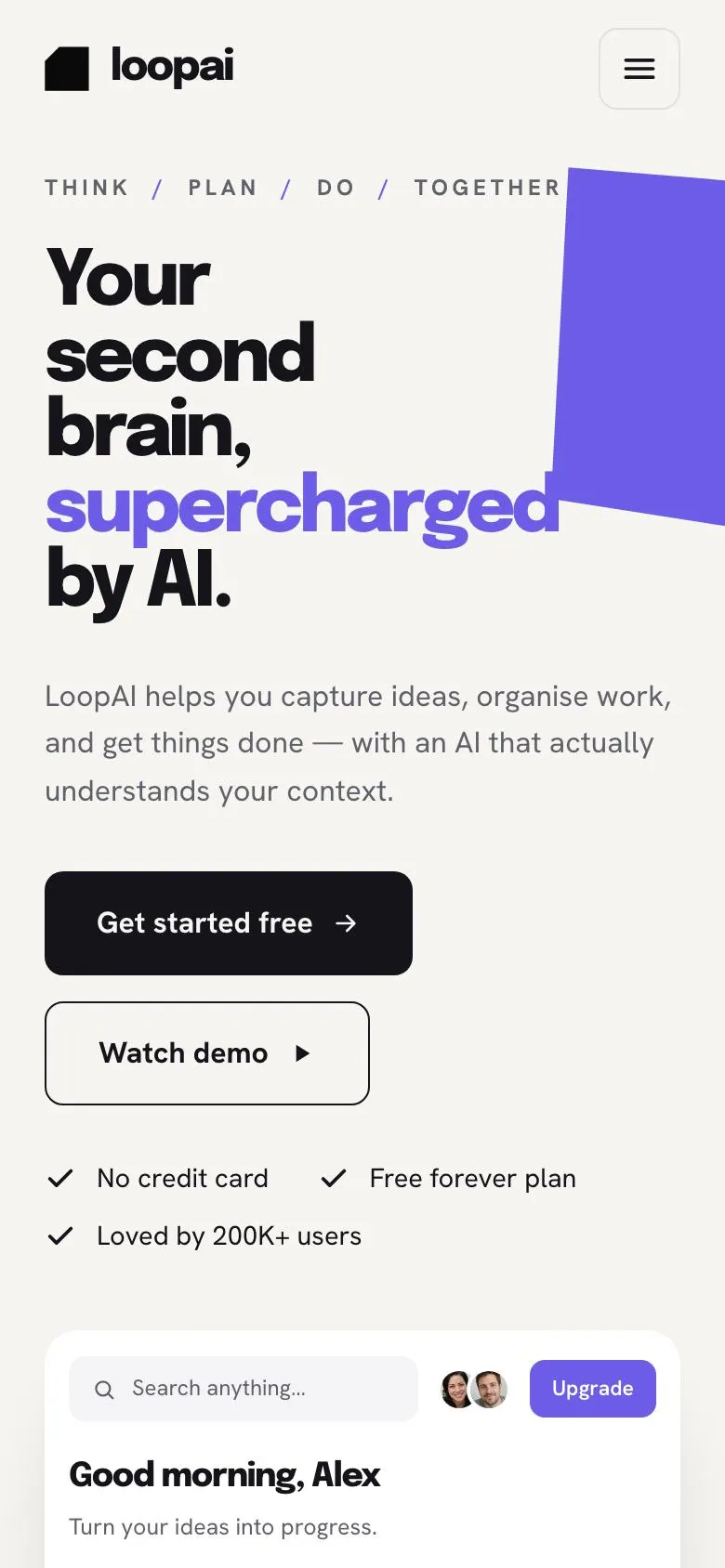
Marketing Tool SaaS landing page template, desktopMarketing Tool SaaS landing page template on a phone
Opens ready. No credits.
01 preview

See the whole page before you start.

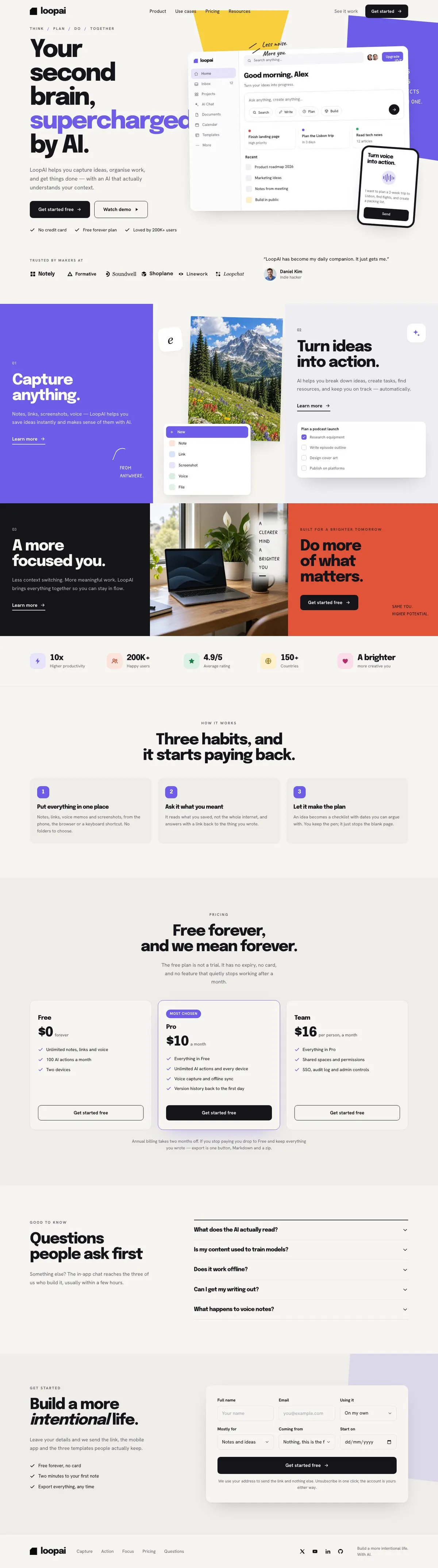
Switch devices, scroll the full page, or open the live demo. This is the exact layout, photos and sample text a new page starts with.

All templates
Marketing Tool SaaSSoftware & SaaS · 9 sections
Marketing Tool SaaS template, the whole page on desktop
02 what's on the page

Every section, in the order a visitor meets it.

The headings are the demo's own sample text. Your brief, or the AI copy pass, replaces them; the structure stays.

  1. 01 / 9 Hero

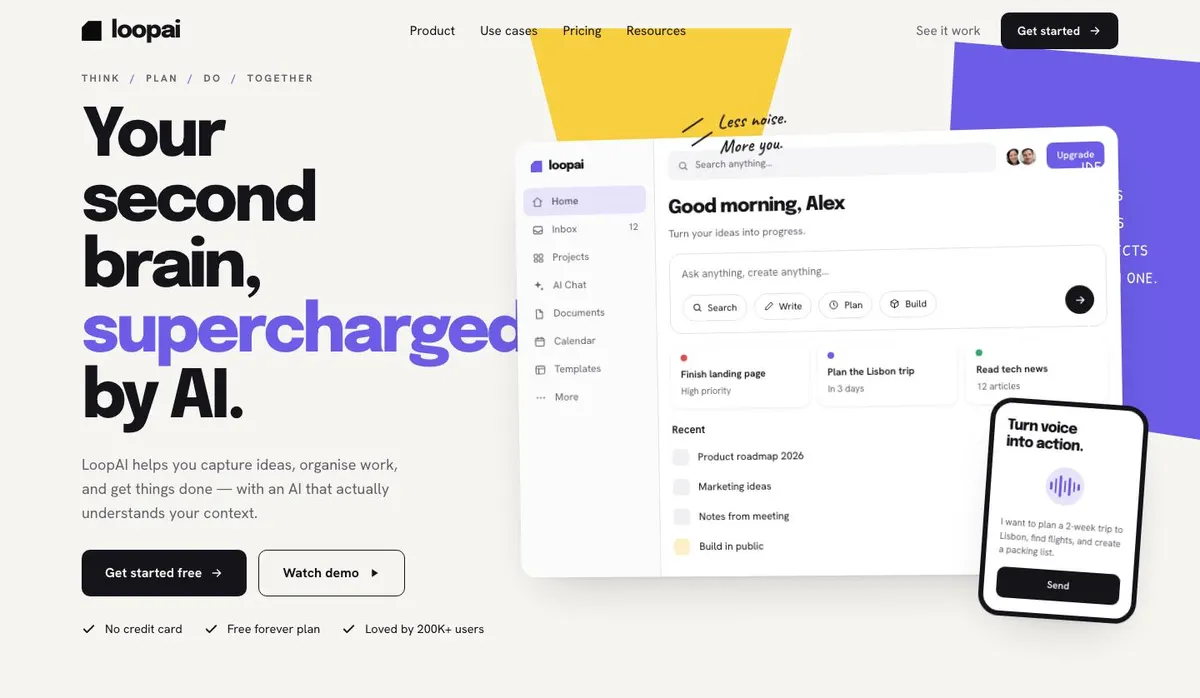
    Your second brain, supercharged by AI

    Your second brain claim explains the AI’s role; supply accurate details of its context handling, seven supporting points and three relevant photographs.

    Marketing Tool SaaS template — Hero section
  2. 02 / 9 Logo strip

    Customer proof builds trust; provide a genuine attributed quote and permission to use all seven photographs.

    Marketing Tool SaaS template — Logo strip section
  3. 03 / 9 Capture

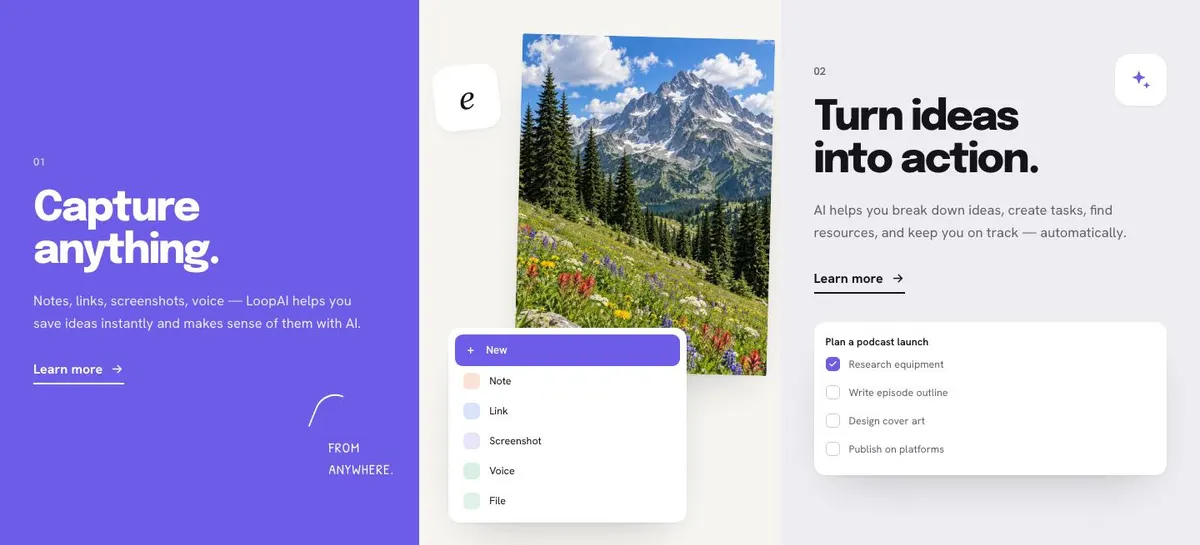
    Capture anything

    Capture anything explains what users can save; supply one photograph and truthful details of supported note, link, screenshot and voice formats.

    Marketing Tool SaaS template — Capture section
  4. 04 / 9 Focus

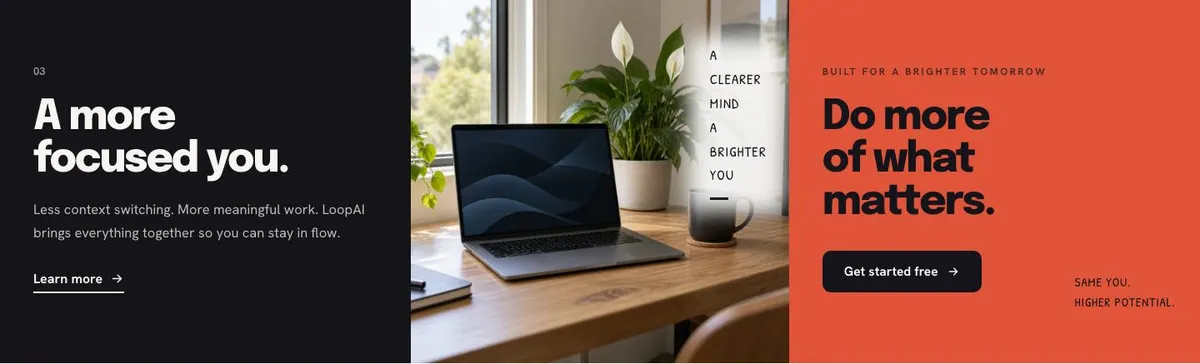
    A more focused you

    A more focused you states the intended benefit; provide one photograph and ensure the claim about reducing context switching is supportable.

    Marketing Tool SaaS template — Focus section
  5. 05 / 9 Numbers band

    Numbers band presents measurable results, so supply current, verifiable statistics and be able to substantiate every figure.

    Marketing Tool SaaS template — Numbers band section
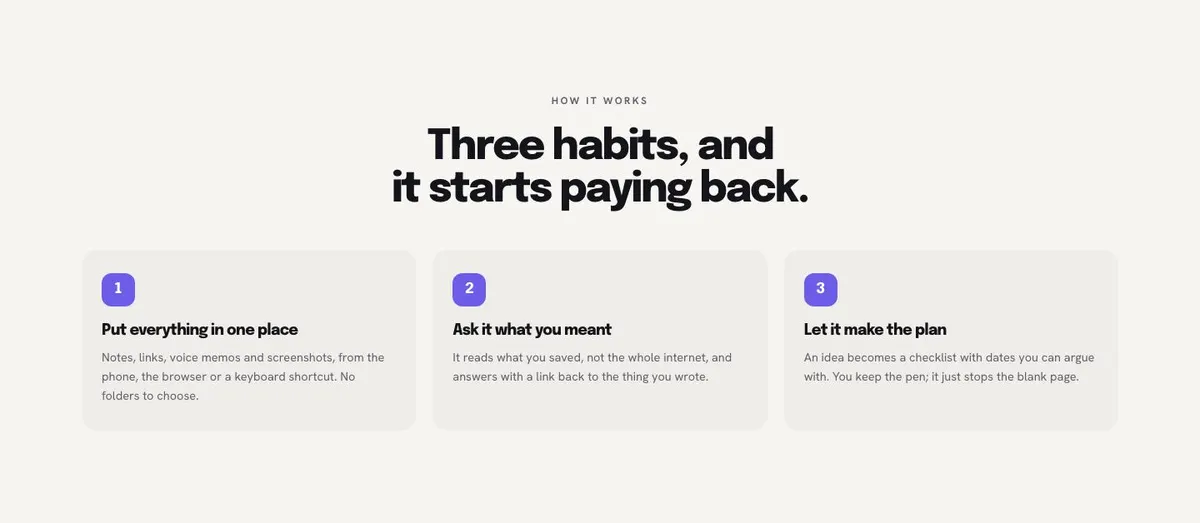
  6. 06 / 9 How

    Three habits, and it starts paying back

    Three habits, and it starts paying back sets out an adoption process; provide three practical habits your users can realistically follow.

    Marketing Tool SaaS template — How section
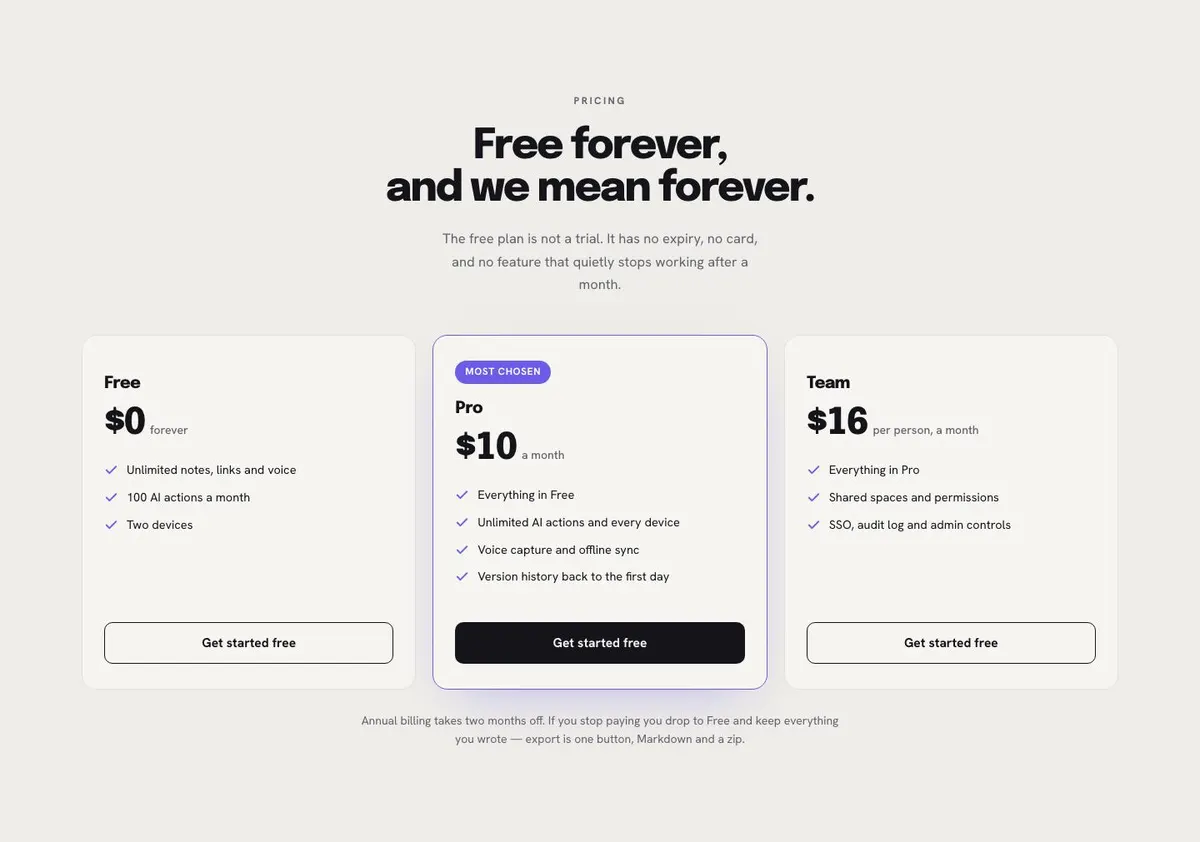
  7. 07 / 9 Pricing

    Free forever, and we mean forever

    Free forever, and we mean forever explains plan terms; supply ten accurate inclusions and stand behind the no-expiry, no-card and no-withdrawn-features guarantee.

    Marketing Tool SaaS template — Pricing section
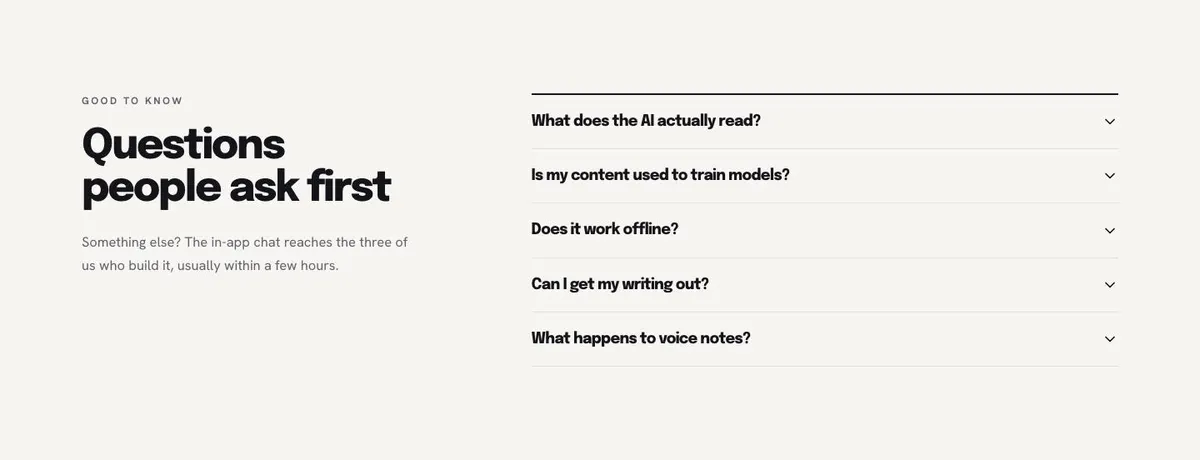
  8. 08 / 9 Questions

    Questions people ask first

    Questions people ask first answers common objections; supply accurate accordion answers and only promise in-app chat access to three builders within hours if true.

    Marketing Tool SaaS template — Questions section
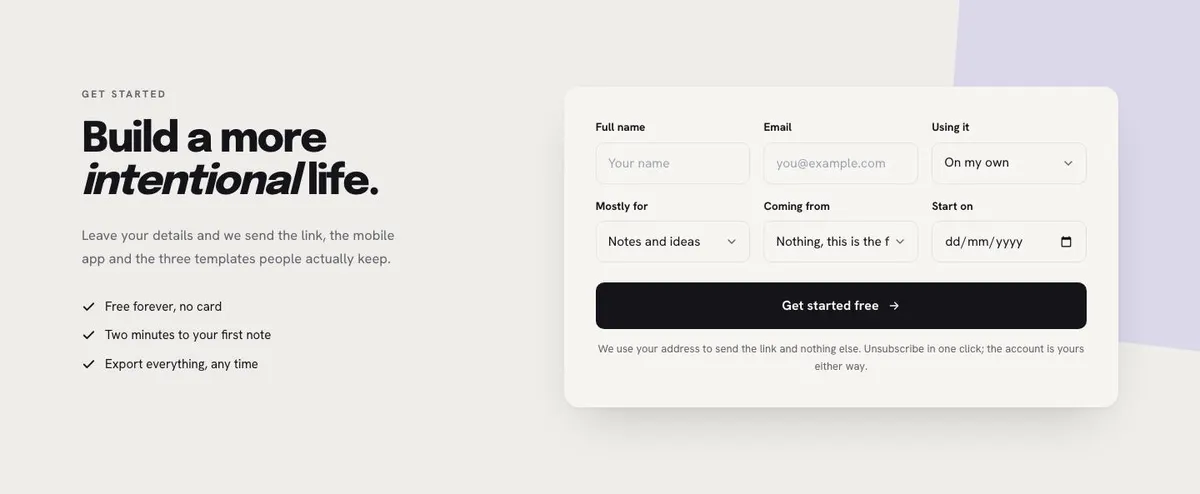
  9. 09 / 9 Get started

    Build a more intentional life

    Build a more intentional life collects enquiries; provide form details, one photograph, three templates, and genuine delivery information for the link and mobile app.

    Marketing Tool SaaS template — Get started section
03 the template

How this page works, and how to make it yours

A product page for software people choose to use every day

Someone searching for a Marketing Tool SaaS page needs more than a broad claim about AI. They need to show what the product helps people do, why it belongs in an existing working routine and what happens after the first visit. This design does that through a personal-product story: capture work, reduce switching and build better habits.

The mock-up is framed around a second-brain product, but the structure is not limited to notes. It can support a marketing tool where people collect ideas, organise campaigns, turn research into actions or keep a record of work. It can also work for an AI assistant, a habit tool, a journal or a creative studio’s own software.

A generic software page can undersell this kind of product by treating it as a list of functions. Here, the page gives the product a point of view first, then explains the work it supports. The visual direction is intentionally playful and bold, with a desk-sheet feel rather than a conventional corporate software layout. That makes it a considered fit for a product with a strong colour identity and an individual voice.

The page leads to an enquiry rather than showing a payment route. If the main job is to take subscriptions or complete a purchase directly on the page, another template should be considered.

Adapting the design system

The available colour schemes are Violet, Electric blue, Pine and Magenta. Choose one that belongs to the product identity, then make sure the screenshots, photographs and written voice feel consistent with it. This template is intended for a light, bold and playful direction, so it works best when the product can carry that character honestly.

The main font pairing is Epilogue with Hanken Grotesk. Alternative pairings include Caveat with Hanken Grotesk and Patrick Hand with Hanken Grotesk. The handwriting options are useful when the marginal notes and thrown-paper approach fit the brand; they should not be used merely because the template offers them.

Prepare thirteen photographs in total. They appear across the Hero, Logo strip, Capture, Focus and Get started bands. Plan them as one set, since they will be seen throughout a single journey rather than as isolated images.

Writing it for the business

Starting from a template costs no credits. Rewriting the copy with AI costs about 20 credits. A good brief names the product, the people it serves, the core job it helps them complete and the exact action the page should encourage.

It should also state what is true about access, pricing and support. Name the real source material customers add, the result they get back and the terms behind any free offer. The clearer the brief, the less likely the rewritten page is to retain a promise from the example that does not apply.

What to prepare first

Write one plain opening promise and a supporting sentence that explain the product without relying on AI as a shortcut phrase. Prepare the real examples for Capture, the outcome for Focus and the three habits in How. Decide whether the free-plan wording is accurate, and write answers for the questions that most often delay an enquiry.

Gather the thirteen photographs before publishing. Prepare the short quote for the Logo strip as well. Finally, decide what happens after the enquiry form: what is sent, who responds and which parts of the model closing statement need to be changed.

Variations for neighbouring products

For a knowledge-management app, make Capture about collecting research and meeting material, then make How about returning to it when a decision is due. For a journalling or habit product, write the three habits around a regular personal practice and keep the final promise appropriately simple.

For a creative AI tool, use Capture for source material and Focus for reducing fragmented work. If the product is more technical and needs a developer-led explanation, Developer Tool may give a closer starting point.

When another template fits better

Workspace Document is a better fit when the product is chiefly about documents and shared workspace activity.

Creative Video AI suits an AI product centred on creative video work.

AI Inbound Agent is worth considering when the main story is an AI agent handling incoming contact.

Browse the wider saas templates collection when the product’s main journey is different from a personal productivity tool.

Before publishing

  • Check that every “Get started” action leads to a real next step.
  • Confirm the free-plan statement matches the actual offer.
  • Replace the model support and follow-up promises.
  • Review all thirteen photographs as one visual set.
04 questions

Before you start

Is this only for a notes app?
No. The example uses a second-brain story, but the bands can support a marketing tool, AI assistant, habit product or creative software. The copy needs to describe the real inputs, routine and result for that product.
Can the free-forever pricing section be changed?
Yes, but the existing wording is a specific promise about a free plan with no expiry, no card and no feature loss after a month. Keep it only if those terms are true, and rewrite it if the business offers something different.
Will this work if the product needs enterprise sales?
It may not be the closest fit. The page is built around a personal-product narrative and ends with an enquiry form, rather than a detailed qualification journey.
How much content is needed before using AI to rewrite it?
Prepare the opening promise, the product’s real capture examples, the focus outcome, three habits, pricing terms and enquiry follow-up. Also provide the photography and a short quote for the Logo strip.

Start from this page.

It opens in the editor with the layout, the photographs and the sample text you have just scrolled through. Starting from a theme costs no credits.

What happens when you start
  1. The page opens in the editorwith this exact layout, its photographs and its sample text
  2. Change anything visuallyclick a heading, a picture or a colour; no code, no credits
  3. Publish in minutesto yourname.landflow.site or a domain you already own
  4. Leads arrive stampedsource, campaign and landing URL on every row, in the inbox
See the rest of this industry →