landflow

City Marathon Race DayLanding page template

Countdown, race-day schedule and ballot entries

For organisers of a city marathon or dated sporting event, this poster-led page builds anticipation around the opening date, presents the main race information, answers ballot questions and collects entries.

8 sections 34 photos 4 colour schemes Enquiry form
City Marathon Race Day landing page template, desktopCity Marathon Race Day landing page template on a phone
Opens ready. No credits.
01 preview

See the whole page before you start.

Switch devices, scroll the full page, or open the live demo. This is the exact layout, photos and sample text a new page starts with.

All templates
City Marathon Race DayEvents · 8 sections
City Marathon Race Day template, the whole page on desktop
02 what's on the page

Every section, in the order a visitor meets it.

The headings are the demo's own sample text. Your brief, or the AI copy pass, replaces them; the structure stays.

  1. 01 / 8 Hero

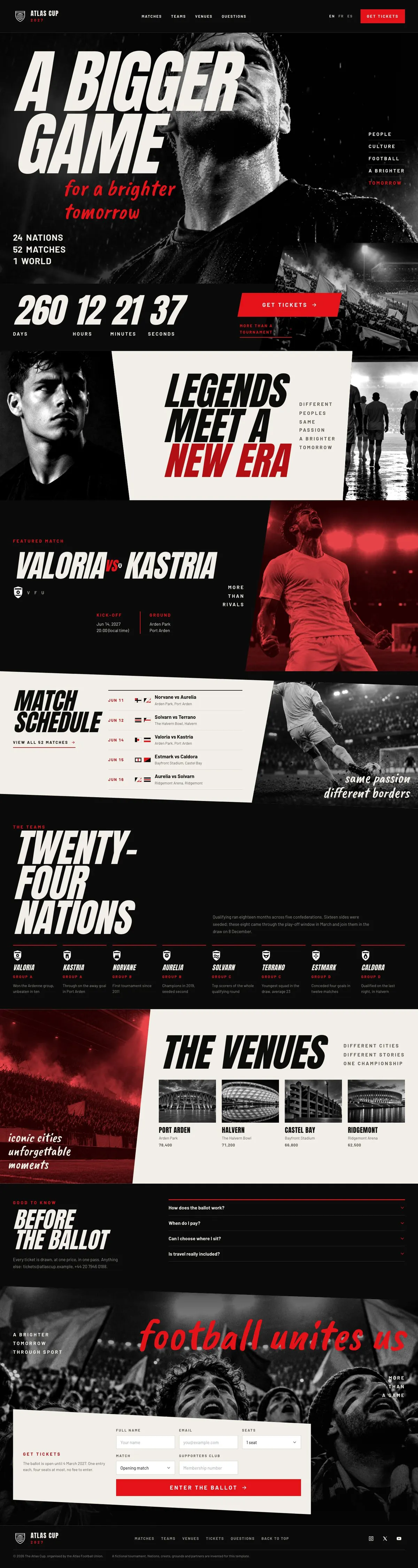
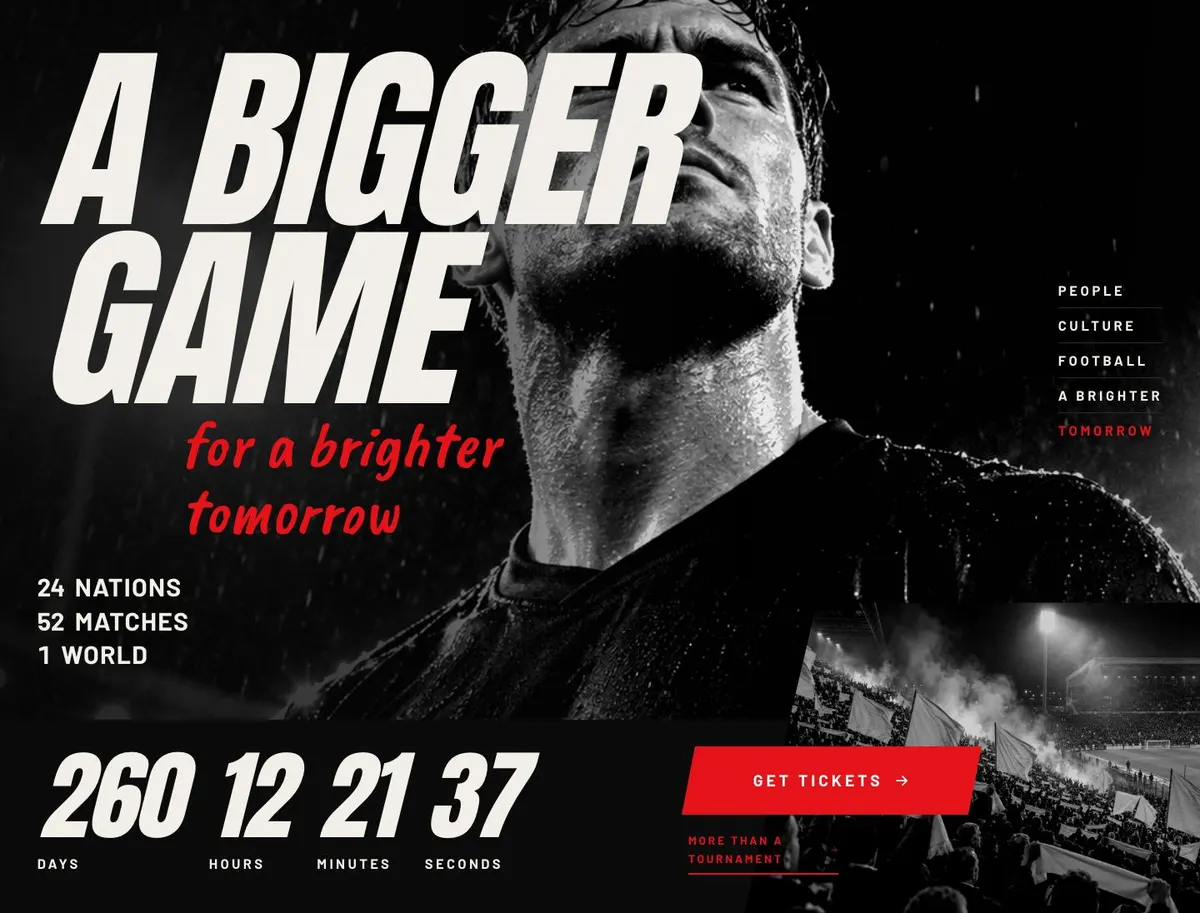
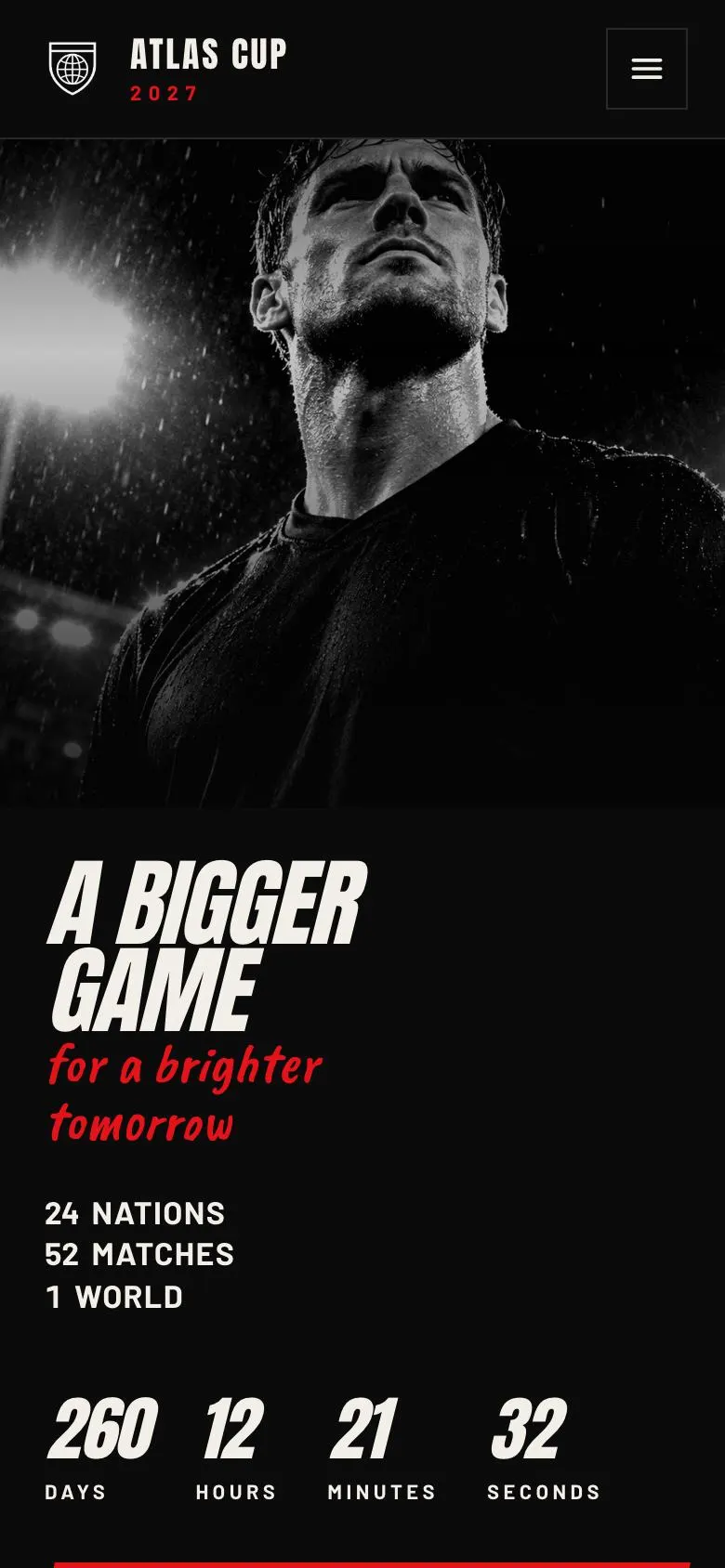
    A Bigger Game

    A Bigger Game and its brighter-tomorrow line introduce the event; provide two photographs, eight key details, a genuine countdown deadline, and a working ticket link.

    City Marathon Race Day template — Hero section
  2. 02 / 8 Story

    Legends meet a new era

    Legends meet a new era sets out the event story; supply two relevant photographs and five accurate points about its history or purpose.

    City Marathon Race Day template — Story section
  3. 03 / 8 Featured

    Featured content gives prominence to three selected subjects; provide three photographs and factual copy explaining why each belongs there.

    City Marathon Race Day template — Featured section
  4. 04 / 8 Matches

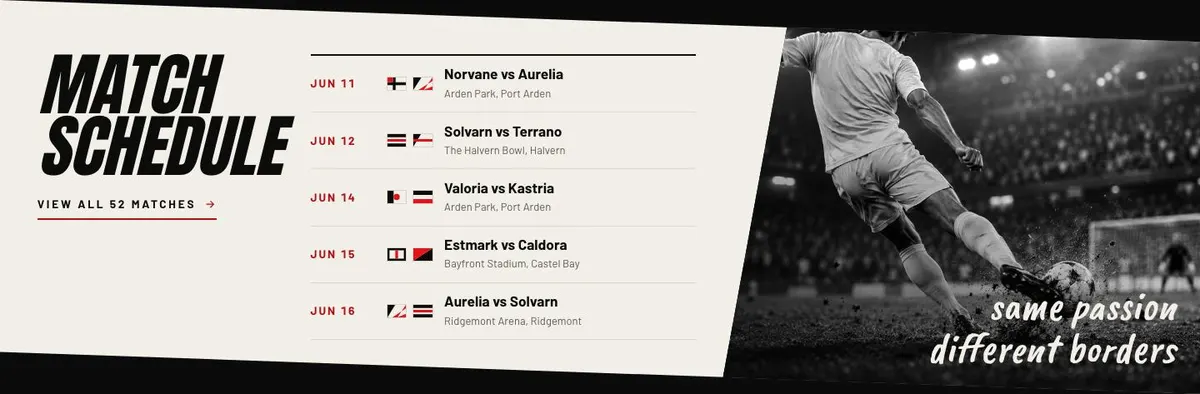
    Match schedule

    Match schedule helps visitors plan attendance; provide eleven relevant photographs and five up-to-date fixture details that you can confirm.

    City Marathon Race Day template — Matches section
  5. 05 / 8 Teams

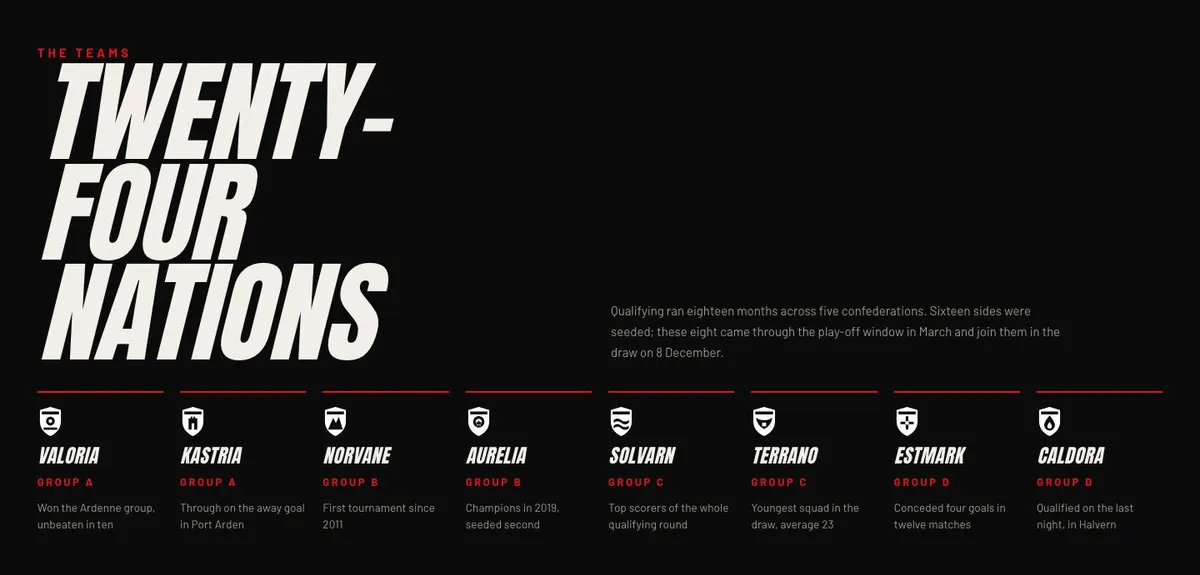
    Twenty-four nations

    Twenty-four nations explains qualification and the draw; provide eight team photographs and eight verified entries, and substantiate the stated confederation, seeding, play-off and draw claims.

    City Marathon Race Day template — Teams section
  6. 06 / 8 Venues

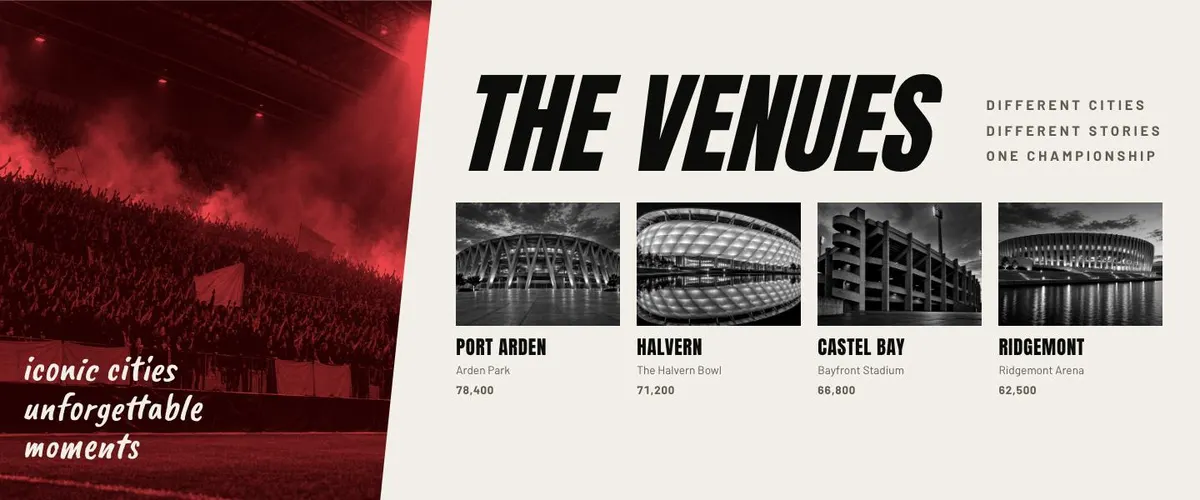
    The venues

    The venues lets entrants assess locations; supply five venue photographs and seven accurate practical details, including access information only where you can verify it.

    City Marathon Race Day template — Venues section
  7. 07 / 8 Questions

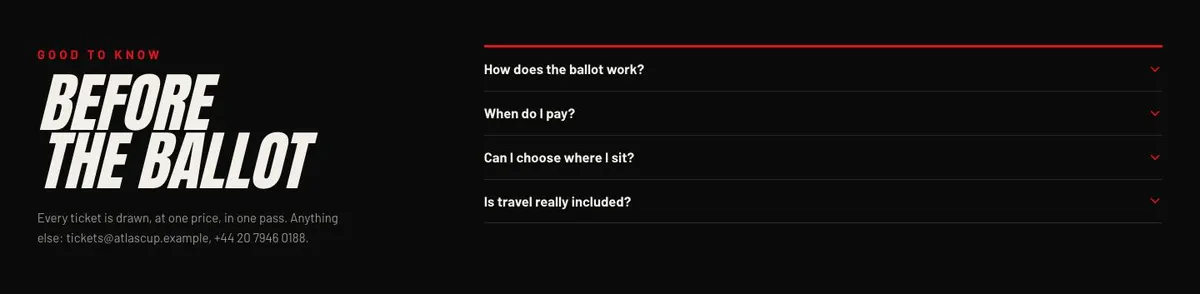
    Before the ballot

    Before the ballot answers ticket queries in an accordion; provide verified answers, current contact details, and evidence for the stated draw process and single-price claim.

    City Marathon Race Day template — Questions section
  8. 08 / 8 Tickets

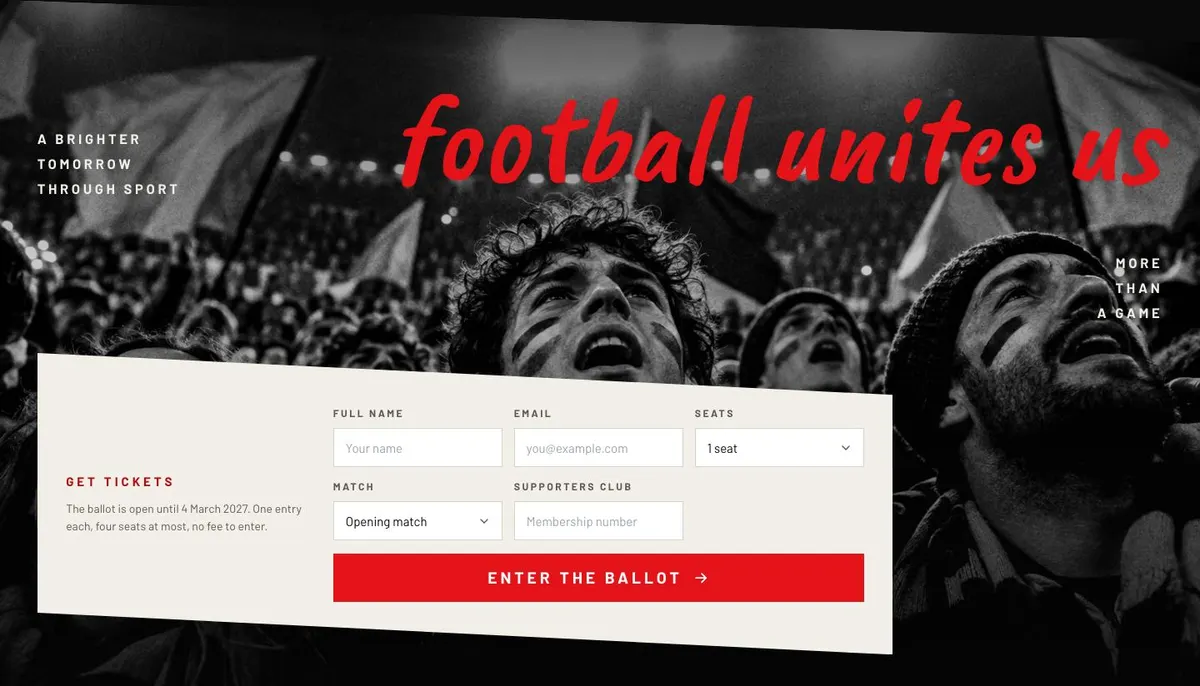
    Get tickets

    Get tickets collects ballot entries; provide a working form, genuine countdown deadline, two photographs, six entry details, and evidence for the stated date, limits and fee.

    City Marathon Race Day template — Tickets section
03 the template

How this page works, and how to make it yours

A race-day page for people deciding whether to enter

Someone searching for a City Marathon Race Day page needs more than a general event announcement. They need to know when the race is happening, what the day involves, where key moments take place and how to enter. This design handles that journey through a countdown, event story, featured moment, schedule, venue information, ballot questions and an entry form.

The underlying example is built around a football tournament, so the language and imagery need changing before it represents a marathon honestly. The match-led areas can become race-day timings, waves, course points or supporting events. There is no dedicated route band, so organisers should make essential route information clear within the schedule or venue content, rather than implying that the page provides a separate course map.

A generic event page can undersell a marathon because it treats the date as one detail among many. Race entrants usually make a decision around the day itself: whether they can attend, whether the ballot is open, and whether the practical arrangements make sense. This template puts those questions near the centre of the page.

Adapting the design to the event

The template has four colour schemes: Scarlet, Cobalt, Gold and Chalk. Choose the scheme that fits the established race identity, then keep event materials consistent with it. The visual direction is dark, photo-led and bold, with uppercase headings. It uses Anton for display type and Barlow for body copy. Alternatives pair Caveat Brush or Oswald with Barlow.

It needs 34 photographs, so image preparation is a substantial part of the work. Images appear from the Hero through Story and Featured, then throughout the schedule, participant content and venue content, with photographs also used beside the final entry section. Plan images for the actual pieces of information the page presents. Use race scenes for atmosphere, but also ensure the locations and programme can be represented truthfully.

Writing it for your business

Starting from this template costs no credits. Rewriting the copy with AI costs about 20 credits. A useful brief names the event, city, date, entry model, deadline, core audience and the single action the page should encourage. It should also state which existing bands need a different meaning, especially the Featured, Matches and Teams sections.

Give the AI the real wording for ballot conditions and support contact details. It can then reshape the page without leaving tournament language in a marathon page. Do not ask it to fill gaps with assumptions. If route details, runner requirements or timings are still being confirmed, say so and provide only what is ready for publication.

What to prepare first

Start with the event name, date and opening message for the Hero. Then prepare a short event story, one featured race-day message and a complete timetable for the schedule. Decide what the Teams area will mean for this event before writing it.

Collect accurate wording for every location in Venues and draft the ballot answers for Questions. Finally, prepare the entry deadline, limits that apply to an entry, the form’s purpose and the contact route for unresolved queries. Alongside the copy, assemble all 34 photographs and match each one to a real band before publishing.

Variations for neighbouring events

A tournament can use the page close to its original structure: Featured becomes the main fixture, Matches remains the schedule and Teams names the competing sides. A championship can use the same structure for heats, finals and venue information, while keeping the final form focused on its actual entry or ticket process.

A music or film festival can turn Matches into a line-up and use Featured for the headline artist, screening or opening night. The Teams section can become a focused introduction to performers, filmmakers or participating organisations. In each case, the ballot wording must be replaced if admission works differently.

When another template fits better

Concert Tour Dates is a better fit when the main job is publishing dates across a tour rather than running one city-centred event.

Food Festival Tickets may suit an event built around food vendors and ticket attendance rather than a race-day ballot.

Theatre Show is worth considering for one booked performance or a production with show-led information.

Record Launch Campaign is for an artist release campaign, not a dated public race or tournament.

Browse the wider events template collection if the page needs a different event structure.

Before you publish

  • Check the countdown uses the confirmed event or ballot date.
  • Replace every tournament reference with race-specific wording.
  • Make the schedule and venue details agree.
  • Test that the final form matches the stated entry process.
04 questions

Before you start

Can this work for a city marathon when the demo shows football?
Yes, if the tournament language is rewritten throughout. The schedule can become a race-day timetable, and the featured section can focus on the main race or start. The venue and ballot information must use the marathon’s real details.
Does the template take payment for race entries?
The listed final band contains an enquiry form and ballot information. It should be presented as an enquiry or application route, not as payment, unless a separate process handles payment after the page.
What should go in the Teams section for a marathon?
It can introduce a meaningful group within the event, such as participant categories, charities or community partners. If that is not relevant, use it for the wider participation story and remove all qualifying and draw language.
Is 34 photographs excessive for a small race organiser?
This template is photo-led and calls for 34 photographs across the page. If that volume is not available, it may require careful reuse or a different template; the published page should not rely on invented event imagery.

Start from this page.

It opens in the editor with the layout, the photographs and the sample text you have just scrolled through. Starting from a theme costs no credits.

What happens when you start
  1. The page opens in the editorwith this exact layout, its photographs and its sample text
  2. Change anything visuallyclick a heading, a picture or a colour; no code, no credits
  3. Publish in minutesto yourname.landflow.site or a domain you already own
  4. Leads arrive stampedsource, campaign and landing URL on every row, in the inbox
See the rest of this industry →