A landing page needs enough photos to explain the offer and support the enquiry. There is no fixed universal number. Our library’s photograph requirements span 2 to 37. These are layout requirements, not conversion benchmarks. We recommend choosing a layout whose photograph requirements you can meet with relevant, usable material you have permission to publish.
Match your photo budget to the template, give each image a clear job and check the page before publishing. Use template counts to judge whether you have enough material for the layout.
How many photos does a landing page need when explanation leads?
A page needs very little photography when drawn product treatment explains the product. Photographs can then provide customer context.
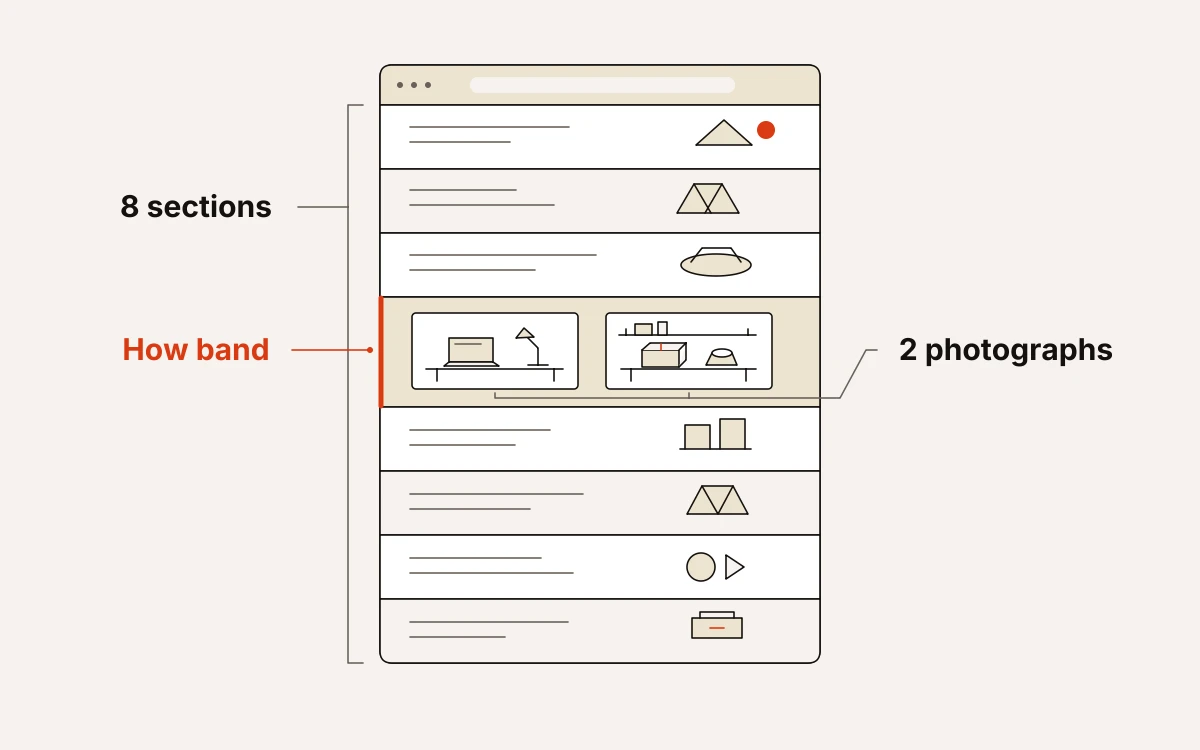
Trade Operations Suite has 8 sections and 2 photographs, both in the How band. Its drawn product treatment handles the remaining explanation. We recommend planning those photographs before publication. Choose images that support the customer account or the move from demo to impact; they should not stand in for product imagery.
Compliance Trust Page also has 8 sections, with 3 photographs across Hero and Stories. The Hero pairs its photograph with an enquiry form and the call to action “Get Your Free Assessment”; the remaining photographs belong to the client story.
We would choose this layout only if a genuine, approved quote and permission-cleared story photographs were ready to publish. Keep the story specific to that client, without implying that every client receives identical results.
How Solo Consultant and Gym use their photographs
Solo Consultant asks for six photographs; Gym asks for eight. We would choose either only when the available photographs cover the specific jobs its sections require.
Solo Consultant needs six photographs for a focused product collection. It is the wrong choice for a consultant-services offer:
- Hero: one.
- Collection: two.
- House: two.
- Beauty: one.
It suits fragrance houses, skincare makers, candle studios, single-estate spirits and jewellers. Choose each photograph to show the product, its context or the work behind it. A photograph that merely fills a slot adds nothing.
Gym needs eight photographs across four bands: two in Hero, three in Results, one with the assessment in Training and two in Space. We would plan these as one coherent set showing the training being sold, intended members and rooms visitors will recognise on arrival. For Results, use a genuine, authorised member quote and permission-cleared images; photographs alone do not prove outcomes.
Build a sequence when the product or place needs explaining
A larger photo set earns its place when each stage answers something the previous pictures could not. We recommend planning that sequence before choosing the pictures.
Single Product Launch needs 10 photographs across 9 sections. Establish the item and its context in Hero, explain the story and technology through Story and Technology, then make the pre-order feel concrete as the page reaches Preorder and the Closing band. If the set consists of near-identical product angles, it is not ready for this layout.
Restaurant Table Bookings needs 14 photographs across 12 sections, with pictures in Hero, Why, Menu, Land, Room and Book. We would plan these alongside the copy: a distinct opening, food, ingredients, the room and a picture to close the booking section. Book pairs one photograph with an enquiry form.
If the food is well covered but the room is missing, commission or find the room photograph rather than substitute another plate. It answers a different part of the booking decision.
Choose a portfolio layout only when the evidence exists
Choose a photo-led portfolio when finished work can fill its sections without padding. Digital Studio needs 19 photographs across 10 sections and suits film production houses, video agencies, photography studios and creative teams with enough work to show.
Clients and Work require the most photographs:
- Clients needs six permission-cleared photographs, with the organisations identified and approval to associate them with the studio.
- Work needs four rights-cleared production photographs.
We recommend assigning usable, approved material to the sections where it will appear before writing copy. If you cannot fill Clients and Work, choose another layout. Extra copy cannot replace missing evidence of a real practice.
Reserve large image budgets for real event or retail breadth
Dozens of photographs make sense when there is a varied event or product range to explain. We recommend these layouts only when the material already supports that breadth.
City Marathon Race Day has 8 sections and needs 34 photographs. Its underlying example uses a football tournament: replace that language and imagery before publishing a marathon page. Plan photographs around the information on the page. Use race scenes for atmosphere, and show locations and the programme truthfully. If material runs short, consider careful image reuse or choose another template; do not invent event imagery.
Black Friday Marketplace has 12 sections and needs 37 photographs. Its Gifts by Price section calls for twelve photographs showing twelve best-selling products. Prepare the image set before finalising copy so category names and featured products match what visitors see.
A smaller sale range can fit if it supplies real content for the category, deals, brand and gift sections. If those sections would depend on unrelated photographs, choose a leaner layout.
Run a photo-budget check before you publish
The page is ready when every photograph has a purpose and the form delivers the enquiry or order. We recommend checking the assembled page, including how the images work in place.
- Count relevant, usable, permission-cleared photographs, then compare that total with the template’s stated requirement.
- Label each photograph with its section and job: explain the offer, show context or support a claim. Replace fillers. If the material cannot fill the layout, change layouts.
- Confirm that publication rights cover every image and any people or client work shown.
- Inspect the page on a phone. Check that crops preserve the subject and that visitors can follow the offer to one form.
- Send a test enquiry or order and verify that it reaches the inbox.
Our six-check quality gate includes licensed, domain-hosted images, a phone review and a check that the form writes to the inbox before any pixel fires. We stamp source and campaign on every lead server-side at submission, so the finished page can connect each enquiry to the campaign that sent it.