landflow

Wedding AtelierLanding page template

Seasonal flowers, wedding work, studio stories

Wedding Atelier is for florists, flower farms and creative makers who need an enquiry-led page that presents seasonal work, wedding commissions, workshops and field notes through photography and a numbered editorial rhythm.

12 sections 19 photos 4 colour schemes Enquiry form
Wedding Atelier landing page template, desktopWedding Atelier landing page template on a phone
Opens ready. No credits.
01 preview

See the whole page before you start.

Switch devices, scroll the full page, or open the live demo. This is the exact layout, photos and sample text a new page starts with.

All templates
Wedding AtelierCreative & studios · 12 sections
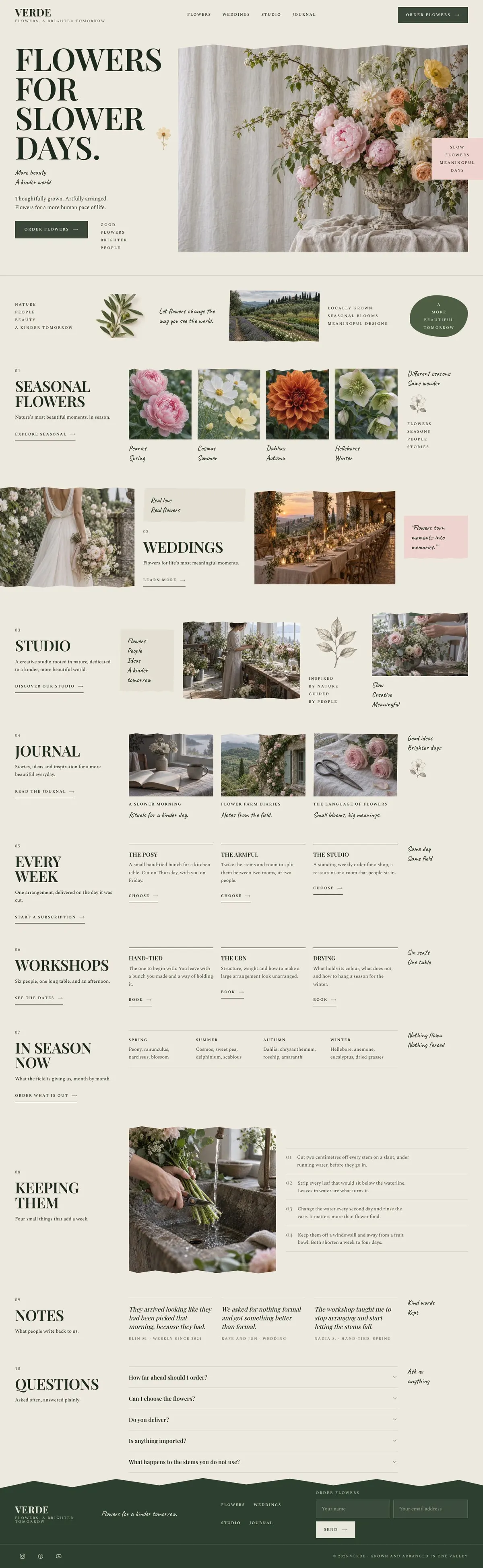
Wedding Atelier template, the whole page on desktop
02 what's on the page

Every section, in the order a visitor meets it.

The headings are the demo's own sample text. Your brief, or the AI copy pass, replaces them; the structure stays.

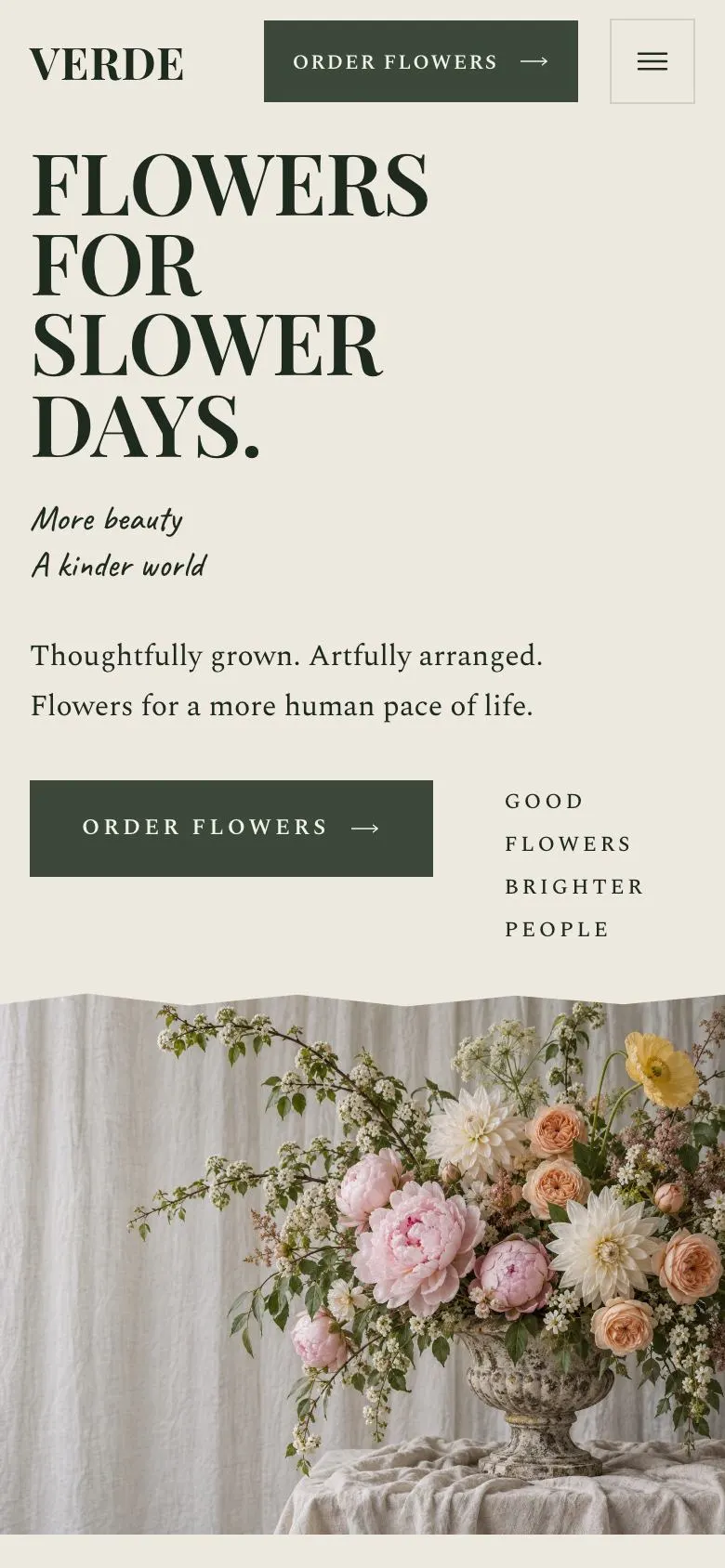
  1. 01 / 12 Hero

    Flowers for slower days

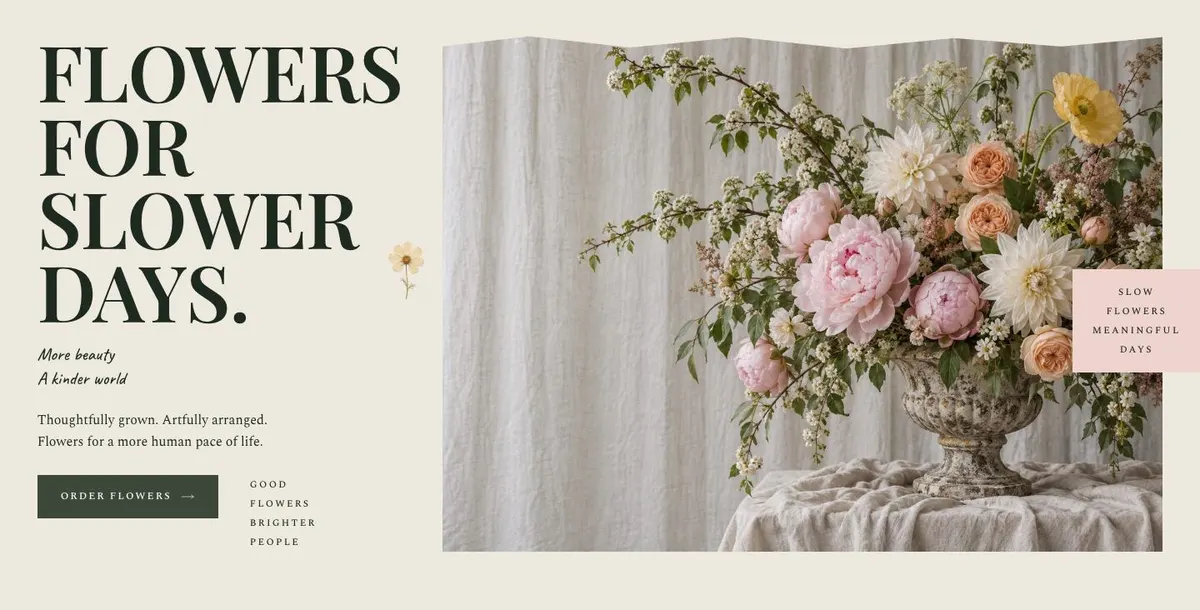
    Flowers for slower days introduces your flower offering; provide two original photographs, truthful supporting copy, and an order destination you can fulfil.

    Wedding Atelier template — Hero section
  2. 02 / 12 Grown

    Grown explains how your flowers are produced; supply two photographs and accurate details of your growing methods, sources, and seasonal availability.

    Wedding Atelier template — Grown section
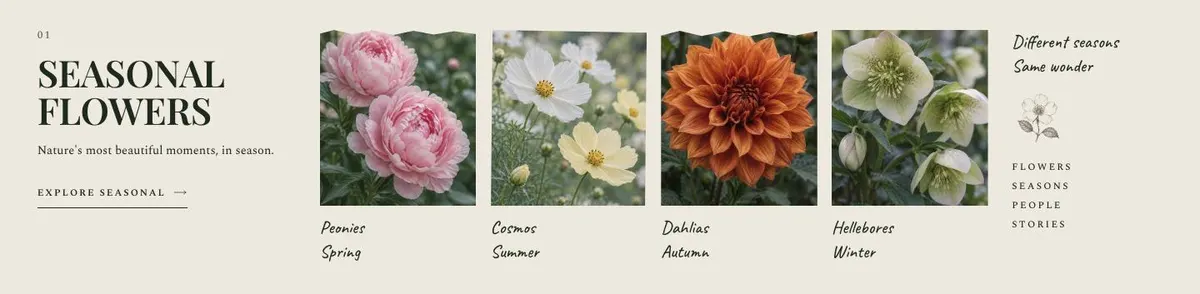
  3. 03 / 12 Seasonal

    Seasonal flowers

    Seasonal flowers helps customers understand what is available; provide five photographs and copy that accurately reflects your flowers during each season.

    Wedding Atelier template — Seasonal section
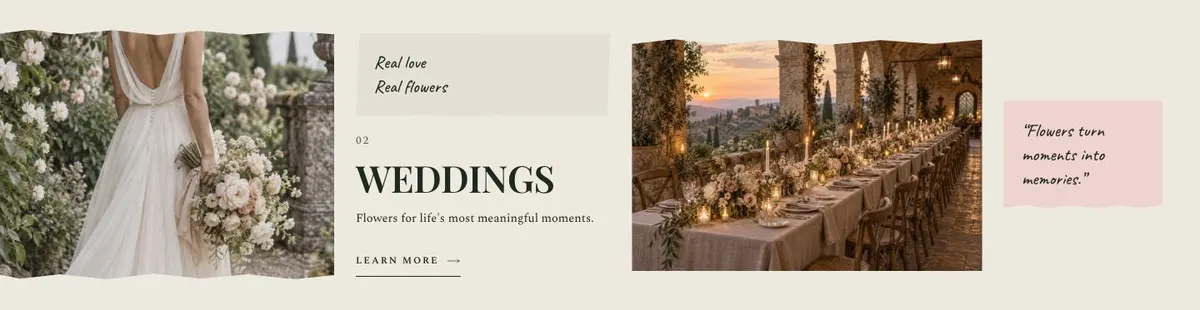
  4. 04 / 12 Weddings

    Weddings invites enquiries for meaningful occasions; add two photographs, your wedding flower services, availability, pricing approach, and contact details for prospective couples.

    Wedding Atelier template — Weddings section
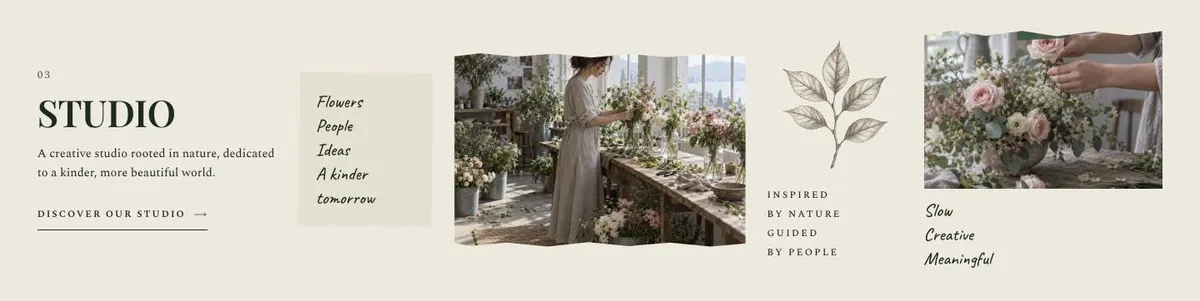
  5. 05 / 12 Studio

    Studio explains your creative practice and values; provide three photographs and a truthful account of your work, materials, processes, and environmental commitments.

    Wedding Atelier template — Studio section
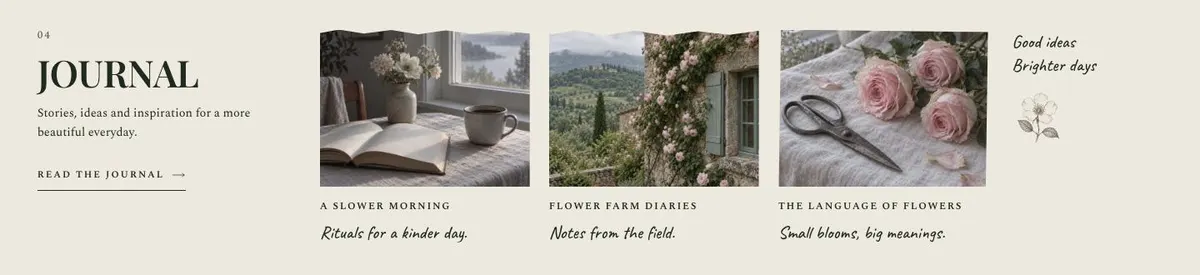
  6. 06 / 12 Journal

    Journal provides space for stories and ideas; supply four photographs and original articles that represent your knowledge, work, and publishing schedule honestly.

    Wedding Atelier template — Journal section
  7. 07 / 12 Subscription

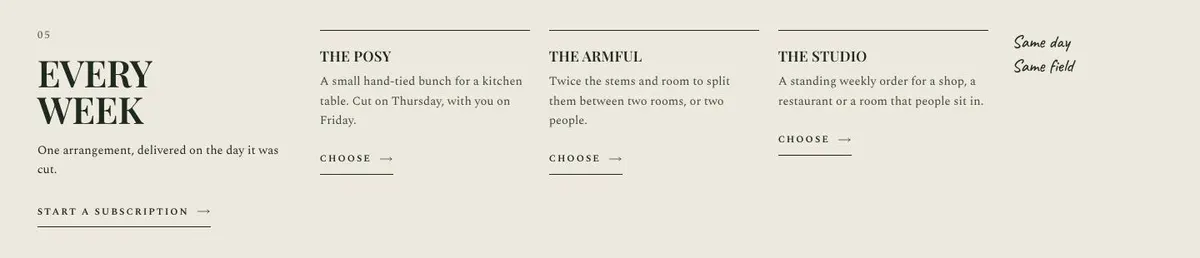
    Every week

    Every week sets out a regular flower subscription; provide delivery areas, frequency, prices, arrangement details, and only promise flowers cut that day when you can meet it.

    Wedding Atelier template — Subscription section
  8. 08 / 12 Workshops

    Workshops describes an afternoon for six people around one table; provide dates, location, price, materials, accessibility information, and confirm that attendance is limited to six.

    Wedding Atelier template — Workshops section
  9. 09 / 12 Calendar

    In season now

    In season now gives a month-by-month guide to your field; supply an accurate calendar of flowers you genuinely grow or source each month.

    Wedding Atelier template — Calendar section
  10. 10 / 12 Care

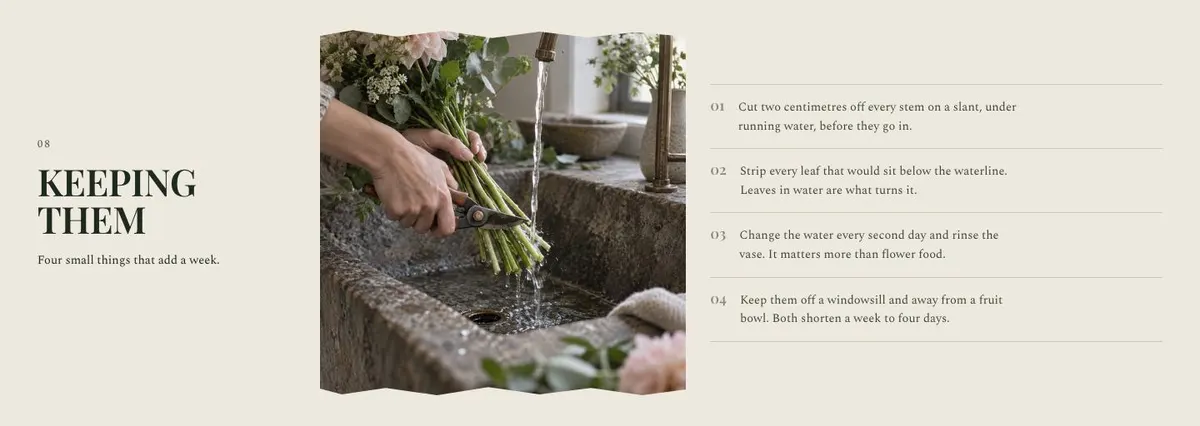
    Keeping them

    Keeping them shares four care steps intended to add a week; provide one photograph and ensure this claim is supported by your flowers and care advice.

    Wedding Atelier template — Care section
  11. 11 / 12 Notes

    Notes presents words from past customers; supply a genuine quote, permission to publish it, and enough identifying context to avoid misleading visitors.

    Wedding Atelier template — Notes section
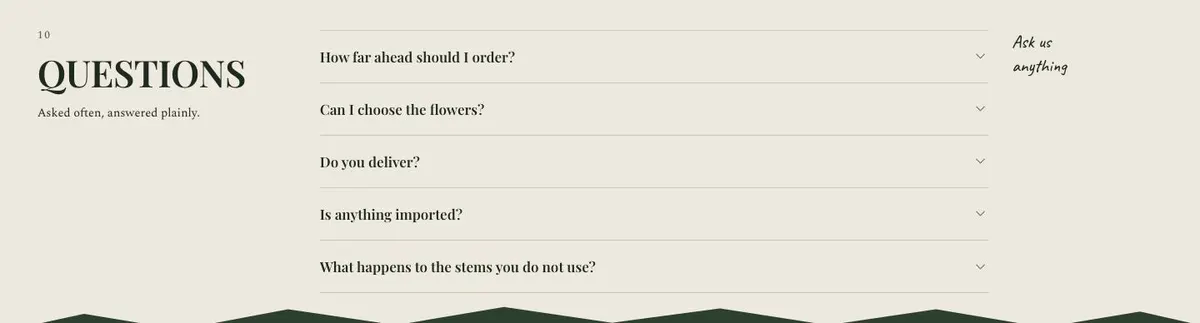
  12. 12 / 12 Questions

    Questions answers common enquiries and collects new ones; write accurate accordion answers, provide form fields and contact handling details, and keep responses current.

    Wedding Atelier template — Questions section
03 the template

How this page works, and how to make it yours

A wedding flower page that makes the work feel considered

Someone searching for Wedding Atelier needs a page that explains a particular kind of wedding work before they make an enquiry. They may be looking for flowers that follow the season, a florist with a recognisable point of view, or a studio able to work across a full celebration rather than simply supply an item from a list.

This design handles that job through a sequence of images and short chapters. It gives wedding work its own place, but does not make the whole page read as a wedding brochure. That is useful for a florist whose weddings sit alongside field-grown flowers, studio commissions, workshops and regular arrangements. A generic service page can make all of those offers look interchangeable. This one lets each have its own reason for being there.

The template is not built around prices, packages or a catalogue. It leads towards an enquiry instead. For a business that needs to publish fixed wedding packages or compare options in detail, another template may be a better starting point. For work chosen through conversation, photographs and seasonal availability, the quieter structure is a closer fit.

Adapting the design without losing its character

The template has four colour schemes: Verde, Ink, Rose and Clay. Choose the one that fits the existing identity and the photographs rather than treating colour as a substitute for them. The design uses Playfair Display for display text and Spectral for body copy. Alternatives include Caveat with Spectral, or Cormorant Garamond with Spectral. The type choice should still leave practical information easy to read.

This is a photo-led editorial design. It needs 19 photographs across the page: the opening, the growing story, seasonal work, weddings, studio work, journal content and flower care. Before choosing the template, check that the business has enough distinct images to give each chapter its own purpose. Wedding images should appear in Weddings, while the images in Grown, Seasonal and Studio should explain those separate parts of the practice.

Writing it for your business

Starting from this template costs no credits. Rewriting the copy with AI costs about 20 credits. A useful brief names the business, the area it serves, the work it actually offers and the action the page should lead to. It should also state what must not be promised, such as regular subscriptions, workshops or particular flowers when those are not available.

Give the AI a clear account of the wedding client: the kind of celebration, the point at which they tend to enquire and the information the business needs before replying. Name the seasonal story if it is real. Explain the voice required. A short, accurate brief will produce more useful starting copy than a long list of vague preferences.

What to prepare before publishing

Write a short introduction for the Hero and a clear replacement for “Order flowers” if ordering is not the route offered. Prepare the growing or studio story, the wedding service explanation and a season-by-season account for Calendar. Gather the material for Journal: real stories or ideas, not placeholder titles.

Decide whether Subscription and Workshops belong to the business. If they do, write their terms accurately enough that a visitor knows what is being offered. Prepare four practical flower-care points for Keeping them. Choose one genuine customer note for Notes. Finally, write the questions that repeatedly come up before an enquiry, then make sure the form is ready to receive the details needed for a useful reply.

Variations for neighbouring trades

A flower farm can make Grown, Seasonal and In season now the centre of the page, then position Weddings as one commission type among several. Its photographs should show the field, changing stems and finished arrangements in the appropriate chapters.

An event florist can put more of the business story into Weddings and Studio, using Journal for recent event ideas and Notes for feedback. The Calendar section should only describe seasonal availability that the business can genuinely explain.

A garden-led creative studio can retain the editorial sequence while adapting Workshops to its real gatherings and Studio to its practice. It should not keep the subscription language unless a weekly arrangement is actually delivered.

When another template fits better

For a broader creative practice with less emphasis on seasonal flowers, see Studio Index. For a maker presenting a defined body of crafted work, Tailoring Collection Showcase is worth considering. For a more product-focused collection, try Luxury Collection Showcase. For digital creative services rather than flower work, look at Product Design Studio. More options are available in agencies and studios.

Before you publish

  • Make the first call to action match the real next step.
  • Use wedding photographs in the Weddings chapter.
  • Remove or rewrite offers the business does not provide.
  • Test the enquiry form with a real message.
04 questions

Before you start

Is Wedding Atelier only for wedding florists?
No. The page includes a dedicated Weddings chapter, but it also makes room for seasonal flowers, studio work, journal content, subscriptions and workshops. It is best for a business where wedding work is important but not the only part of the story.
Can this template show wedding prices and packages?
The listed page structure leads to an enquiry and does not include a price or package section. It can explain the work and answer common questions, but a business that needs detailed public pricing should choose a template designed for that purpose.
What happens if the business does not offer subscriptions or workshops?
Those chapters should not be left with promises the business cannot fulfil. Their copy should be adapted around a real offer or activity, with the rest of the page kept accurate.
Do I need professional photographs for this template to work?
The page uses 19 photographs across its chapters, so a coherent set of images matters. They need to show distinct parts of the business, including the wedding work, seasonal work and studio story where those are offered.

Start from this page.

It opens in the editor with the layout, the photographs and the sample text you have just scrolled through. Starting from a theme costs no credits.

What happens when you start
  1. The page opens in the editorwith this exact layout, its photographs and its sample text
  2. Change anything visuallyclick a heading, a picture or a colour; no code, no credits
  3. Publish in minutesto yourname.landflow.site or a domain you already own
  4. Leads arrive stampedsource, campaign and landing URL on every row, in the inbox
See the rest of this industry →