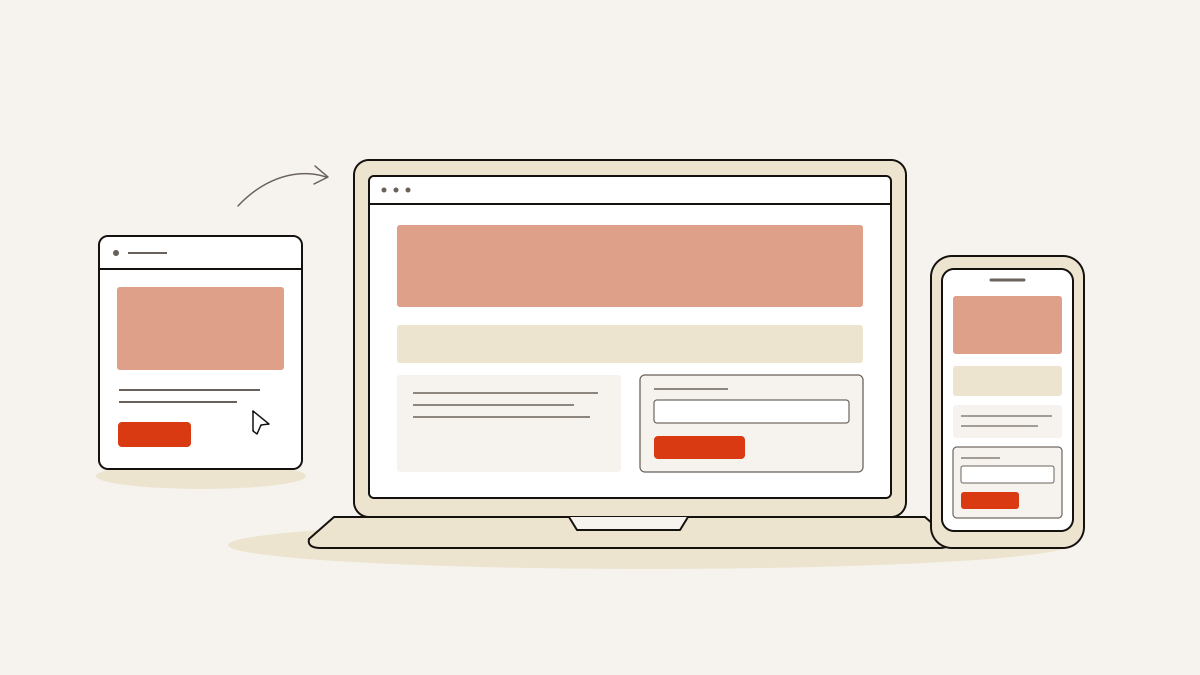
A good landing page gives visitors relevant, useful content, easy navigation and a clear explanation of what to expect. On a lead-collecting page, the content needs to match the ad’s promise, with a next step that is easy to understand and complete.
We use those requirements to decide what the page says, what the form asks for and what to check on a phone. An ad-to-inbox test then checks both sides of the form submission: what visitors need to see and what must happen behind the scenes when they submit it.
Which attribute describes a good landing page experience in practice?
The headline and offer must carry through the specific promise that earned the click. That is the editing rule behind ad-to-page message match. If the ad offers a quote for a particular service, a general introduction to the business is the wrong opening.
We put the visitor’s benefit before the feature list. Explain what the offer helps them do or solve, then use features to support that explanation. A description of how the product works cannot replace a reason to want it.
Headings should help readers find what they need. “What your quote includes” tells a scanning reader where to look. Repeating the service keyword in every heading does not help them find it. Use short paragraphs and bullets where they make the offer easier to inspect.
If the advertised promise changes, revise the page before buying traffic. Check the headline, benefit and offer together: changing only the headline can leave the rest of the page selling something else.
Make the business and the next step clear
Visitors should know who will receive their enquiry and what that business will do next. Explain whether submitting the form requests a quote, starts a booking or asks for a call.
We favour plain explanations over vague reassurance. Replace “We’ll take care of everything” with details of what the service includes, who will respond and how they will contact the visitor. State a response time only if you can meet it.
Use genuine testimonials about the specific offer, from people your intended customer can recognise as relevant. Praise for an unrelated service does little to explain this one.
Keep business and contact details easy to find. Present alternative contact methods as supporting information so they do not compete with the main call to action. Proofread names, terms and instructions: visitors should not have to guess what you mean.
Give visitors one action and only necessary form fields
Choose one dominant call to action and name the task the visitor is completing. “Request a quote” or “Book a consultation” is clearer than “Submit”; use the label that matches what the form actually does.
For each field, ask whether you need the answer to handle the initial enquiry. If it can wait until the conversation, remove it. Ask for a phone number when a callback is part of the offer. Leave it out if it would only be useful later.
Keep supporting information beside the form: any conditions that affect the enquiry, why you need a particular detail, and a clear route to the privacy information. Visitors should be able to resolve a basic doubt without leaving the task.
We build each page around exactly one conversion goal and one lead form. That constraint keeps the page focused on a single outcome, with no competing tasks for visitors to choose between.
Make the page usable on a phone
Visitors need to be able to read the offer and complete the enquiry on a phone. We recommend checking the published page on several phones rather than relying on a desktop preview.
- Read without zooming. Check body text, form labels and conditions. If text becomes cramped or runs off-screen, fix the layout rather than shrinking the type.
- Tap through the form. Check that buttons are easy to press and that the on-screen keyboard leaves the field being completed visible.
- Watch what loads. Compress oversized images while keeping the details visitors need to understand the offer. Keep photographs that support the message; remove decoration that delays or obscures the enquiry.
Prioritise landing page speed for visitors on mobile. The offer still needs to be clear when the page loads.
Run an ad-to-inbox check before sending traffic
Do not send paid traffic until a test enquiry reaches the inbox with its campaign details intact. A successful pixel event alone does not prove the enquiry arrived.
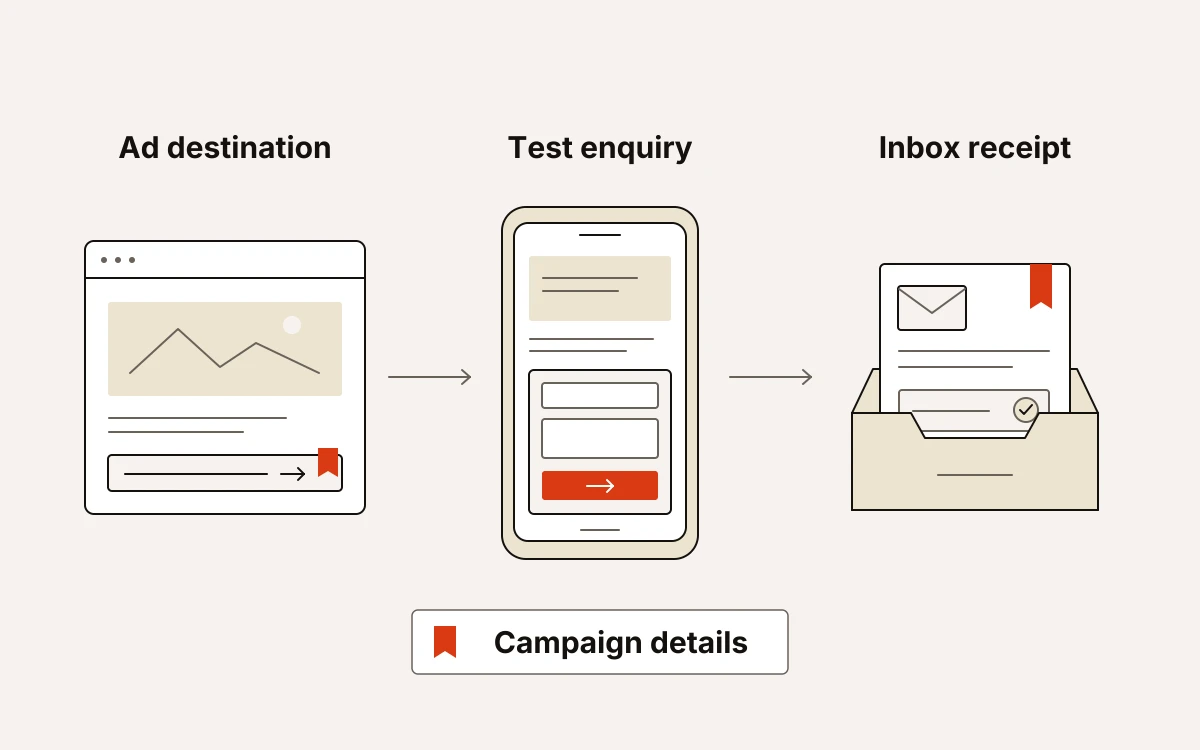
- Open the ad’s destination on a phone, using the destination URL with its campaign parameters. Check that the promise matches the ad and that you can reach and complete the form without layout or loading problems.
- Submit a recognisable test enquiry. Look for a visible Thank You message, then check that any promised confirmation email arrives. The visitor should know the submission succeeded.
- Find the enquiry in the inbox and check the submitted answers and campaign details against your test. Missing attribution and a missing lead are separate failures. A pixel firing resolves neither.
- Fix failures and repeat the test. Retest after changes before launching. Once traffic starts, review page performance and received enquiries, then adjust and test again.
We stamp source, medium, campaign, click id, landing URL and consent state on the server at submission. Our six-check publishing gate includes the form writing to the inbox before any pixel fires.
For implementation detail, see our existing attribution and quality-gate articles. Those checks protect lead capture; the visitor experiences the promise, phone layout and confirmation.